
Digitus Sit-Stand Desk Frame Manual
PDF manual · 17 Pages
English



Quick check
Incorrect answer, please try again.
Chat with your Digitus Sit-Stand Desk Frame manual using AI
Get instant AI answers from your Digitus Sit-Stand Desk Frame manual
Ask anything about the Digitus Sit-Stand Desk Frame. Answers come from this manual, with the pages they are based on.
Ask a Question
Do you recommend Sit-Stand Desk Frame?
Yes NoFrequently Asked Questions
The desk frame supports a maximum load of seventy kilograms. Ensure you do not exceed this limit to prevent damage to the motor or structure.
Is this answer helpful?
Long press the down arrow for five seconds at the lowest position. Or move to lowest position then long press the same button again. This calibrates the frame height.
Is this answer helpful?
No, the table must only be used indoors and in dry premises. Moisture can damage electrical components and void safety guarantees on the equipment.
Is this answer helpful?
The motor operates silently at less than fifty decibels. This low noise level ensures minimal disturbance during work or meetings in the office.
Is this answer helpful?
The motor allows continuous operation for two minutes only. Afterward, you must pause for approximately eighteen minutes before using it again to avoid overheating.
Is this answer helpful?
Compatible tabletops must be between one hundred and ten and one hundred sixty centimeters wide and fifty to eighty centimeters deep for proper fit.
Is this answer helpful?
Unplug power before cleaning. Wipe with a slight wet dishcloth but avoid letting drops enter internal parts or connectors to prevent hazards.
Is this answer helpful?
Advantages and Disadvantages
Advantages

- Maximum load capacity of up to 70 kg supports various equipment needs.
- Quiet motor operation below 50 decibels ensures a peaceful work environment.
- Anti-collision sensor protects objects and mechanism from accidental impact.
- Wide height adjustment range from 71.5 to 121.5 cm suits multiple users.
- Straightforward assembly process with included mounting materials and tools.
Disadvantages

- Duty cycle restricts continuous use to two minutes before an eighteen minute pause.
- Specific tabletop width requirements between 110 and 160 centimeters must be met.
- Indoor use only prevents usage in damp or outdoor environments safely.
- Manual assembly is required which takes time and attention to detail.
- Motor requires periodic rest to maintain longevity and prevent overwork.
Product Specification
Type
Sit-Stand Desk Frame
Shape
Rectangular
Material
Top: N/A, Frame: Steel
Color
Top: N/A, Frame: Black
Desktop Dimensions (WxD)
N/A (optional 43.31-62.99x19.69-31.50 in)
Desk Height
28.15-47.83 in
Height Adjustment
Electric
Ergonomics
N/A
Legs
T-Shape
Storage
N/A
Weight Capacity
154.32 lbs
Special Features
Crossbar-Free
Weight
37.70 lbs
Product Description
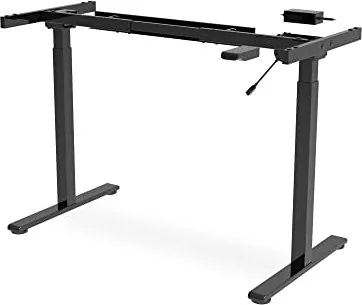
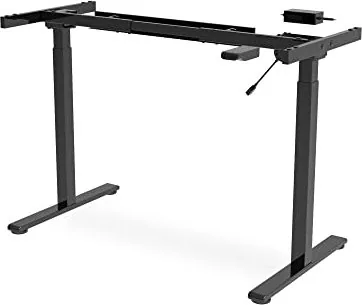
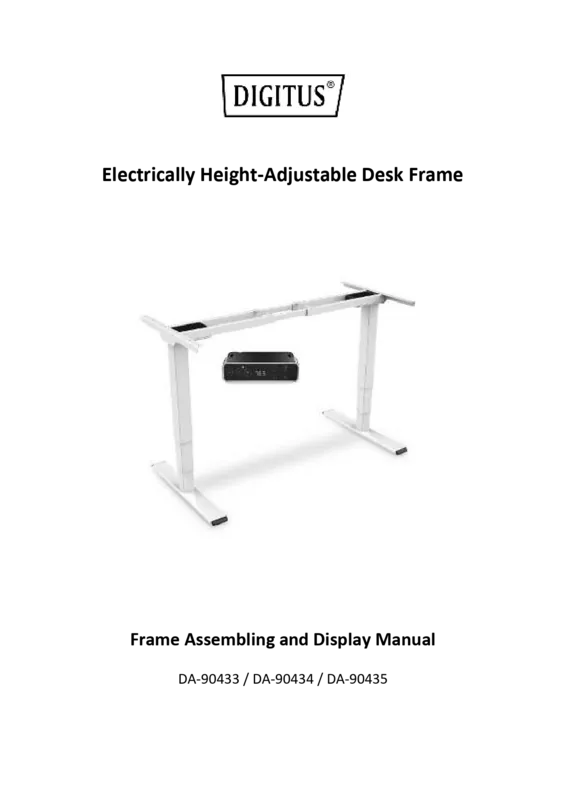
Enhance Your Workspace With the Digitus Sit-Stand Electric Height Adjustable Sit-Stand Desk Frame Black Manual
Transforming your daily work routine requires the proper equipment to maintain good health over long periods. The Digitus Sit-Stand Electric Height Adjustable Sit-Stand Desk Frame Black Manual offers a robust solution for creating a truly ergonomic office environment. This frame allows users to seamlessly switch between sitting and standing positions easily. It promotes better posture and significantly reduces the risk of musculoskeletal strain associated with static sitting postures.
Key Features and Performance
Built specifically for durability and high performance, this frame supports a maximum load of up to seventy kilograms. The motor ensures extremely quiet operation at less than fifty decibels. This allows for peaceful work sessions without distraction. Height adjustment ranges from seventy one point five centimeters to one hundred twenty one point five centimeters. With a lifting speed of twenty five millimeters per second, transitions are fast and controlled. The included handset provides intuitive up and down controls plus a reset function for system calibration.
Installation and Compatibility
Assembling the frame is straightforward with the provided mounting materials and tools. It fits tabletops between one hundred and ten and one hundred sixty centimeters in width. The anti collision function protects the mechanism and your items by detecting obstacles during movement. Users should note the duty cycle allows continuous operation for two minutes followed by an eighteen minute pause to preserve motor longevity. Proper assembly ensures stability and safety during daily use.
Safety and Usage Guidelines
Safety is paramount when using heavy electrical equipment in an office. Always ensure tabletops are securely fastened before any operation occurs. Keep the area clear of obstacles during height changes to avoid damage. Do not use outdoors or in damp conditions as electronics can be damaged. Children should be supervised or kept away from moving parts at all times. Regular maintenance ensures safe use over time without issues. Wipe clean with a damp cloth without water entering the electrical components.
Maintenance and Conclusion
Keep the manual nearby for future reference regarding repair steps. Recycle the packaging responsibly to help the environment. Verify power plug compatibility in your region before plugging it in. This investment in your health pays off through improved focus and reduced pain. Additionally, the dual stage columns offer extra height range for taller users. Enjoy a balanced work life with this reliable frame.
Notes:
- Check assembly quality before powering on.
- Do not overload beyond seventy kilograms.
- Unplug before cleaning to ensure safety.
Search for 67,706 Manuals online


Type-in Brand or Model