
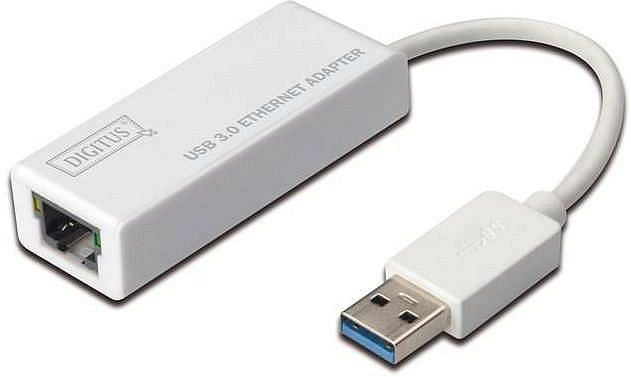
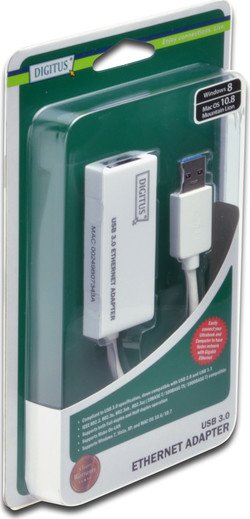
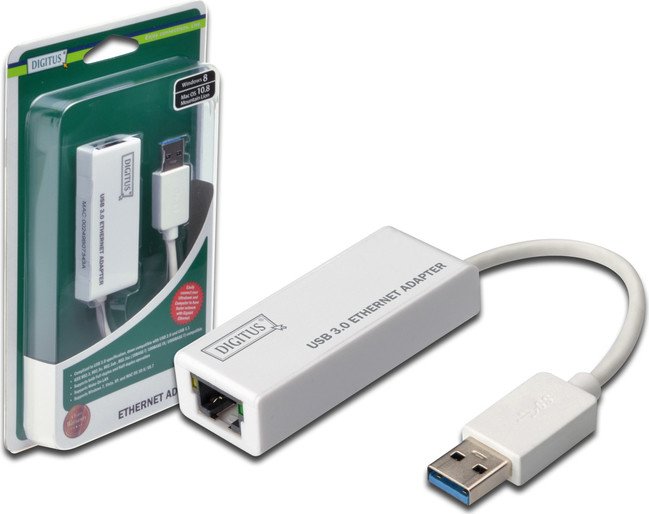
Digitus LAN adapter, RJ-45, USB-A 3.0 [plug] Manual
PDF manual · 6 Pages
English



Advantages and Disadvantages
Advantages

- Provides reliable Gigabit Ethernet over USB-A 3.0 for systems without native RJ-45 ports.
- Compact, bus-powered design requires no external power adapter or bulky hardware.
- Cross-platform driver support (Windows and macOS) with guided installer and straightforward setup.
- Backward compatible with USB 2.0 (with reduced throughput) for wider device support.
- RoHS compliant and meets EU EMC directives; suitable for professional and home use.
Disadvantages

- Requires driver installation on some OS versions; not always fully plug-and-play without drivers.
- Maximum throughput depends on host USB port; USB 2.0 ports limit speed significantly.
- As a Class B device, it can cause radio interference in sensitive living environments.
- Relies on external driver updates for future OS compatibility; manufacturer support may be needed.
- USB-A form factor may be less convenient for devices with only USB-C ports (adapter required).
Ask a Question
Frequently Asked Questions
The Digitus LAN adapter is a USB-A 3.0 to RJ-45 Gigabit Ethernet adapter that adds a wired network port to devices lacking an Ethernet jack, enabling up to 1 Gbps connections when used with USB 3.0 hosts and suitable cabling.
Is this answer helpful?
Drivers are provided for Windows (including Windows 8/8.1/10) and macOS. Installation typically involves running the supplied setup program (from included media or downloaded drivers), following the installer prompts, and restarting the system if prompted to complete the setup.
Is this answer helpful?
No. The adapter is bus-powered via the USB port, so it does not require an external power supply. Ensure your host USB port can supply sufficient power, especially when using hubs or docking stations.
Is this answer helpful?
You can expect up to Gigabit speeds (≈1 Gbps) over USB 3.0 with Cat5e/Cat6 cabling. Performance is limited by the host USB port (USB 2.0 reduces throughput), driver efficiency, and network conditions such as router and cable quality.
Is this answer helpful?
The device is classified as Class B and may cause radio interference in residential environments in rare cases. If interference occurs, relocating the adapter or using shielding and proper grounding measures can mitigate issues.
Is this answer helpful?
Check the manufacturer’s website for updated AX88179 drivers if you experience issues after an operating system update. Keeping drivers current helps maintain compatibility and stability.
Is this answer helpful?
Devices with only USB-C ports require a USB-C to USB-A adapter or a native USB-C variant of the Ethernet adapter. Using a reliable conversion cable preserves performance; ensure it supports USB 3.0 speeds for Gigabit throughput.
Is this answer helpful?
Product Description

Digitus LAN adapter, RJ-45, USB-A 3.0 [plug] Manual
Discover how the Digitus LAN adapter (RJ-45 to USB-A 3.0 plug) quickly brings reliable Gigabit Ethernet connectivity to laptops and desktops lacking a dedicated network port. Compact and bus-powered, this adapter uses the AX88179 chipset family to provide USB 3.0 speeds and backward compatibility with USB 2.0, delivering up to 1 Gbps transfer rates when connected to compatible hardware and networks. It’s an ideal accessory for ultrabooks, tablets with USB-A ports, and older systems that need a stable wired connection for video conferencing, large file transfers, gaming, or network diagnostics.
Installation is straightforward across major platforms: on Windows (including Windows 8, 8.1, 10) users typically run the driver setup from the included media or download current drivers, follow the InstallShield-style prompts, and finish by restarting the computer when prompted. macOS installation follows a similar pattern: run the provided AX88179 driver package (.dmg), authenticate when prompted, complete the guided installer, and restart to enable the adapter.
Beyond basic setup, the adapter is RoHS-compliant and conforms to applicable EU directives for electromagnetic compatibility. As a Class B device, it’s designed for residential use but may cause interference in sensitive radio environments; users should follow local troubleshooting guidance if interference occurs. The small footprint and plug-and-play nature make it a convenient travel companion — no external power is needed, and most modern operating systems recognize the interface once drivers are installed.
Practical tips: keep the driver package up to date from the manufacturer to ensure compatibility with OS updates; prefer USB 3.0 ports for full Gigabit throughput; and when using in cramped or multi-adapter setups, consider a short, right-angle USB extension to reduce strain on the laptop port. For corporate deployments, request conformity documentation from the manufacturer for regulatory records.
Notes:
- The adapter is bus-powered; no external power supply is required.
- For maximum performance, use a USB 3.0 port and Cat5e/Cat6 Ethernet cable.
- After driver installation on macOS and Windows, a system restart may be necessary to complete setup.
- If radio interference appears, relocate the adapter or use shielding measures as appropriate.
Search for 370 Manuals online


Type-in Brand or Model