
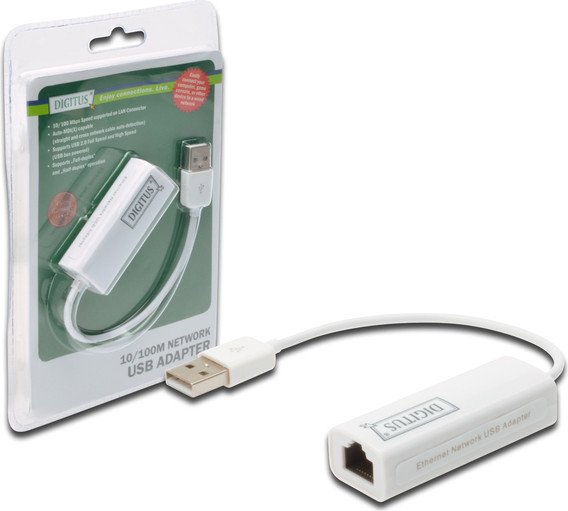
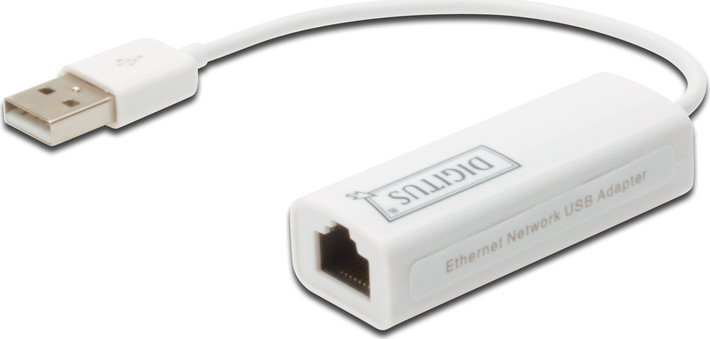
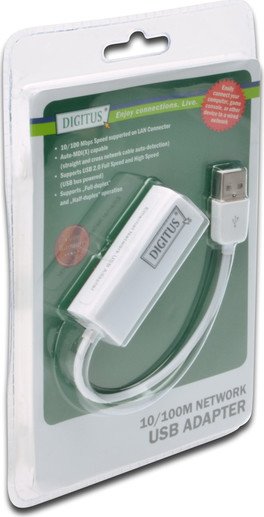
Digitus LAN adapter, RJ-45, USB-A 2.0 [plug] Manual
PDF manual · 6 Pages
English



Advantages and Disadvantages
Advantages

- Adds reliable 10/100 Mbps Ethernet via USB-A 2.0 for devices without built-in LAN.
- Compact, bus-powered design—no external power required.
- Broad OS compatibility: Windows XP–8.1 and macOS 10.4+ (drivers included).
- Supports full/half duplex and remote wakeup via link-up for power management.
- Easy plug-and-play installation; often auto-detected by Windows.
Disadvantages

- Max 100 Mbps throughput—unsuitable for gigabit network needs.
- Requires drivers for some OS versions; driver CD or downloads may be necessary.
- USB 2.0 interface limits throughput compared with USB 3.0 adapters.
- May need administrative rights and reboot for macOS driver installation.
- Contents and driver availability may vary by market or package.
Ask a Question
Frequently Asked Questions
The adapter supports 10/100 Mbps Fast Ethernet (10BASE-T/100BASE-TX) with full and half duplex modes. It does not support gigabit (1000 Mbps) speeds.
Is this answer helpful?
Official support covers Windows XP, Vista, 7, 8, and 8.1 (32/64-bit) and macOS 10.4 or later. Drivers for these systems are provided on the included CD; Windows may auto-detect the device and prompt for driver installation.
Is this answer helpful?
No. The Digitus adapter is bus-powered via the USB port, so no external power supply is required. Ensure the host USB port can provide standard USB power for proper operation.
Is this answer helpful?
When the Update Device Driver Wizard appears, insert the provided driver CD and choose the folder matching your OS. Follow on-screen prompts to install the AX88x72A driver. If problems persist, check the Digitus support site for updated drivers.
Is this answer helpful?
Insert the CD, open the Drivers folder, run the macOS installer (e.g., Mac_OSX10.4_v2.0.5), and follow the prompts. You may need to enter an administrator username/password and restart the system to complete installation.
Is this answer helpful?
While suitable for web browsing, video streaming, and typical office tasks, the 100 Mbps limit may bottleneck large file transfers or multi-stream HD/4K workflows compared to gigabit adapters.
Is this answer helpful?
Verify driver installation, try a different USB port, reboot the system, and ensure the Ethernet cable and network device are functioning. If the issue remains, download the latest driver from Digitus support or contact technical support.
Is this answer helpful?
Product Description

Digitus LAN adapter, RJ-45, USB-A 2.0 [plug] Manual
The Digitus LAN adapter is a compact USB-A 2.0 to RJ-45 network adapter designed to add reliable 10/100 Mbps Ethernet connectivity to desktops and laptops. Plug-and-play ready for many systems, this small dongle provides a straightforward way to connect to wired networks when onboard Ethernet is absent, disabled, or faulty. Its USB 2.0 interface supports both full and high speed operations, while the integrated 10/100 Mbps MAC/PHY delivers stable wired performance suitable for web browsing, file transfers, streaming, and light office networking.
Compact and portable, the adapter is a convenient travel companion for professionals and students who need dependable wired access in hotels, conference centers, or shared workspaces. The device supports most common operating systems — Windows XP through Windows 8.1 (32/64-bit) and Mac OS 10.4 or later — and ships with a driver CD and user manual to simplify setup. Windows often auto-detects the adapter and triggers the Update Device Driver Wizard; when needed the included drivers (AX88x72A family) can be installed from the disc. Mac installations include a guided installer that may require administrator credentials and a reboot.
Installation is simple: plug the USB-A connector into an available USB port, connect your Ethernet cable to the RJ-45 jack, and attach the other cable end to a router, switch, or modem. The adapter supports suspend mode and remote wakeup via link-up, helping conserve power while maintaining wake-on-network capability. The device is bus-powered, eliminating the need for an external power supply.
While optimized for basic wired networking, the adapter is best suited for everyday tasks rather than demanding network workloads; its 100 Mbps ceiling limits gigabit-age throughput. Still, for its size and simplicity, the Digitus adapter is an excellent, low-cost solution for restoring or adding Ethernet connectivity quickly.
Notes
- Driver CD included; check Digitus website for updated drivers if needed.
- May require manual driver selection during Windows update wizard.
- On macOS, installation may require admin credentials and a system restart.
Search for 380 Manuals online


Type-in Brand or Model