
Digitus DS-55203 Manual
PDF manual · 7 Pages
English



Quick check
Incorrect answer, please try again.
Chat with your Digitus DS-55203 manual using AI
Get instant AI answers from your Digitus DS-55203 manual
Ask anything about the Digitus DS-55203. Answers come from this manual, with the pages they are based on.
Ask a Question
Do you recommend DS-55203?
Yes NoDo you recommend DS-55203?
Yes NoFrequently Asked Questions
It sends an HDMI signal from a source to a remote display over a network cable. The system uses a transmitter and receiver pair to extend Full HD video up to 50 meters with stable performance.
Is this answer helpful?
It works with CAT6, CAT6A, and CAT7 network cables. For the best result, the cable should be made to the IEEE-568B wiring standard and use quality copper conductors.
Is this answer helpful?
Yes. It supports up to Full HD 1080p at 60Hz, which makes it suitable for presentations, video playback, signage, and general home or office AV use.
Is this answer helpful?
No software is needed. It is a plug-and-play device, so you connect the source, the display, and the network cable, then power the transmitter with USB.
Is this answer helpful?
The LENGTH button helps the receiver adapt to the cable length. It can improve stability and image quality, especially when the HDMI signal is not displaying correctly.
Is this answer helpful?
Check the cable wiring, confirm the source is sending HDMI signal, verify the display connection, and use the LENGTH button to auto-adjust the extender. Also make sure the network cable is in good condition.
Is this answer helpful?
Advantages and Disadvantages
Advantages

- Supports Full HD 1080p at 60Hz with uncompressed, zero-latency transmission.
- Extends HDMI signals up to 50m over CAT6/6A/7 cable for flexible placement.
- Plug-and-play design keeps installation quick and simple.
- Compact, lightweight units are easy to integrate into portable or fixed AV setups.
Disadvantages

- Requires correct IEEE-568B cable wiring to work properly.
- Performance can drop if the cable is too short, too long, or low quality.
- The transmitter needs USB power, so a nearby power source is necessary.
- No hot-plugging is recommended, which makes handling less convenient during operation.
Product Specification
Type
Extender
Special features
active
Product Description
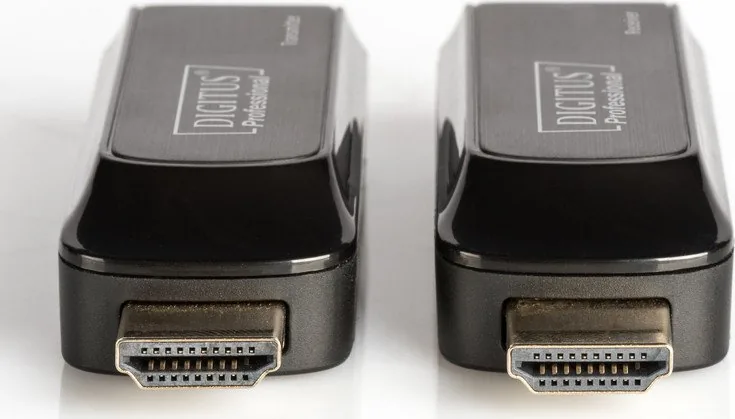
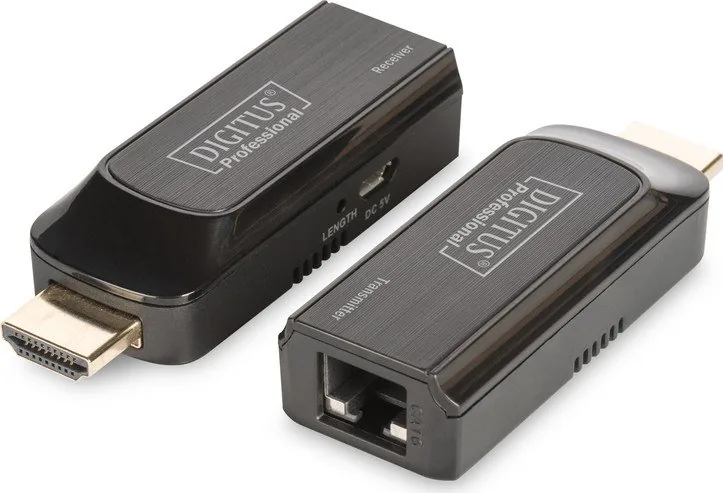
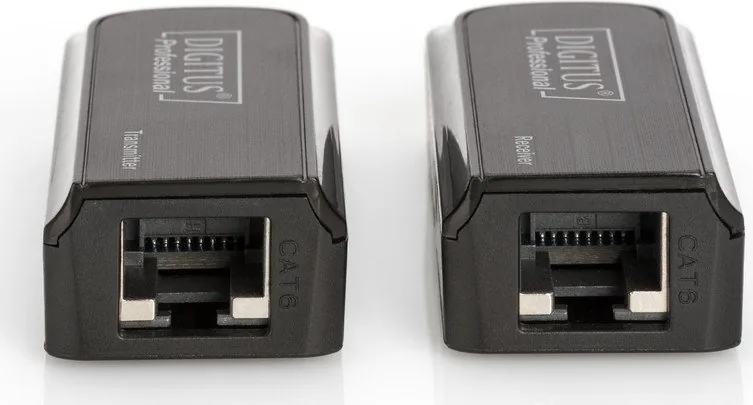
Digitus HDMI Extender HDMI over Cat.6A up to 50m
Reliable Full HD signal extension for everyday AV setups
The Digitus HDMI Extender HDMI over Cat.6A up to 50m Manual offers a practical way to send an HDMI signal far beyond the usual cable limits without losing image quality or adding delay. Built as a transmitter and receiver pair, it is designed for users who need a clean, stable connection between a source device and a display across meeting rooms, classrooms, showrooms, or home entertainment spaces.
What makes this extender especially useful is its support for uncompressed Full HD 1080p at 60Hz over CAT6, CAT6A, or CAT7 network cable. That means you can place your screen or projector up to 50 meters away while keeping the signal sharp and responsive. Because the transmission is zero-latency, it works well for presentations, video playback, and live monitoring where timing matters.
The compact design keeps installation simple. It is plug and play, so there is no need for complicated setup or software. The transmitter is powered through micro USB, while the receiver can be powered from the transmitter, reducing cable clutter. A helpful LENGTH button on the receiver lets users fine-tune or auto-adjust the signal depending on the cable run, which can improve stability in real-world installations.
Compatibility is broad enough for common HDMI 1.3 and HDCP 1.2 environments, and the extender supports stereo audio alongside video. This makes it a flexible solution for conference systems, multimedia education, digital signage, and general AV distribution. The included manual also emphasizes correct cable wiring using the IEEE-568B standard, which is important for consistent performance.
For best results, the recommended cable length is typically between 15 and 50 meters. Shorter or poorly made cables may cause issues, so choosing quality copper network cable matters. Overall, this extender focuses on dependable performance in a small, lightweight package, making it a smart choice for users who want a straightforward long-distance HDMI solution.
Notes
- Use properly crimped CAT6/6A/7 cable following IEEE-568B.
- Avoid hot-plugging while the system is running.
- If the image is unstable, try the LENGTH adjustment button first.
- Best performance is achieved with quality copper network cable.
Search for 67,732 Manuals online


Type-in Brand or Model