
Digitus DS-55120 Manual
PDF manual · 4 Pages
English



Quick check
Incorrect answer, please try again.
Chat with your Digitus DS-55120 manual using AI
Get instant AI answers from your Digitus DS-55120 manual
Ask anything about the Digitus DS-55120. Answers come from this manual, with the pages they are based on.
Ask a Question
Do you recommend DS-55120?
Yes NoFrequently Asked Questions
It sends an HDMI signal over a single Cat5e or Cat6 cable to extend video up to 120 meters, depending on the setup and signal format.
Is this answer helpful?
Yes. It supports common resolutions including 480p, 720p, 1080i, and 1080p, making it suitable for standard HD viewing and presentations.
Is this answer helpful?
Yes. The extender includes bi-directional IR, so you can send remote commands from either the transmitter side or the receiver side.
Is this answer helpful?
Yes. The unit can work in an isolated network environment and support multiple receiver units for media distribution scenarios.
Is this answer helpful?
A Cat5e or Cat6 cable is recommended, and the system follows the IEEE-568B wiring standard for proper connection and performance.
Is this answer helpful?
The full DS-55120 set includes a transmitter, receiver, two power supplies, mounting brackets with screws, a manual, and IR transmitter/receiver parts. The DS-55121 includes the receiver only.
Is this answer helpful?
Advantages and Disadvantages
Advantages

- Extends HDMI over a single Cat5e/Cat6 cable up to 120 meters for 1080p use.
- Supports up to 1080p and 3D, making it suitable for common HD video setups.
- Bi-directional IR lets you control the source device from either end of the link.
- Can be used in isolated networks for multi-display distribution.
- Includes mounting hardware, power supplies, and IR accessories for easier installation.
Disadvantages

- Performance depends on proper cable quality and correct IEEE-568B wiring.
- Maximum range is focused on Full HD use, not modern high-bandwidth 4K systems.
- Requires power at both transmitter and receiver, which adds setup steps.
- Best suited for standard HDMI applications, so advanced AV workflows may need a different solution.
Product Specification
Type
Extender
Features
active
Product Description
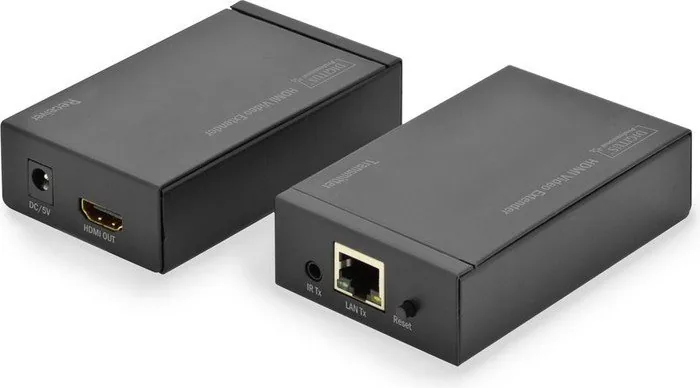
Digitus DS-55120 HDMI Extender Up to 120m
The Digitus DS-55120 is a practical solution for sending HDMI signals far beyond the limits of a standard cable run. For anyone searching for the Digitus DS-55120 HDMI Extender up to 120m Manual, the key idea is simple: this extender moves Full HD video over a single Cat5e or Cat6 cable while keeping the picture stable and clear. It is built for home theaters, conference rooms, digital signage, and other spaces where a source device and display cannot sit close together.
Clean signal delivery over long distances
At the heart of this setup is a transmitter and receiver pair that works over TCP/IP-style transmission and supports direct extension up to 120 meters. The unit handles common video formats from 480p and 720p to 1080i and 1080p, making it a strong fit for everyday HD use. It also supports 3D content and offers a video bandwidth of up to 1.65 Gbps / 165 MHz, which is enough for many standard multimedia applications.
Flexible installation and control
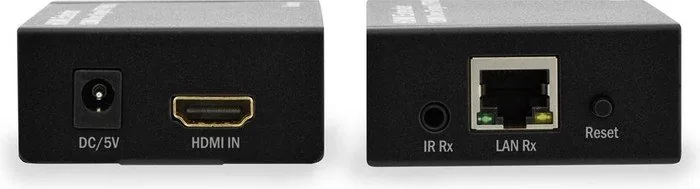
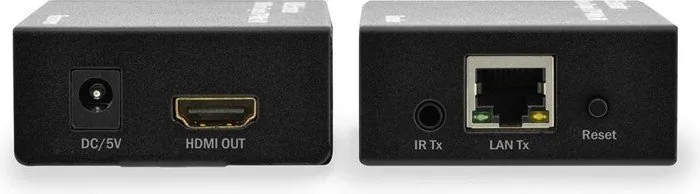
One of the standout features is the built-in bi-directional IR function. This allows you to control the source device from either end of the connection, which is especially useful when the player or media box is installed in another room or a cabinet. The extender also follows the IEEE-568B wiring standard and can work in isolated network environments, opening the door to multi-display distribution setups with additional receiver units.
What makes it useful in real setups
The DS-55120 is not only about distance; it is about convenience. The system is designed to reduce signal loss while using common network cabling, making installation easier than running long HDMI cables. The package typically includes the transmitter and receiver units, power supplies, mounting brackets, IR accessories, and a manual for setup guidance. A receiver-only version, the DS-55121, is also available for expanding an existing system.
Notes
- Best results depend on quality Cat5e/Cat6 cabling and correct wiring.
- The extender is ideal for Full HD environments rather than ultra-high-bandwidth video setups.
- Multiple-display use is possible when deployed in an isolated network design.
Search for 67,706 Manuals online


Type-in Brand or Model
Lukas S.
9 months ago
Does this work reliably with a TP-Link Powerline Starter Kit 500 MBit/s (TL-PA4010PKIT)?
Manual.ly
9 months ago
Powerline adapters are often not fully compatible across different brands, models, or generations. Even if they appear to connect, throughput can drop heavily or the connection may fail when the line is busy. For best results, use adapters from the same brand and model family, reset/pair them together, and ensure they are plugged directly into a wall outlet (not extension strips). If your TP-Link set does not form a stable link, the safest workaround is to use a dedicated Ethernet connection or a single compatible powerline kit throughout the network.