
Digitus DS-33011 Manual
PDF manual · 7 Pages
English



Quick check
Incorrect answer, please try again.
Chat with your Digitus DS-33011 manual using AI
Get instant AI answers from your Digitus DS-33011 manual
Ask anything about the Digitus DS-33011. Answers come from this manual, with the pages they are based on.
Ask a Question
Do you recommend DS-33011?
Yes No
TechSeeker2023
8 months ago
Is this hardware dongle compatible with VMware virtual machines?

Manual.ly
8 months ago
Yes. Testing confirms it works with VMware Player 5.0 on Windows 7 64-bit hosts running Windows XP guests for the Waspi software. A restart is required after installation for the dongle to function properly.
Frequently Asked Questions
The card provides two high-speed parallel ports that support DB-25 F connectors for attaching printers, scanners, and other legacy devices.
Is this answer helpful?
No, the card features Plug and Play technology which automatically searches for the device and sets IRQ and I/O locations without user intervention.
Is this answer helpful?
It supports Windows versions from 3.1x through 7, DOS, Linux including Red Hat, and is compatible with both 32-bit and 64-bit PCI bus types.
Is this answer helpful?
It increases I/O access speeds up to eight times faster than ISA-bus serial ports and reduces CPU load by utilizing higher throughput transfer modes.
Is this answer helpful?
Yes, it supports one or two high-speed parallel ports and allows connection to various types of parallel port devices simultaneously.
Is this answer helpful?
Yes, it provides full support for DOS and Windows based software and conforms to IEEE 1284-1994 parallel port standards.
Is this answer helpful?
It features a Low Profile design that is small enough to easily fit into almost any system chassis without taking up excessive board space.
Is this answer helpful?
Advantages and Disadvantages
Advantages

- Plug and Play technology allows automatic detection and configuration without manual jumper settings
- Improves I/O access speeds up to eight times faster than legacy ISA-bus serial ports
- Supports IRQ sharing feature which effectively eliminates IRQ conflicts with other devices
- Low Profile design ensures the card fits into almost any standard system chassis easily
- Comprehensive driver support for Windows 3.1x through 7, DOS, and Linux operating systems
Disadvantages

- Requires specific CD-ROM for driver installation which may be challenging for new hardware
- Dependent on the availability of peripheral hardware that uses parallel port connections
- May require manual I/O address remapping to legacy ports for certain software requirements
- Relies on a PCI slot which is not available on newer ultra-slim and modern machines
- Performance is optimized for older operating systems rather than modern 64-bit environments
Product Specification
Interface
PCI
USB Port Orientation
Left
Product Description
Powering Your Legacy Peripherals
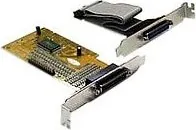
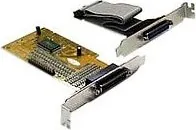
Many modern systems struggle to support older hardware due to the disappearance of standard ports. The Digitus DS-33011 2x Parallel PCI Manual highlights the importance of this expansion card for maintaining connectivity. This hardware enables a computer to support two DB-25 F Parallel ports via a standard PCI slot. It ensures that printers, scanners, and removable cartridge drives continue to function smoothly on updated machines.
Installation is streamlined through Plug and Play technology. Users do not need to worry about setting jumpers for I/O addresses or IRQ locations. The system automatically searches for the device during the boot process. This eliminates conflicts with other interface cards or existing devices on the bus. Consequently, performance improves dramatically. The card increases I/O access speeds to up to eight times faster than existing ISA-bus serial ports. This reduction in CPU load significantly boosts overall system performance during data transfers.
Universal Parallel PCI Card supports both 64-bit and 32-bit PCI Bus types with 3.3V and 5V connector keys. Utilizing the SUN1888 chip, it supports ECP, EPP, SPP, and BPP modes. Speed ratings climb up to 770 KB/Sec for standard modes or reach 21.4 MB/Sec in ECP/EPP Full support configurations. It conforms to the IEEE 1284-1994 parallel port standard. Built-in high-speed hardware FIFO buffers maintain a 32-byte transmit and receive flow control.
Operating systems supported include Windows 3.1x through XP and DOS, along with Linux environments. The Low Profile design means the physical card is small enough to fit into almost any system chassis. Package contents include the hardware card, necessary cables, and a driver CD. Connection to a peripheral LPT device requires checking the Control Panel for printer settings. You may need to remap the I/O address to 0x378 or 0x278 for specific scanner or zip disk connections under older Windows versions.
For optimal operation, the temperature must stay between 0C and 57C with humidity between 5 to 95% RH. When installing drivers for Windows 95 or 98SE, the setup directory is typically IO/PCI-IO/win9x. Restarting the computer is mandatory after setting up ports to ensure recognition. Verifying the installation involves checking the Device Manager for new LPT ports. This reliability makes it a vital tool for industries keeping older systems online.
Upgrading your connectivity options preserves the functionality of essential equipment. A simple PCI card like this one restores access for parallel devices without a full hardware overhaul. Whether for industrial use or personal projects, this solution remains robust. Ensure you verify your system has a blank PCI slot available.
Search for 67,732 Manuals online


Type-in Brand or Model
Max Weber
9 months ago
Does the hardware dongle work with VMware virtualization on Windows systems?
Manual.ly
9 months ago
Yes, based on user testing, the dongle functions correctly with VMWare Player 5.0 running Windows XP as a guest on a Windows 7 64-bit host. However, you may need to restart the system after installation to ensure proper functionality.