
Digitus DS-31101-1 Manual
PDF manual · 4 Pages
English



Quick check
Incorrect answer, please try again.
Chat with your Digitus DS-31101-1 manual using AI
Get instant AI answers from your Digitus DS-31101-1 manual
Ask anything about the Digitus DS-31101-1. Answers come from this manual, with the pages they are based on.
Ask a Question
Do you recommend DS-31101-1?
Yes NoFrequently Asked Questions
It supports Serial ATA generation 2 transfer rates of 3.0Gbps for high efficiency data movement.
Is this answer helpful?
Yes, this card supports hot plug for external Serial ATA ports to allow removal without shutting down.
Is this answer helpful?
Windows 2000, XP, 2003, Vista, and 7 both 32-bit and 64-bit are fully supported.
Is this answer helpful?
You receive the eSATA II 300 1-Port ExpressCard, a driver CD, and a user manual.
Is this answer helpful?
Insert the card into the ExpressCard slot and install drivers from the provided CD.
Is this answer helpful?
DS-31101-1 is the product code for the 1x eSATA ExpressCard/34 module.
Is this answer helpful?
Check Device Manager under SCSI and RAID Controller or Storage controllers for Silicon Image SiI 3531.
Is this answer helpful?
Advantages and Disadvantages
Advantages

- Fully compliant with ExpressCard Specification 1.0 for reliable connection
- Serial ATA generation 2 transfer rate of 3.0Gbps ensures fast data
- Supports hot plug for external Serial ATA port for convenience
- Support SATA II NCQ to maximize system performance significantly
- Supports Windows 2000, XP/Vista/7 (32-bit and 64-bit)
Disadvantages

- Requires ExpressCard slot which may not be on all modern systems
- Driver installation required from CD for Windows compatibility
- Single port eSATA limits connectivity options slightly
- Needs external power for some high performance drives
- Limited to 34mm form factor size constraints
Product Specification
External
1x eSATA
Internal
N/A
Interface
ExpressCard/34
USB Port Location
Left
Product Description
Enhance Your Portable Computing Power
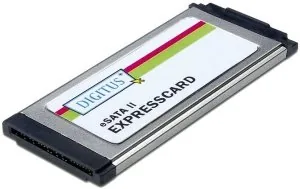
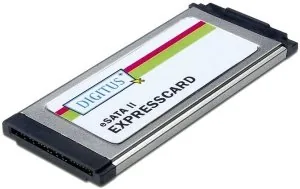
The Digitus DS-31101-1 represents a leap forward for users requiring high-speed external storage connectivity on the go. This compact adapter transforms a standard ExpressCard slot into a powerful Serial ATA interface, allowing seamless access to external hard drives without internal expansion. Designed for laptops equipped with PCMCIA ExpressCard slots, this solution bridges the gap between legacy systems and high-performance storage devices. It serves as an essential tool for professionals needing rapid data offloading from equipment to their editing workstation efficiently.
Advanced Transfer Speeds
Speed is paramount for large media files or critical data backups. Utilizing the SATA II specification strictly, this card supports transfer rates up to 3.0Gbps. This ensures data moves quickly, minimizing wait times during lengthy file transfers and improving system responsiveness during intensive operations. Native Command Queuing technology further optimizes performance by handling multiple data requests efficiently, keeping the drive spinning smoothly under heavy load conditions typical for creative industries.
Versatile System Compatibility
Operating systems from the past two decades remain supported to ensure utility across varied hardware ecosystems. Whether running legacy Windows 2000, XP, or newer Vista and 7 environments, users find full functionality without complex hurdles. Both 32-bit and 64-bit architectures are accommodated, providing flexibility for various setups found in enterprise or home offices. The hardware installation process is straightforward, requiring simple physical insertion followed by driver software deployment via a provided CD or package for ease of setup.
Hot Swapping Capabilities
One standout feature is the ability to hot plug devices safely. External drives can be connected or disconnected while the computer remains powered on. For mobile professionals managing data in the field, this feature reduces downtime significantly during critical workflows. It allows quick data extraction or storage replacement without shutting down the entire workstation. Proper disconnection procedures via the device manager ensure data integrity is maintained throughout the process and no corruption occurs during removal.
Package and Installation Details
Upon purchase, the box includes the ExpressCard module, a driver CD, and written guides. Installation involves placing the card fully into the ExpressCard slot until it clicks into place. Drivers must be installed to recognize the Silicon Image SiI 3531 SATA controller within the system manager tools. This ensures the operating system communicates effectively with the new hardware interface. The result is a reliable connection ready for high-speed data operations without additional power sources. The compact 34mm form factor saves valuable space on your expansion card bus.
Search for 67,706 Manuals online


Type-in Brand or Model