
Digitus DS-30226 Manual
PDF manual · 2 Pages
English



Quick check
Incorrect answer, please try again.
Chat with your Digitus DS-30226 manual using AI
Get instant AI answers from your Digitus DS-30226 manual
Ask anything about the Digitus DS-30226. Answers come from this manual, with the pages they are based on.
Ask a Question
Do you recommend DS-30226?
Yes NoFrequently Asked Questions
The card supports Super-Speed USB 3.0 with a maximum transfer rate of 5Gbps. It also handles High-Speed, Full-Speed, and Low-Speed modes for backward compatibility with older devices.
Is this answer helpful?
No, the Digitus DS-30226 draws sufficient power directly from the PCIe slot. Each port can deliver up to 5V/3000mA, so no external power supply is needed.
Is this answer helpful?
It is compatible with Linux and various versions of Windows including XP, Vista, 7, 8, 8.1, and 10 in both 32-bit and 64-bit architectures. Drivers are provided on the included CD.
Is this answer helpful?
Yes, the card supports the USB Attached SCSI Protocol (UASP), which optimizes data transfer speeds specifically for solid-state drives and other compatible storage devices.
Is this answer helpful?
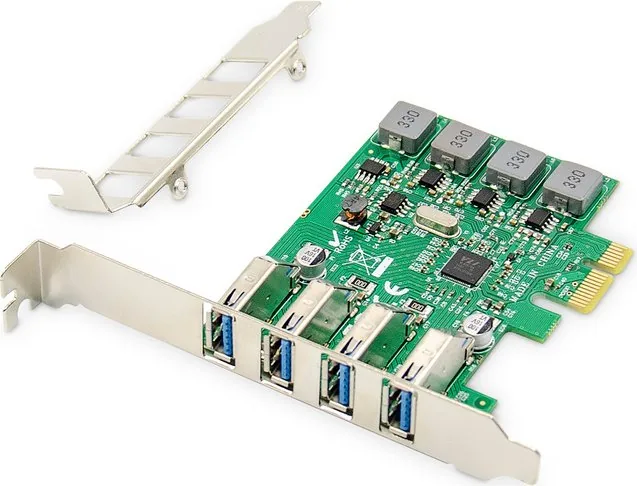
The package includes one low-profile bracket. If you have a standard full-height case, you may need to purchase a separate high-profile bracket or check if your case accepts the low-profile version.
Is this answer helpful?
Yes, once drivers are installed, the card supports full plug-and-play and hot-plug functionality, allowing you to connect or disconnect devices without restarting your computer.
Is this answer helpful?
Advantages and Disadvantages
Advantages

- Provides four high-speed USB 3.0 ports with 5Gbps transfer rates
- Delivers up to 3A power per port without needing an external adapter
- Supports UASP mode for faster data transmission with compatible drives
- Backward compatible with USB 2.0, 1.1, and 1.0 devices
- Includes a low-profile bracket suitable for compact computer cases
Disadvantages

- Requires an open PCI Express slot inside the computer case
- Driver installation is manual for some operating systems
- Does not include a high-profile bracket for all chassis types
- Performance depends on the host system's PCIe lane configuration
- No built-in cable management clips for internal routing
Product Specification
Extern
4x USB-A 3.0
Intern
N/A
Interface
PCIe 2.0 x1
Chipset
VL805
Power Supply
Power supply only via connection
Features
low profile, includes low profile bracket
USB Writing Style
Link
Product Description
Digitus DS-30226: Unlock Super-Speed Connectivity for Your PC
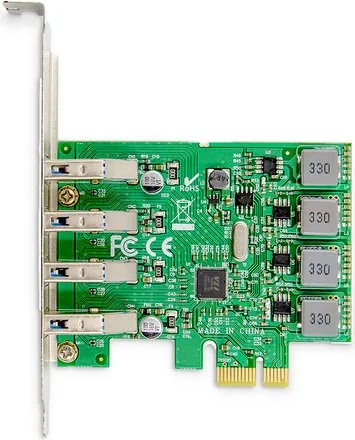
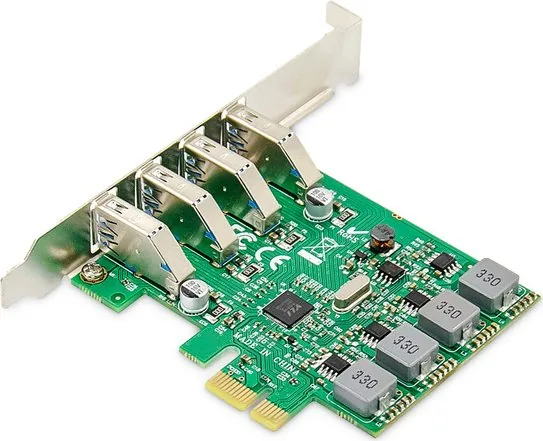
The Digitus DS-30226 is a robust PCI Express add-on card designed to transform your computer's connectivity capabilities. This single-chip USB 3.0 Host controller allows any system with a PCIe slot to interface seamlessly with a wide array of USB devices, ranging from high-speed mass storage drives to printers and cameras. By upgrading to this card, users gain access to Super-Speed transfer rates of up to 5Gbps, ensuring that data moves as fast as modern peripherals can handle.
One of the standout features of the DS-30226 is its powerful power delivery. Each of the four USB ports can supply a maximum current of 3A at 5V, eliminating the need for external power adapters for many high-demand devices. The card supports legacy USB functions and is fully compatible with USB 2.0, 1.1, and 1.0 standards, making it a versatile choice for mixed device environments. It also utilizes the VL805 chipset and supports the USB Attached SCSI Protocol (UASP) mode, which significantly improves performance when used with compatible solid-state drives and external hard drives.
Installation is straightforward for those comfortable with basic hardware upgrades. The card fits into any available PCI Express x1, x4, x8, or x16 slot on the motherboard. It comes with a low-profile bracket, ensuring it will fit in both standard tower cases and compact systems. Once installed, the system recognizes the card instantly thanks to its plug-and-play nature. For Windows users, driver installation involves running the provided executable from the included CD, while Linux systems typically support the hardware natively without additional configuration.
This product is ideal for professionals who need expanded port availability without relying on fragile front-panel connectors. Whether you are backing up large video files or connecting multiple peripherals simultaneously, the Digitus DS-30226 provides a stable and efficient solution. Its backward compatibility ensures that older USB devices work perfectly alongside the newest Super-Speed gear.
Key Highlights
- Four dedicated USB 3.0 Type-A ports
- High-speed data transfer up to 5Gbps
- No external power required due to strong onboard output
- Supports UASP for enhanced SSD performance
Important Notes
Always ensure your computer is powered off before installing internal expansion cards. While the card is hot-plug compatible, physical installation requires opening the case. Check your BIOS settings if the system does not detect the card immediately after booting.
Search for 67,732 Manuals online


Type-in Brand or Model