
Digitus DS-30225 Manual
PDF manual · 8 Pages
English



Quick check
Incorrect answer, please try again.
Chat with your Digitus DS-30225 manual using AI
Get instant AI answers from your Digitus DS-30225 manual
Ask anything about the Digitus DS-30225. Answers come from this manual, with the pages they are based on.
Ask a Question
Do you recommend DS-30225?
Yes NoFrequently Asked Questions
It provides one USB-C 3.1 port and one USB-A 3.1 port. This layout supports both newer USB-C accessories and conventional USB-A devices from a single PCIe expansion card.
Is this answer helpful?
The card supports USB 3.1 Gen 2 data rates of up to 10 Gbps. Real-world throughput can vary based on the PCIe host, connected device, storage media, cable quality, and workload.
Is this answer helpful?
A free PCIe x4, x8, or x16 slot is required. The card supports PCI Express Gen 2 x2 or Gen 3 x1 operation while fitting into these larger compatible slot types.
Is this answer helpful?
Yes. The onboard SATA power connector must be connected to a SATA power cable from the computer power supply. This connection is required during hardware installation.
Is this answer helpful?
The card supports 32-bit and 64-bit versions of Windows 7, Windows 8, Windows 8.1, and Windows 10. It also supports various Linux kernel types.
Is this answer helpful?
Yes. The card is backward compatible with older USB functions and devices. Older hardware will operate according to the speed and capabilities supported by the connected device and cable.
Is this answer helpful?
Advantages and Disadvantages
Advantages

- Provides one USB-C and one USB-A port for mixed modern and legacy peripheral use.
- Supports USB 3.1 Gen 2 transfer rates of up to 10 Gbps.
- Compatible with PCIe x4, x8, and x16 expansion slots.
- Includes a low-profile bracket for compatible compact PC cases.
- Supports Windows 7 through Windows 10 and various Linux kernels.
Disadvantages

- Requires a SATA power connection in addition to a free PCIe slot.
- Maximum 10 Gbps performance depends on compatible devices, cables, and system configuration.
- Provides only two external USB ports.
- Driver installation may be needed on supported Windows systems.
- Not intended for systems without an available PCIe x4, x8, or x16 slot.
Product Specification
External
1x USB-C 3.1, 1x USB-A 3.1
Internal
N/A
Interface
PCIe 3.0 x4
Chipset
ASMedia
Power supply
1x 15-pin SATA power
Special features
low-profile PCB, includes low-profile bracket, UASP
USB notation
Link
Product Description
Digitus 1x USB-C 3.1, 1x USB-A 3.1, PCIe 3.0 x4 - Read, Download & Print Free
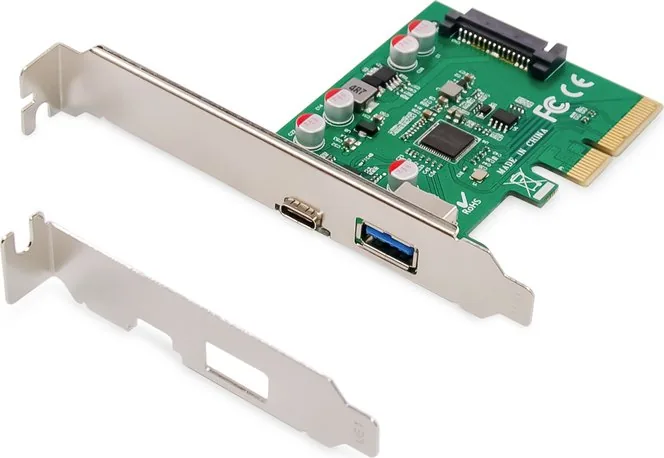
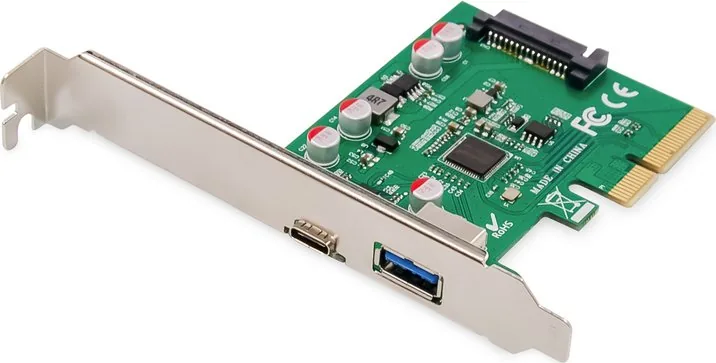
The Digitus DS-30225 expansion card adds modern high-speed USB connectivity to a compatible desktop PC, workstation, or server. It combines one USB-C 3.1 port with one USB-A 3.1 port, making it a practical upgrade for users who need to connect newer peripherals alongside established USB devices. With support for USB 3.1 Gen 2 transfer speeds of up to 10 Gbps, the card is designed for demanding accessories such as external SSDs, fast storage enclosures, docking solutions, and professional peripherals.
Dual USB Connectivity for Modern Systems
The USB-C port offers a convenient reversible connector for current devices, while the USB-A port keeps traditional USB hardware within easy reach. This combination can reduce the need for separate adapters and lets a desktop system support a broader range of cables and accessories. The card is also backward compatible with earlier USB functions and devices, helping existing peripherals remain useful after the upgrade.
PCI Express Performance and Low Latency
Built around the ASMedia ASM1142 chipset, the Digitus card bridges PCI Express and USB 3.1 Gen 2 connectivity. It supports PCI Express Gen 2 x2 or Gen 3 x1 operation and is compliant with the PCI Express 3.0 base specification. Its design targets high-bandwidth performance with low latency, making it suitable for data-intensive workflows where a motherboard's built-in ports are limited or unavailable.
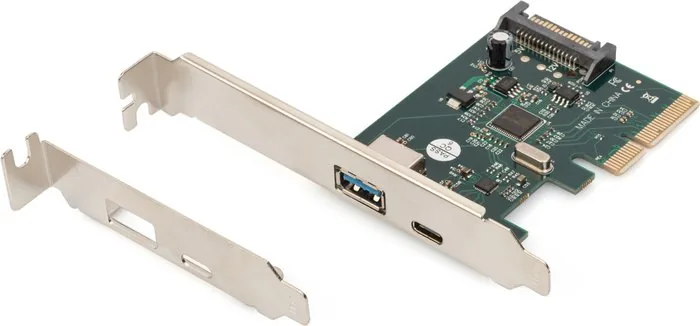
Despite the product keyword referencing PCIe 3.0 x4, installation requires an available PCI Express x4, x8, or x16 slot. The card itself uses a smaller PCIe link configuration, allowing it to fit into larger compatible expansion slots. A low-profile bracket is included, which can be useful when upgrading compact desktop systems that support low-profile cards.
Installation and Operating System Support
Installation involves mounting the card in a suitable PCIe slot and connecting the onboard SATA power connector to the computer's power supply. This SATA connection is required for operation. The card supports Windows 7, Windows 8, Windows 8.1, and Windows 10 in 32-bit or 64-bit editions, as well as various Linux kernel types. Windows systems may require installation of the supplied ASMedia driver, after which the controller can be checked in Device Manager.
Notes
- Confirm that your system has a free PCIe x4, x8, or x16 slot before purchase.
- Connect SATA power before starting the computer.
- Actual transfer speed depends on the host system, drive, cable, and connected device.
- USB 3.1 Gen 2 performance requires compatible peripherals and cables.
Search for 67,732 Manuals online


Type-in Brand or Model