
Digitus DS-30221-1 Manual
PDF manual · 3 Pages
English



Quick check
Incorrect answer, please try again.
Chat with your Digitus DS-30221-1 manual using AI
Get instant AI answers from your Digitus DS-30221-1 manual
Ask anything about the Digitus DS-30221-1. Answers come from this manual, with the pages they are based on.
Ask a Question
Do you recommend DS-30221-1?
Yes No
Patrik Fritsch
8 months ago
My PC does not install the driver automatically and I also could not find a driver CD in the box. Which driver should I use for Windows 10, and how can I get the card working?

Manual.ly
8 months ago
If the driver CD is missing (or Windows does not auto-install), download the correct chipset driver from the manufacturer. For these PCIe USB cards, it is typically the VL805 (or the matching USB controller listed on the card/label). Install the driver from the downloaded package first, then shut down, reseat the card in the PCIe slot, and boot again. Also check any required 4-pin power connection (some connectors are stiff) and try a different USB header/port on the card if specific ports do not work. Note that compatibility can vary by motherboard and Windows version; if it still fails, try updating your motherboard BIOS and confirm your PCIe slot generation/support.
Frequently Asked Questions
It is a PCIe expansion card that adds four USB-A 3.0 ports to a desktop computer. It is ideal for users who need more USB connections or faster data transfer for external devices.
Is this answer helpful?
The card supports USB 3.0, USB 2.0, and USB 1.1. This means it can work with both newer high-speed devices and older accessories without compatibility problems.
Is this answer helpful?
USB 3.0 on this card supports SuperSpeed transfers up to 5 Gbps. Actual speed depends on the connected device, cable quality, and system configuration.
Is this answer helpful?
Yes, it includes a built-in 4-pin power connector for additional system power. This is useful when powering multiple USB devices or more demanding peripherals.
Is this answer helpful?
The card is designed for desktop installation in an available PCIe slot. After mounting it, users typically install the driver and then verify it in Device Manager on Windows.
Is this answer helpful?
The manual lists Windows XP, Vista, 7, 8, and 10 in both 32-bit and 64-bit versions. Other operating systems are not mentioned in the provided specifications.
Is this answer helpful?
Advantages and Disadvantages
Advantages

- Adds 4 USB-A 3.0 ports in a single PCIe x1 expansion card.
- Supports USB 3.0, USB 2.0, and USB 1.1 for wide device compatibility.
- Up to 5 Gbps transfer speed helps with fast file transfers and external drives.
- Includes a 4-pin power connector for better support with multiple devices.
Disadvantages

- Requires an available PCI Express slot, so it is only suitable for desktop PCs.
- Driver installation is needed on supported Windows systems.
- Best performance is recommended with a PCIe 2.0 slot.
- No native support for non-Windows systems is mentioned in the specs.
Product Specification
External
4x USB-A 3.0
Internal
N/A
Interface
PCIe 2.0 x1
Chipset
VL805
Power Supply
1x 15-Pin SATA Power
USB Designation
Link
Product Description
Digitus DS-30221-1: A Practical USB 3.0 Upgrade for Desktop PCs
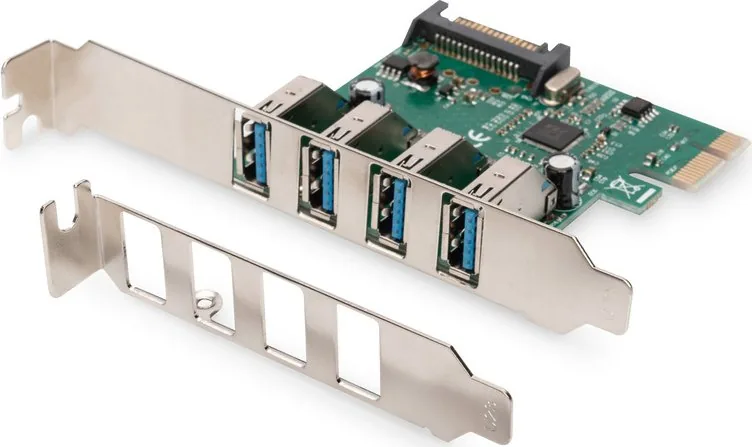
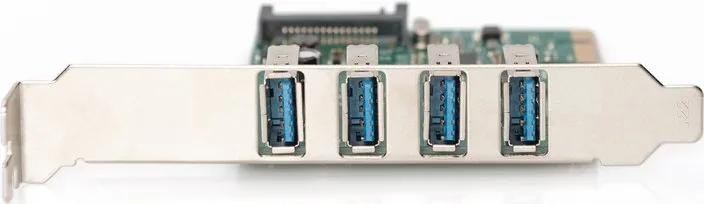
The Digitus DS-30221-1 is a compact PCIe add-on card designed to bring faster and more flexible USB connectivity to a desktop computer. Built around a PCI Express 2.0 x1 interface, it adds four USB-A 3.0 ports to a compatible system, making it a useful upgrade for users who regularly connect external drives, peripherals, and other USB devices.
One of the strongest advantages of this card is its broad compatibility. It supports USB 3.0, USB 2.0, and USB 1.1, so older accessories can still be used without issue while newer devices benefit from higher transfer speeds. With support for data rates up to 5 Gbps, it is especially helpful for tasks like moving large files, backing up data, or connecting high-speed storage.
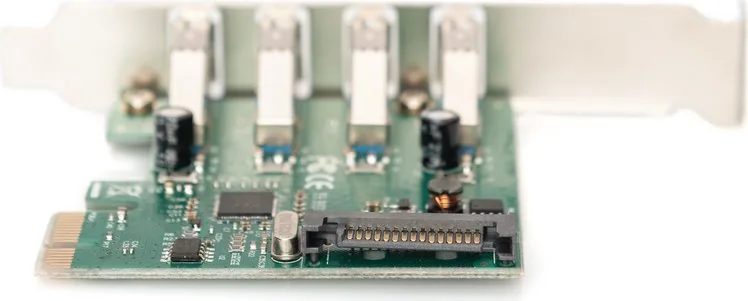
The card also includes a 4-pin power connector, which helps provide extra power when multiple devices are attached. That makes it more suitable for demanding setups where standard bus power may not be enough. Another convenient feature is hot-swapping, allowing devices to be connected or disconnected without shutting down the computer.
Installation is straightforward for a desktop PC with an available PCIe slot. The package includes the card itself, a driver CD, and a user manual, and the supported Windows versions cover a wide range of systems. For users who want to extend the life and usefulness of an older desktop, this expansion card offers a simple and effective solution.
Key highlights
- Four USB-A 3.0 ports in one PCIe expansion card
- PCI Express 2.0 x1 interface for easy desktop integration
- Backward support for USB 2.0 and USB 1.1 devices
- Extra 4-pin power connector for stronger device support
- Hot-swapping for convenient plug-and-play use
Notes
- Best suited for desktop computers with an open PCIe slot.
- Driver installation is required on supported Windows systems.
- A PCIe 2.0 slot is recommended for optimal performance.
Search for 67,706 Manuals online


Type-in Brand or Model
Lukas Hartmann
8 months ago
Does this PCIe USB card work with Windows 10, and what if there is no driver CD? I also want to know if it works reliably with different motherboards and USB ports.
Manual.ly
8 months ago
Many customers report that the card only works correctly after installing the right chipset driver. If your package does not include a CD or Windows does not install drivers automatically (common after Windows updates), download the driver for your controller (often labeled VL805) from the product page/support and install it before testing the USB ports. Compatibility can vary by motherboard and BIOS, even when the card is PCIe 2.0. If the board has an auxiliary power connector, make sure it is fully seated (some are tight). After installation, test with known-good USB devices and cables in each port. If your PC fails to boot or the card is not detected, try another PCIe slot and update your motherboard BIOS, then install the driver again.