
Digitus DS-30020-1 Manual
PDF manual · 3 Pages
English



Quick check
Incorrect answer, please try again.
Chat with your Digitus DS-30020-1 manual using AI
Get instant AI answers from your Digitus DS-30020-1 manual
Ask anything about the Digitus DS-30020-1. Answers come from this manual, with the pages they are based on.
Ask a Question
Do you recommend DS-30020-1?
Yes No
Stefan Weber
7 months ago
How fast does standard shipping take compared to premium shipping?

Manual.ly
6 months ago
Standard shipping typically takes 3-5 business days, while premium shipping delivers within 24 hours to most locations, as seen in recent customer experiences.
Frequently Asked Questions
It adds a single IEEE1284 Parallel port to a PC using a PCIe x1 slot.
Is this answer helpful?
Windows 2000, Server 2003, CE, XP, Vista, Win 7, Win 8, Win 8.1, Win 10, and Linux.
Is this answer helpful?
No, the card draws power directly from the PCIe slot on the motherboard.
Is this answer helpful?
It uses a DB25 female connector with a data transfer rate up to 2.5Mbps.
Is this answer helpful?
Check Device Manager under Ports COM and LPT for PCI Express ECP Parallel Port.
Is this answer helpful?
Yes, it complies with Directive 2014/30/EU and Directive 2011/65/EU for RoHS.
Is this answer helpful?
The card, low profile bracket, manual, and Driver CD are included in the box.
Is this answer helpful?
Advantages and Disadvantages
Advantages

- PCI Express Base spec 1.1 compliance.
- Supports SPP, EPP1.9, and ECP modes.
- Compatible with Windows 2000 through 10.
- Linux operating system support included.
- Low profile bracket fits slim cases.
Disadvantages

- Requires opening computer case to install.
- Depends on available PCIe slots.
- Limited to 2.5Mbps transfer speed.
- Class B product may cause interference.
- Driver CD included may be hard to find.
Product Specification
External
1x parallel
Internal
N/A
Interface
PCIe x1
Chipset
AX99100
Power Supply
Powered only via connection
Features
low profile (optional)
USB Designation
Left
Product Description
Exploring the Digitus DS-30020-1 Connectivity Solution
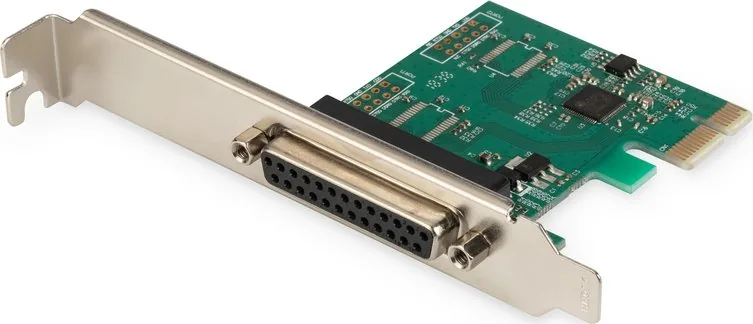
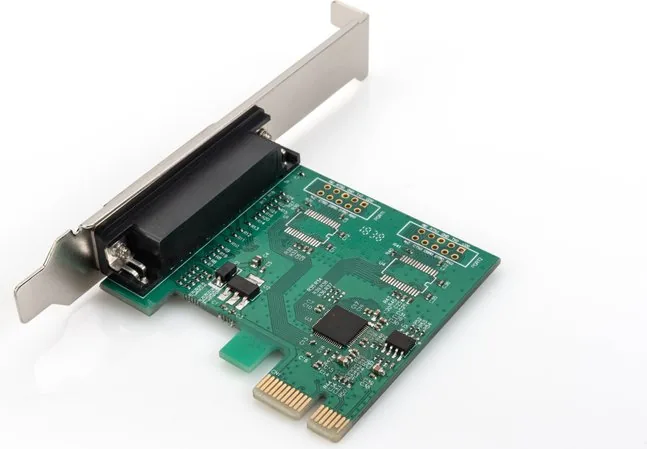
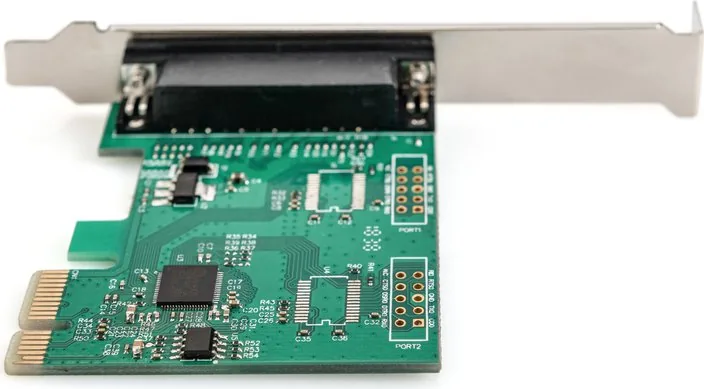
Modern computing often needs connecting older hardware to new systems. The Digitus DS-30020-1 addresses this specific challenge effectively. It functions as a 1x parallel PCIe x1 add-on card. This allows users to upgrade connectivity options without replacing the computer. The hardware adheres to PCI Express Base spec version 1.1. It features PCI Power Management to save energy while running. The main function is to add one IEEE1284 Parallel port. This ensures compatibility with printers and scanners using legacy interfaces. The card supports Standard Parallel Port modes as well as Enhanced Parallel Port version 1.9. It also supports Enhanced Capability Port protocols. Data transfer rates reach up to 2.5Mbps. The connector is a DB25 female type. This physical interface is common in office environments. System requirements cover a wide range of operating systems. You can use Windows 2000 through Windows 10. Linux distributions are also supported for driver installation. This makes the product versatile.
Features and Benefits
Compatibility is a major advantage. Legacy peripherals often require direct parallel connections that modern motherboards lack. This card fills that gap using existing PCIe slots. It does not require a large power supply draw. Energy efficiency is maintained through power management protocols. The physical design fits into standard expansion slots securely. The installation process is straightforward for authorized personnel. Users do not need to purchase external cables or adapters. Everything required for basic operation is included in the package.
Installation Procedures
Installation involves several physical steps for safety. Turn off power to the computer completely before starting. Unplug the power cord and remove the computer cover. Remove the slot bracket from the PCIe slot first. Align the card bus connector with the selected slot. Push the board down firmly into place. Replace the slot bracket holding screw. This secures the card physically. Replace the cover and reconnect the power cord. Driver installation varies by system type. Insert the Driver CD into the CD-ROM drive. Select the Locate DS-30020-1 path in the wizard. Press the Install button to begin. Click Close after completion. Restart the PC for changes to take effect. The system matches drivers after booting.
Compliance Verification
Verification confirms the hardware is active. Click on the Device Manager tab in System Properties. Access it via the Windows Control Panel. Look for Ports COM and LPT item. You should see one PCI Express ECP Parallel Port installed. The manufacturer Assmann Electronic GmbH declares compliance. It meets Directive 2014/30/EU requirements. It also meets Directive 2011/65/EU for RoHS compliance. This device is a class B product. It may cause radio interference in living environments. If interference occurs, user actions may be needed. The package contents include the card, bracket, manual, and CD. The German address is also provided for documentation requests. This ensures regulatory transparency.
Search for 67,732 Manuals online


Type-in Brand or Model
ayoung64
6 months ago
Does Premium Shipping guarantee next-morning delivery with secure packaging?
Manual.ly
6 months ago
Yes, Premium Shipping is optimized for fast delivery and typically arrives the next morning. We use reinforced packaging to ensure your items remain undamaged during transit. This option is recommended when speed is a priority.