
Digitus DA-70836 Manual
PDF manual · 2 Pages
English



Quick check
Incorrect answer, please try again.
Chat with your Digitus DA-70836 manual using AI
Get instant AI answers from your Digitus DA-70836 manual
Ask anything about the Digitus DA-70836. Answers come from this manual, with the pages they are based on.
Ask a Question
Do you recommend DA-70836?
Yes No
Luca Weber
10 months ago
Will this HDMI adapter work reliably with a Samsung Galaxy Tab S5e and a projector like the Epson EB-W12?

Manual.ly
10 months ago
Yes. The adapter is designed to provide a stable HDMI connection when used with supported devices like the Samsung Galaxy Tab S5e. In typical setups with projectors such as the Epson EB-W12, the signal should lock properly and deliver a consistently good connection. For best results, use the correct HDMI adapter/cable combination for your tablet, ensure the projector is set to the matching HDMI input, and power on the projector first (or after connecting) to help it detect the signal quickly.
QuaeAssumenda94
4 months ago
Does this HDMI adapter work well with Samsung Galaxy Tab S5e and Epson projectors?
Manual.ly
4 months ago
Yes, the adapter is designed to provide an optimal connection between Samsung Galaxy Tab S5e devices and Epson projectors. Users have confirmed successful video transmission without lag or quality loss when connecting to models like the Epson EB-W12.

Julia Schneider
5 months ago
Is the cable durable enough for daily use in office presentations?
Kaley Ortiz
5 months ago
Is this HDMI adapter compatible with Samsung Galaxy Tab S5e and Epson projectors?
Manual.ly
5 months ago
Yes, this adapter works well with Samsung Galaxy Tab S5e and Epson EB-W12 projectors. Many users report optimal connection quality for presentations and media playback. If you experience issues, ensure all cables are secure and the display resolution is supported by both devices.
Lena Fischer
5 months ago
Will this HDMI adapter work reliably to connect a Samsung Galaxy Tab S5e to an Epson projector?
Manual.ly
5 months ago
Yes. A reviewer reported an optimal connection between a Samsung Galaxy Tab S5e and an Epson EB-W12 projector. Compatibility can still depend on your device's USB-C video output support and the projector's HDMI input.
Anna Morris
5 months ago
Will this HDMI adapter work reliably with a Samsung Galaxy Tab S5e and an Epson projector?
Manual.ly
5 months ago
Yes. A reviewer reports an optimal connection from a Samsung Galaxy Tab S5e to an Epson EB-W12 projector. Compatibility can still depend on your device's video output support and the projector's HDMI input.
esse_non
6 months ago
Does this HDMI adapter work reliably from a Samsung Galaxy Tab S5e to a projector?
Manual.ly
6 months ago
Yes. A user reports an optimal, stable connection between a Samsung Galaxy Tab S5e and an Epson EB-W12 projector. Compatibility can still depend on your device's USB-C video output support and the projector's HDMI input.
Janae Tillman
3 months ago
Will this HDMI adapter work reliably with a Samsung Galaxy Tab S5e and an Epson projector?
Manual.ly
3 months ago
Yes. A user reported an optimal, stable connection when using the adapter to connect a Samsung Galaxy Tab S5e to an Epson EB-W12 projector. Please ensure your tablet supports video output over its USB-C port and use a compatible HDMI cable.
Frequently Asked Questions
It connects a compatible USB-C computer or tablet to an HDMI monitor, TV, or projector. It can be used for presentations, extended desktop work, mirrored displays, streaming, and gaming.
Is this answer helpful?
The adapter supports up to 4096 x 2160, also described as 4K Ultra HD, at 30 Hz. It also supports lower resolutions such as 1080p, 720p, and 480p.
Is this answer helpful?
No. It is designed to operate without external software drivers and without a separate power supply. Connect it to a compatible USB-C device and HDMI display.
Is this answer helpful?
Listed systems include USB-C MacBook models running OS X, Chromebook Pixel, and Windows devices with Windows 7, Windows 8, Windows 8.1, or Windows 10.
Is this answer helpful?
No. The USB-C port on the source device must support video output. Check your computer or tablet specifications before purchase, as USB-C ports can have different capabilities.
Is this answer helpful?
The listed package contents include the USB-C to 4K HDMI graphics adapter and a user manual. An HDMI cable is not listed, so one may be required separately.
Is this answer helpful?
Advantages and Disadvantages
Advantages

- Supports HDMI video and audio output up to 4096 x 2160 at 30 Hz.
- Works without external drivers or a separate power supply.
- Compact 43 g aluminum design with a convenient 20 cm cable.
- Compatible with selected MacBook, Chromebook Pixel, and Windows systems.
- Supports common lower display resolutions and ARC.
Disadvantages

- 4K output is limited to a 30 Hz refresh rate.
- Requires a USB-C source port that supports video output.
- An HDMI cable is needed separately to connect a display.
- Compatibility and final resolution depend on the source device and screen.
Product Specification
Input
USB-C 3.0
Output
HDMI
Resolution
max. 3840 x 2160 @ 30 Hz
Product Description
Digitus USB-C to HDMI Adapter white Manual
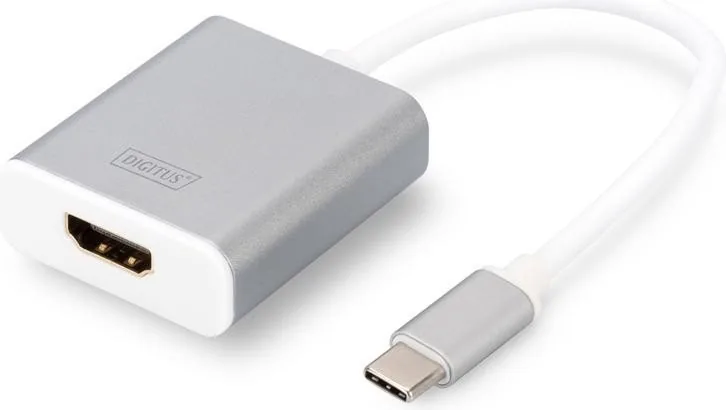
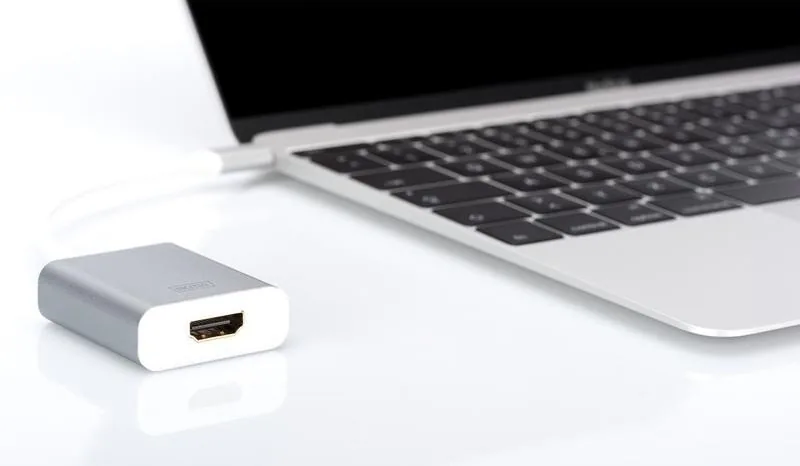
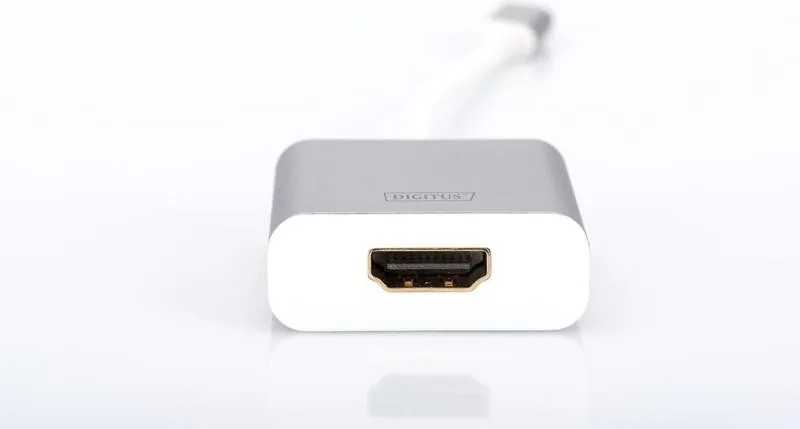
The Digitus USB-C to HDMI Adapter white is a compact display adapter designed to connect a USB-C equipped computer or tablet to an HDMI monitor, television, or projector. Known under product code DA-70836, it offers a practical way to extend a workspace, mirror a presentation, enjoy streamed media, or play games on a larger screen without carrying a bulky docking station.
4K video and audio output
This adapter transfers high-definition video and audio through its HDMI output, supporting resolutions up to 4096 x 2160 at 30 Hz. It is also compatible with common lower resolutions, including 1080p, 720p, and 480p, making it suitable for both modern Ultra HD displays and older HDMI screens. ARC support is included for compatible audio setups.
For everyday use, the Digitus USB-C to HDMI Adapter white can help create a cleaner, more flexible desk arrangement. Connect a USB-C laptop to an external monitor for extra working space, use a projector for meetings, or connect to a TV for entertainment. Its short 20 cm cable keeps the adapter close to the device while allowing enough room for convenient positioning.
Compact aluminum construction
The adapter has an aluminum housing and a lightweight, travel-friendly design. Measuring 46 x 37.6 x 13.2 mm and weighing only 43 g, it fits easily into a laptop sleeve, accessory pouch, or bag. The white finish gives it a neat appearance that pairs well with many mobile devices and modern workspaces.
The Digitus USB-C to HDMI Adapter white Manual highlights simple operation: no external software drivers and no separate power supply are required. Connect the USB-C plug to a compatible device, attach an HDMI cable between the adapter and display, and select the appropriate HDMI input on the screen. This straightforward setup is useful for mobile professionals, students, and home users.
Compatibility and practical notes
Supported systems include USB-C MacBook models running OS X, Chromebook Pixel, and Windows computers using Windows 7, 8, 8.1, or 10. For reliable video output, the USB-C port on the source device must support video transmission. Display capability may also depend on the computer, operating system, HDMI cable, and connected monitor or projector.
Note: The adapter operates within a temperature range of 0 to 40 degrees C and at 20% to 80% relative humidity. For the best result at 4K, use a quality HDMI cable and a display that supports the selected resolution and refresh rate.
With its compact form, driver-free operation, and support for 4K video at 30 Hz, the Digitus USB-C to HDMI Adapter white is a focused solution for connecting compatible USB-C devices to HDMI displays.
Search for 67,706 Manuals online


Type-in Brand or Model
Sven Weber
6 months ago
Is this HDMI adapter compatible with the Samsung Galaxy Tab S5e and Epson projectors like the EB-W12?
Manual.ly
6 months ago
Based on user feedback, this adapter works well with Samsung Galaxy tablets. Specifically, a user connected a Tab S5e to an Epson EB-W12 projector and reported an optimal connection without issues. You can expect reliable performance for similar setups.