
Digitus DA-70139-2 Manual
PDF manual · 3 Pages
English



Quick check
Incorrect answer, please try again.
Chat with your Digitus DA-70139-2 manual using AI
Get instant AI answers from your Digitus DA-70139-2 manual
Ask anything about the Digitus DA-70139-2. Answers come from this manual, with the pages they are based on.
Ask a Question
Do you recommend DA-70139-2?
Yes NoFrequently Asked Questions
The Digitus USB Extender via RJ-45 supports a maximum cable length of 45 meters or 150 feet when using standard Cat 5, 5e, or Cat 6 network cables.
Is this answer helpful?
No, this device does not require any software drivers. It is designed for plug-and-play operation on supported operating systems.
Is this answer helpful?
The system supports Windows 98SE, ME, 2000, XP, 7, 8, and 10, as well as Linux distributions.
Is this answer helpful?
While it supports many USB devices, the 20 mA current draw limit suggests it is best suited for low-power peripherals like mice, keyboards, and cameras rather than high-power hard drives.
Is this answer helpful?
You need to purchase a standard Category 5, 5e, or Cat 6 network patch cable. The cable is not included in the package.
Is this answer helpful?
The operating temperature range is 5°C to 45°C. For outdoor use, ensure the environment stays within these limits and protect the equipment from weather elements.
Is this answer helpful?
Advantages and Disadvantages
Advantages

- Extends USB connection distance up to 45 meters using standard network cables
- Requires no software drivers making setup instant and hassle-free
- Compatible with major operating systems including Windows and Linux
- Supports multiple device types like printers cameras and storage drives
- Cost-effective solution compared to active USB hub extensions
Disadvantages

- Limited to USB 1.1 speed capabilities despite USB 2.0 compliance mention
- Does not support high-power devices requiring significant power draw
- Maximum cable length restricted to 45 meters even with better cables
- Network cable must be purchased separately and is not included
- May experience interference in environments with heavy radio activity
Product Specification
Type
USB Extender via RJ-45 (147.6 ft)
Connectors
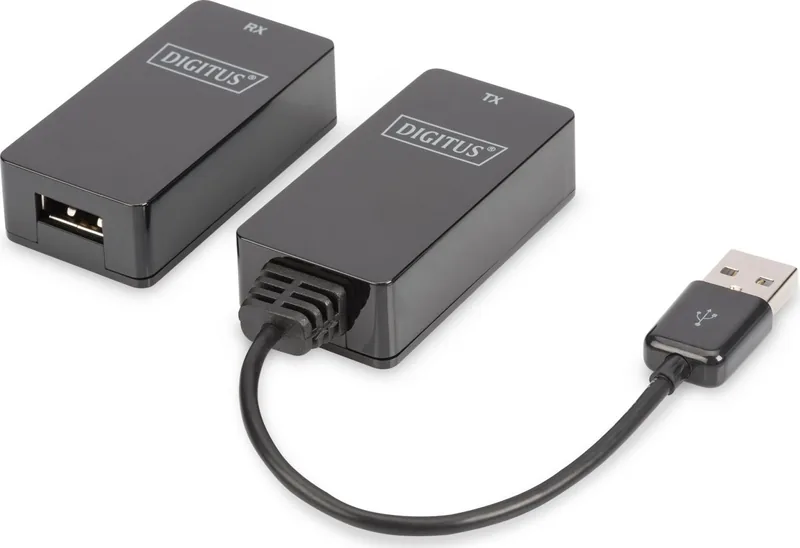
1x USB-A 1.1 (Plug, Transmitter), 1x USB-A 1.1 (Jack, Receiver)
Color
Black
Warning
Network cable not included!
USB Spelling
Link
Product Description
Digitus USB Extender via RJ-45: Bridging Distance Gaps
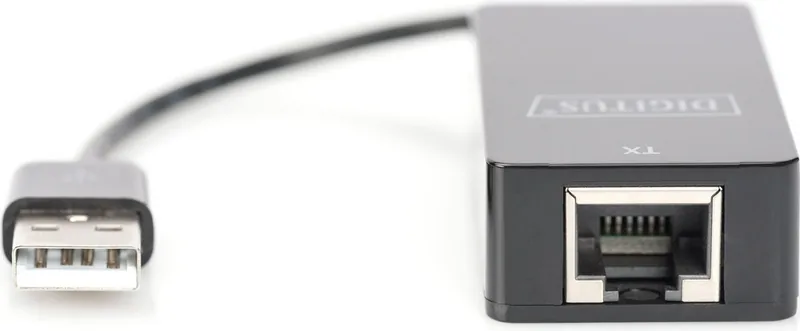
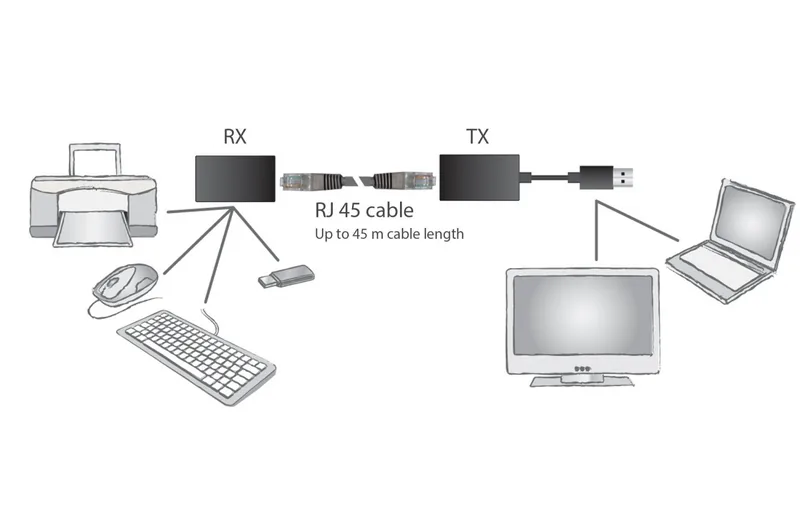
The Digitus USB Extender via RJ-45 is a robust solution designed to overcome the limitations of standard USB cable lengths. This device enables users to connect USB peripherals to their computers from distances of up to 45 meters using existing Cat 5, 5e, or Cat 6 network cables. By utilizing embedded USB 1.1 transceivers, the system effectively prevents signal loss that typically occurs over long distances, ensuring stable data transmission for various devices.
Seamless Connectivity Without Drivers
One of the standout features of this extender is its plug-and-play capability. It requires no software drivers to be installed on the host computer. The system supports a wide range of operating systems including Windows 98SE through Windows 10, as well as Linux distributions. This makes it an ideal choice for both legacy and modern computing environments where simplicity and reliability are paramount.
Ideal Applications for Remote Devices
This adapter is perfect for extending the reach of USB cameras, printers, webcams, scanners, mice, keyboards, and flash drives. Imagine setting up a security camera in a distant corner of a warehouse or placing a printer in a separate office room without running expensive new cabling. The Digitus extender allows you to position your USB devices exactly where they are needed without moving the main computer unit. The solution offers a low-cost alternative compared to using USB hubs or more complex extension methods.
Technical Specifications and Reliability
The device operates at speeds compliant with USB 2.0 standards, supporting full-speed transfers of 12 Mbps and low-speed transfers of 1.5 Mbps. The package includes both an upstream USB Type A Male to RJ-45 Jack adapter and a downstream USB Type A Female to RJ-45 Jack adapter. With a maximum cable length of 45 meters (150 feet), users can significantly expand their workspace layout options while maintaining high performance.
Important Notes
Ensure you use standard Category 5, 5e, or 6 network cables for optimal results. The device draws only 20 mA of supply current and operates within temperatures ranging from 5°C to 45°C. Always verify that the Declaration of Conformity is included with your shipment if purchasing directly from the manufacturer.
Key Advantages and Limitations
Pros
- Extends USB connection distance up to 45 meters using standard network cables.
- Requires no software drivers making setup instant and hassle-free.
- Compatible with major operating systems including Windows and Linux.
- Supports multiple device types like printers, cameras, and storage drives.
- Cost-effective solution compared to active USB hub extensions.
Cons
- Limited to USB 1.1 speed capabilities despite USB 2.0 compliance mention.
- Does not support high-power devices requiring significant power draw.
- Maximum cable length restricted to 45 meters even with better cables.
- Network cable must be purchased separately and is not included.
- May experience interference in environments with heavy radio activity.
Search for 67,732 Manuals online


Type-in Brand or Model