
Denver WEC-3001 Manual
PDF manual · 7 Pages
English



Quick check
Incorrect answer, please try again.
Chat with your Denver WEC-3001 manual using AI
Get instant AI answers from your Denver WEC-3001 manual
Ask anything about the Denver WEC-3001. Answers come from this manual, with the pages they are based on.
Ask a Question
Do you recommend WEC-3001?
Yes NoFrequently Asked Questions
The product functions safely between zero and 40 degrees Celsius. Do not expose the unit to temperatures outside this range as it may impact functionality or cause damage to internal components.
Is this answer helpful?
No, the device is not waterproof. If water or foreign objects enter the unit, stop using it immediately to avoid fire or electric shock. Keep it away from moisture and liquids.
Is this answer helpful?
Turn on the camera mount and align it with the display front. Press the mount down and click the back end of the holder onto the screen back. Connect the USB cable to the computer port.
Is this answer helpful?
No, you must use only original accessories. Using non-original parts may affect the functionality of the product and could void safety standards.
Is this answer helpful?
Electronic devices must not be mixed with household waste. Dispose of it at a recycling location using the crossed bin symbol guidelines provided by your local city waste authority.
Is this answer helpful?
The USB adapter acts as a mains disconnect unit. It must always be easily accessible so you can cut power to the device quickly if necessary.
Is this answer helpful?
Reparations and maintenance work should only be performed by qualified personnel. Do not open the product yourself to avoid electric shock from internal circuits.
Is this answer helpful?
Advantages and Disadvantages
Advantages

- High-definition visual clarity ensures professional video quality
- Simple installation with clip mount attaches to monitor bezel
- USB 2.0 connection allows immediate plug-and-play functionality
- Clear safety guidelines protect users from overheating and water damage
- Compatible with standard computers without additional drivers
Disadvantages

- Not waterproof so it requires protection from liquids always
- Operating temperature range is limited between zero and 40 degrees
- Must use only original accessories to maintain warranty and function
- Requires clear access to USB port for power isolation
- Sensitive optics may scratch if not cleaned with proper cloth
Product Specification
Type
Webcam
Image Sensor
1x CMOS 1.0 MP
Resolution
1280x720 Pixels (30fps)
Angle of View
90 degrees
Ports
1x USB-A 2.0 (480Mb/s)
Wireless
N/A
Focus
Fixed Focus
Camera Cover
Flip Cover
Microphone
Built-in
Speakers
N/A
Lighting
N/A
Cable Length
4.27 ft
Power Source
USB-powered
Mount
Mounting Clip, with 1/4" Thread
Package Contents
Camera
Features
Status LED
Product Description
Experience Crystal Clear Video Calls with Denver
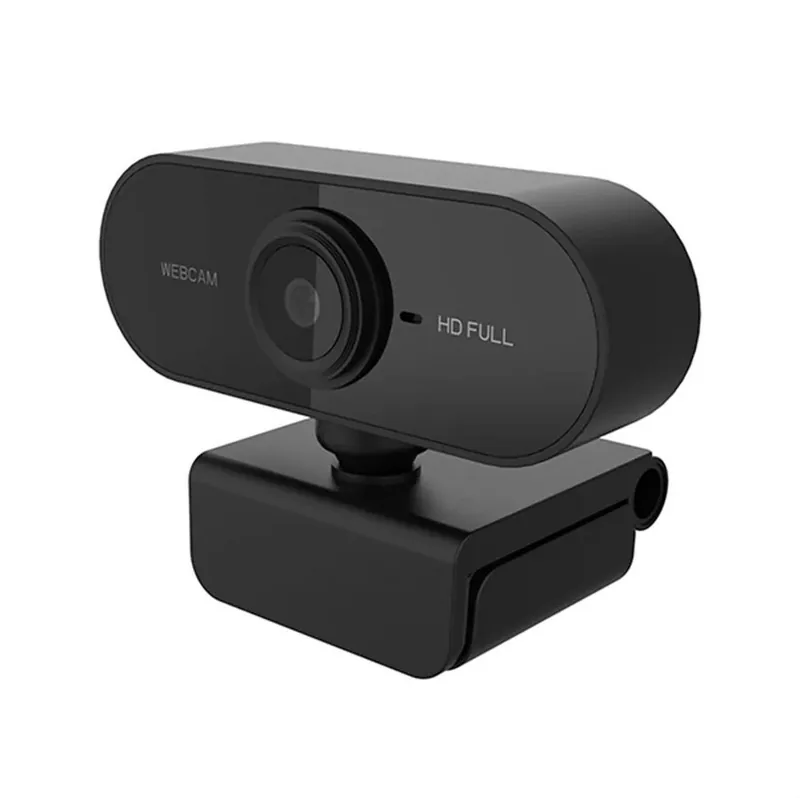
The Denver WEC-3001 represents a significant step forward in personal communication technology. Designed for seamless integration with your computer, this webcam delivers high-definition visuals that make remote interactions feel personal and professional. Whether you are participating in important business meetings or connecting with friends, the visual clarity provided by this device ensures your presence is felt clearly across any digital platform.
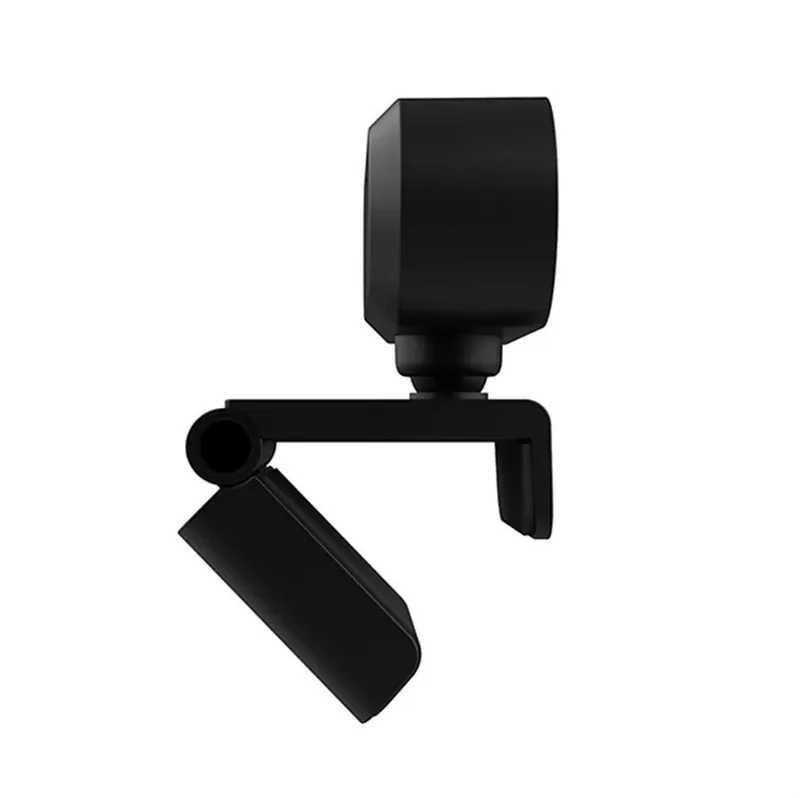
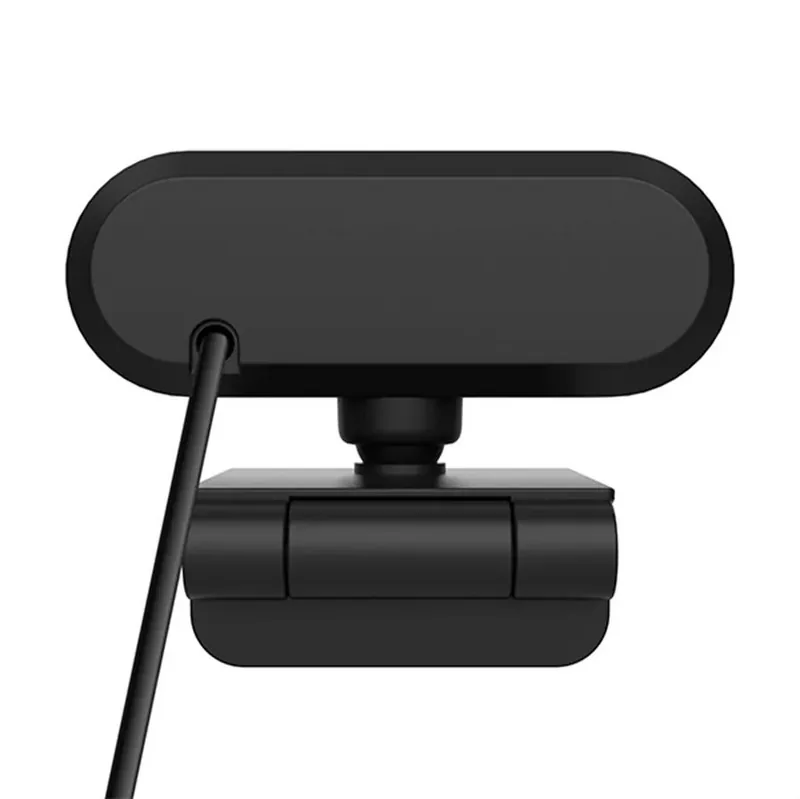
Installation is surprisingly straightforward and requires minimal technical knowledge. The unit features a versatile clip holder that attaches securely to your monitor bezel without obstructing the view. Simply align the camera module with the display front and secure the mount at the back of the screen. Once positioned, connect the included USB 2.0 cable to your computer to establish the necessary link for data transfer and power. The system operates immediately upon connection, allowing users to begin capturing HD footage within seconds of opening the box.
Safety is a paramount concern for electronic devices like this one. The operational and storage temperature must remain between zero and positive forty degrees Celsius to ensure longevity. Extreme heat or cold can compromise performance significantly. It is crucial to keep the unit away from water and moisture as it is not waterproof. If liquids enter the unit, cease operation immediately to prevent electrical hazards. Additionally, keep the unit out of reach of children to avoid ingestion of small parts. The device requires proper ventilation around the electronics port to prevent overheating during extended operation periods.
Proper maintenance also involves using only genuine accessories. Non-original parts may affect functionality or void safety standards. Ensure the USB power adapter remains easily accessible as it serves as the main isolation unit. You must also protect the camera from direct sunlight and physical damage. Regularly check for signs of wear on the cable to maintain a secure connection. Adhering to these guidelines ensures consistent performance over time. Cleaning should be done with a soft, dry cloth to avoid scratches on the lens surface.
Referencing the Denver WEC-3001 Manual provides detailed troubleshooting steps that complement general usage. By following these protocols, users maximize the lifespan of their hardware. This approach fosters reliability and peace of mind for daily video communication tasks. Always dispose of electronic waste according to local recycling regulations marked by the crossed bin symbol. This responsibility protects the environment from harmful components found inside electronic equipment.
Notes Keep away from children and pets. Use original cables only. Dispose via recycling centers.
Search for 67,732 Manuals online


Type-in Brand or Model