
Denver WCT-8010 Manual
PDF manual · 14 Pages
English



Quick check
Incorrect answer, please try again.
Chat with your Denver WCT-8010 manual using AI
Get instant AI answers from your Denver WCT-8010 manual
Ask anything about the Denver WCT-8010. Answers come from this manual, with the pages they are based on.
Ask a Question
Do you recommend WCT-8010?
Yes NoFrequently Asked Questions
It is best for wildlife observation, trail monitoring, garden security, and checking remote outdoor areas. Its motion sensor and automatic capture make it useful anywhere you need hands-off surveillance.
Is this answer helpful?
Yes. It uses infrared LEDs to record after dark and automatically switches from color daytime captures to monochrome night captures. This helps maintain visibility when natural light is low.
Is this answer helpful?
The camera supports still images up to 12MP and video recording up to 1080p HD. It also offers lower resolution options, which can help save storage space and battery power.
Is this answer helpful?
It runs on 4 or 8 AA batteries. Alkaline batteries are recommended, but rechargeable NiMH batteries are also supported. Battery life depends on how often the camera is triggered.
Is this answer helpful?
Yes. You can view photos and videos on the built-in LCD screen, and the camera also supports playback and deletion directly from the device. That is helpful when working in the field.
Is this answer helpful?
Yes. It is designed for outdoor use and can handle rain and snow. Still, proper mounting and placement are important for the best results and to reduce false triggers.
Is this answer helpful?
Advantages and Disadvantages
Advantages

- Fast 0.3-second trigger helps capture animals or people before they move out of frame.
- 12MP photos and 1080p video provide clear, usable footage for outdoor monitoring.
- Infrared night vision supports day-and-night recording with automatic color-to-B&W switching.
- Onboard LCD, playback, and menu controls make field setup and review easier.
Disadvantages

- Runs on AA batteries, so long-term use depends on battery quality and frequent replacement.
- Micro SD storage is required, and card formatting may be needed before first use.
- Menu navigation is functional but can feel dated compared with modern app-based cameras.
- Placement matters a lot; heat sources and moving branches can cause false triggers.
Product Specification
Effective Megapixels
8.0 Megapixels
Sensor
CMOS
Resolutions
max. 2048x1536(4:3) Pixels
Lens
Fixed focal length
Digital Zoom
no
Display
2" LCD
Viewfinder
no
Flash
integrated, Infrared
Video function
AVI, 1920x1080@25p (16:9)
Removable storage
microSD/microSDHC
Power supply
AA battery
Special features
Trail camera
Color
green, black
Dimensions
3.74x5.31x3.35in (WxHxD)
Weight
1.21lb
Product Description
Denver Wildlife Camera WCT-8010: A Practical Trail Camera for Outdoor Monitoring
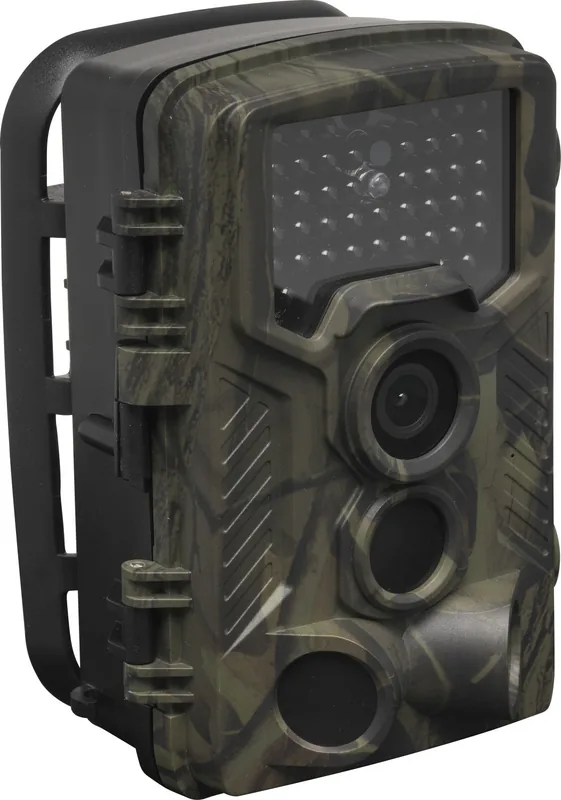
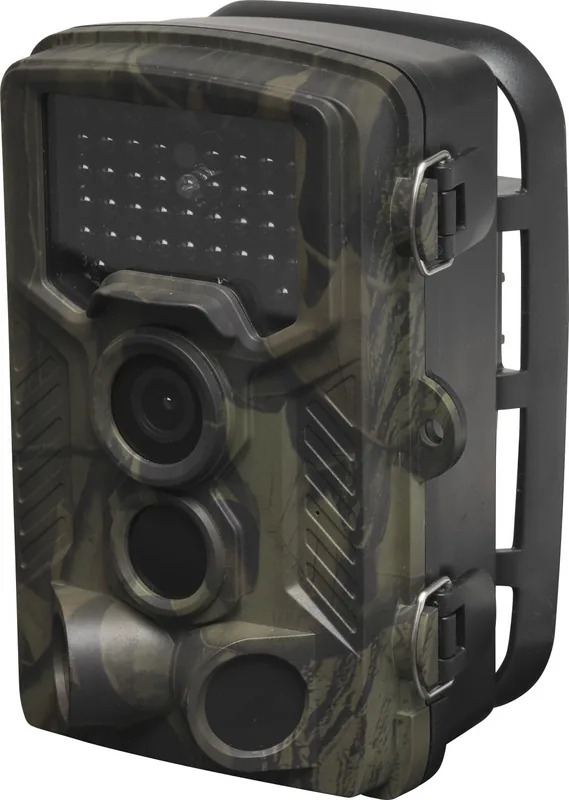
The Denver Wildlife Camera WCT-8010 is a straightforward trail camera made for people who want reliable outdoor surveillance without a complicated setup. It is built to respond automatically to movement, using a sensitive PIR sensor to capture photos or record video the moment an animal or person enters the monitored area. For readers searching for the Denver Wildlife Camera WCT-8010 Manual, the key takeaway is simple: this model focuses on convenience, flexibility, and dependable field performance.
What makes it stand out
This camera records sharp still images up to 12MP and can shoot 1080p HD video, giving users enough detail to identify wildlife activity or check remote property conditions. It also supports color captures during daylight and switches to infrared monochrome shots after dark, which helps maintain coverage around the clock. With a trigger speed of about 0.3 seconds, it is quick enough to catch fast-moving subjects before they leave the frame.
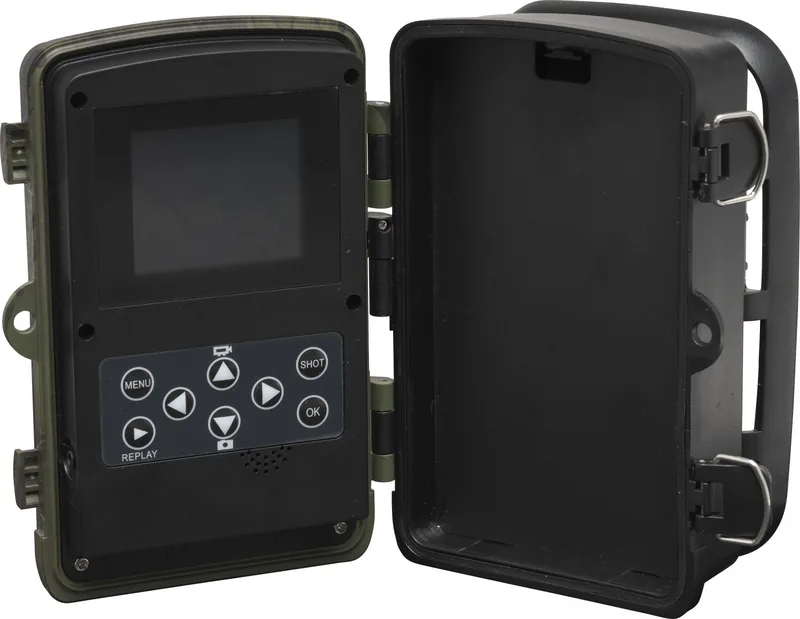
The WCT-8010 is designed for outdoor use, with a weather-resistant body that handles rain and snow. A 2.0-inch LCD screen makes it easier to review images, adjust settings, and test the camera in the field. It also offers useful controls such as interval timing, burst shooting, date and time stamping, video length adjustment, and password protection. Those features give it a more customizable feel than many basic trail cameras.
Everyday use and setup
Power comes from 4 or 8 AA batteries, and the camera supports Micro SD cards for storing photos and clips. The menu system allows users to switch between camera, video, or combined capture modes, while playback tools let you view or delete files directly on the device. That makes it practical for field work, especially when a laptop is not nearby.
Another advantage is its night performance. The infrared LEDs help illuminate scenes after sunset, making it suitable for watching trails, feeders, gardens, and cabins. It is a solid choice for hobbyists, hunters, and property owners who need a compact camera that can work quietly in the background.
Notes
- Best results come from careful placement and avoiding heat or motion distractions.
- Formatting the SD card before first use can prevent file issues.
- Battery life depends heavily on capture frequency and the quality of the batteries used.
- Firmware updates should only be done with sufficient power.
Search for 67,706 Manuals online


Type-in Brand or Model
Stefan Russell
8 months ago
Why does my Denver wild camera show "card error" or work only sporadically even with new SD cards, and why are the pictures/videos very poor quality?
Manual.ly
8 months ago
Card errors and poor results are usually caused by the SD card format or unstable power. Please: (1) Use a compatible microSD card (ideally 32 GB or larger quality cards, formatted as FAT32) and format it in the camera before first use and after any issue. (2) Reinsert the card firmly and check it is not write-protected. (3) Use fresh, high-quality batteries. Some NiMH cells can lead to missing frames or flicker. (4) If the camera still reports card errors or captures inconsistent/low quality images, please contact support for troubleshooting or a possible replacement. Note: video files can be very large (about 90 seconds around 300 MB) due to older MJPEG encoding.