
Denver WCM-8010 Manual
PDF manual · 6 Pages
English



Quick check
Incorrect answer, please try again.
Chat with your Denver WCM-8010 manual using AI
Get instant AI answers from your Denver WCM-8010 manual
Ask anything about the Denver WCM-8010. Answers come from this manual, with the pages they are based on.
Ask a Question
Do you recommend WCM-8010?
Yes NoFrequently Asked Questions
It has three main modes: OFF, ON, and TEST. OFF is the safe mode for replacing batteries or cards. ON enables motion-triggered capture, and TEST is used for manual control and menu access.
Is this answer helpful?
Yes. In TEST mode, you can press the SHOT button to capture images or videos manually. In ON mode, the camera waits briefly, then triggers automatically when motion is detected.
Is this answer helpful?
The camera can shoot still photos, record videos, or combine both depending on the selected system setting. You can choose Camera, Video, or Camera + Video mode.
Is this answer helpful?
Turn the camera to TEST mode, press OK to enter playback, then use the up/down buttons to browse photos. For videos, press Replay to start or stop playback.
Is this answer helpful?
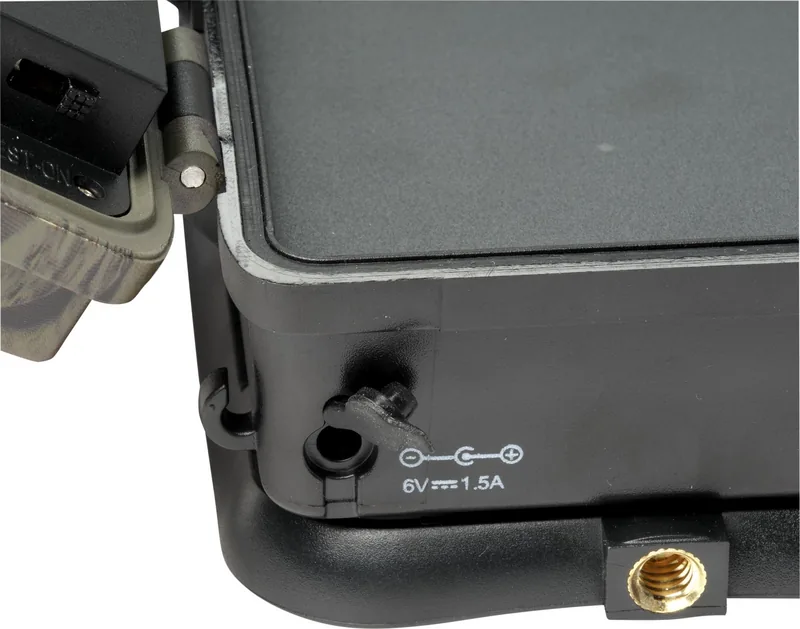
You need a 2G GSM-compatible SIM card, a formatted microSD card, batteries or 6V power, and carrier network details such as APN settings. Some setups also require MMS or SMTP configuration data.
Is this answer helpful?
Heavy rain, fog, or drizzle in darkness can cause white images with no visible subject. This is noted as a normal limitation rather than a camera fault.
Is this answer helpful?
The camera supports commands to take a picture, take a picture and send it to the sender, check battery and storage status, turn the sensor on, and put the sensor into sleep mode.
Is this answer helpful?
Advantages and Disadvantages
Advantages

- 2-inch color LCD makes setup and playback easy in the field.
- Three shooting modes add flexibility for photos, video, or both.
- Motion detection and manual trigger support different use cases.
- MMS/GPRS/SMS functions enable remote image delivery and control.
Disadvantages

- Remote messaging depends on 2G GSM service and compatible SIM support.
- microSD card, SIM card, and batteries are not included.
- Weather conditions like rain or fog can reduce night image quality.
- MMS/GPRS setup can be technical and requires carrier data.
Product Specification
Effective Megapixel
8.0 Megapixel
Sensor
CMOS
Lens
Fixed focal length
Digital Zoom
no
Display
2" LCD
Viewfinder
no
Flash
integrated, Infrared
Video function
AVI, 1280x720 (16:9)
Removable storage
SD/SDHC (shared), MMC (shared)
Connections
USB
Wireless
GSM
Power supply
AA battery
Special features
Trail camera
Color
brown
Dimensions
3.15x5.31x3.15in (WxHxD)
Weight
1.28 lb
Product Description
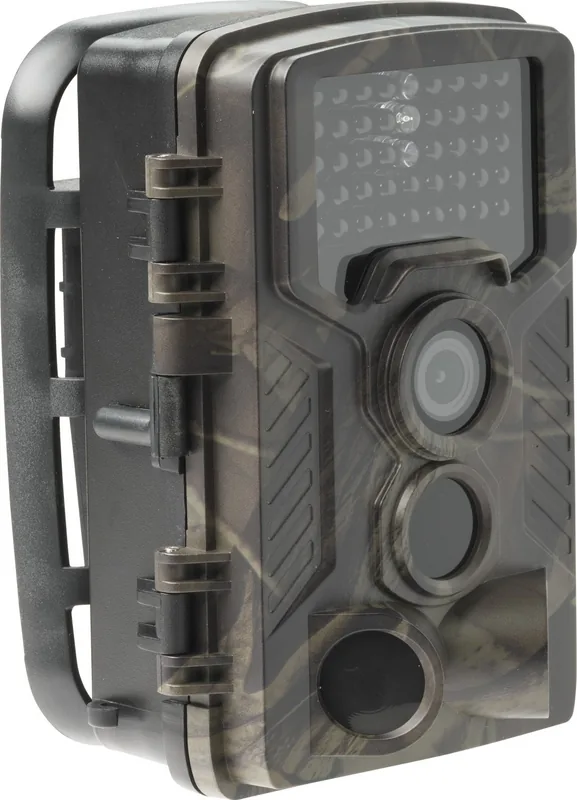
Denver Trail Camera WCM-8010 Manual: A Practical Look at a Compact Wildlife Camera
Built for simple field use
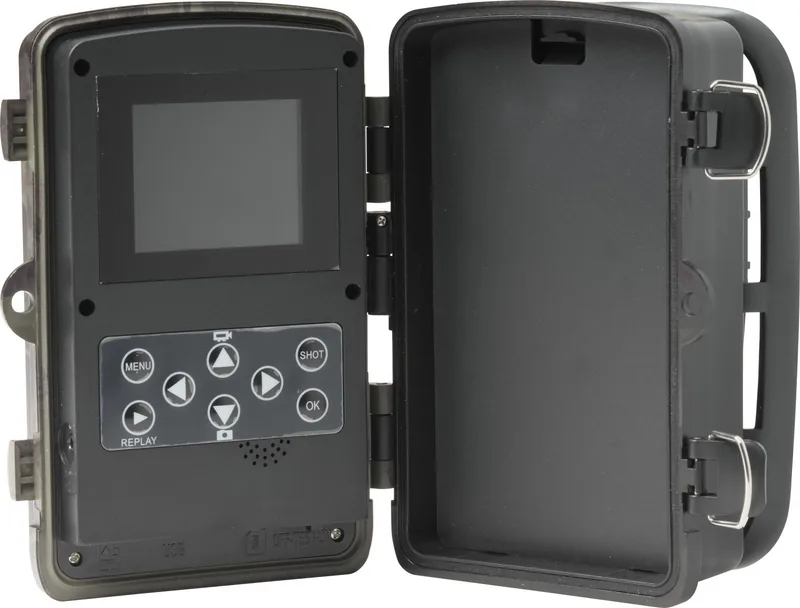
The Denver WCM-8010 is a trail camera designed for hunters, landowners, and outdoor observers who want a straightforward way to capture activity in the wild. Its 2-inch color LCD display gives you enough screen space to navigate settings, review footage, and check camera status without needing a separate device. The layout is practical, with clearly marked buttons, a USB connector, a microSD slot, a SIM card slot, and a microphone for video recording.
Flexible capture options
One of the strongest points in the Denver Trail Camera WCM-8010 Manual is the choice between three system modes: Camera, Video, and Camera + Video. That means the unit can be set to take still images, record clips, or combine both in sequence. It also offers two capture styles. In TEST mode, you can trigger shots manually with the SHOT button, while ON mode activates motion detection after a short delay, making it useful for monitoring trails, farms, and remote property.
Review, playback, and remote sending
Captured media can be checked directly on the camera by switching to TEST mode and entering playback with the OK button. Photos move forward or backward with the arrow keys, and videos can be played or stopped with the Replay button. For users who want remote communication, the camera supports MMS and GPRS/SMTP workflows through a SIM card, making it possible to send images by mobile network. The SMS command list adds extra convenience, including commands to take a picture, check battery status, turn the sensor on, or put it to sleep.
Setup tips and real-world use
This model depends on the right accessories and carrier support, including a compatible SIM card, a formatted microSD card, and external power or AA batteries. That makes it a capable but configuration-heavy option, especially for users who want remote alerts or image sharing. It is also important to use OFF mode when changing cards or transporting the unit, since that is the safest state for maintenance. Like many wildlife cameras, performance can be affected by heavy rain, fog, or drizzle at night, which may result in blank white images.
Notes
- 2G network support is essential for messaging features.
- Some setup steps require carrier APN, MMSC, or SMTP information.
- The camera is compliance-marked for EU radio equipment standards.
Search for 67,706 Manuals online


Type-in Brand or Model
Else Hudson
7 months ago
What microSD card sizes are supported, and why might the camera not send photos when I use a 64GB card or an unformatted card?
Manual.ly
7 months ago
The camera supports microSD cards up to 32GB. If you try a 64GB card, it may not work correctly. For best results, insert the card into the camera and format it in the camera menu first. Use a properly prepared card (no active write-protection) and, if possible, keep it formatted in FAT32. After formatting, test sending again via your configured email/SMS settings. If it still fails to send, double-check that the SIM is active for data or messaging as required by your plan and that the camera status shows the connection is set up properly.