
Denver WCL-8040 Manual
PDF manual · 16 Pages
English



Quick check
Incorrect answer, please try again.
Chat with your Denver WCL-8040 manual using AI
Get instant AI answers from your Denver WCL-8040 manual
Ask anything about the Denver WCL-8040. Answers come from this manual, with the pages they are based on.
Ask a Question
Do you recommend WCL-8040?
Yes NoFrequently Asked Questions
The camera supports photo resolutions up to 30MP (also 24/20/16MP) and video recording up to 2K at 30fps using H.265. Lower video options include 1080p, 720p, and VGA to balance quality and storage needs.
Is this answer helpful?
Install Tuya Smart, create an account, set the camera to test mode, insert SIM and SD cards, open the camera menu to display the Device ID QR code, then scan that QR code with the app. Once added successfully, switch from test to on-mode to begin normal operation.
Is this answer helpful?
You can power the camera with eight AA batteries or an external 9–12V adapter. Standby time can reach up to three months depending on battery quality, usage patterns, and transmission frequency; active recording and frequent transfers will shorten runtime.
Is this answer helpful?
A standard-size (large) 4G SIM card without a PIN is required for cellular connectivity. Use a microSD card up to 256GB formatted in FAT32 for local storage. Both are needed to enable remote alerts and full camera features.
Is this answer helpful?
Yes—its 940nm infrared LEDs produce near-infrared illumination that is largely invisible to wildlife and minimizes disturbance, allowing discreet night-time photos and videos while maintaining image capture capability.
Is this answer helpful?
The device is rated IP65 and is designed to operate between -20°C and 40°C. While suitable for many outdoor conditions, avoid prolonged direct sunlight and heavy submersion; ensure battery cover is sealed to maintain water and dust resistance.
Is this answer helpful?
Do not open the camera; repairs must be performed by qualified personnel. For disposal, follow local regulations for electronic waste—do not discard with household waste. Check with local collection points or municipal recycling programs.
Is this answer helpful?
Advantages and Disadvantages
Advantages

- High-resolution photos up to 30MP and 2K/30fps video with H.265 compression for quality and efficient storage.
- Fast 0.3s trigger time and 940nm infrared LEDs enable discreet and timely night-time captures.
- 4G connectivity via Tuya Smart app for live preview, remote alerts, and easy device addition using QR Device ID.
- Flexible power options: up to eight AA batteries (long standby) or external 9–12V adapter for extended field use.
- Rugged IP65 design and operating range -20°C to 40°C suitable for many outdoor deployments.
Disadvantages

- Requires standard-size 4G SIM without PIN and correct app setup, which may be challenging for non-technical users.
- MicroSD must be FAT32 formatted and limited to 256GB, constraining single-card long-duration storage.
- Not waterproof to highest standards (IP65) — prolonged exposure to heavy rain may risk ingress.
- Uses eight AA batteries which can be bulky and require frequent replacement under heavy use.
- Device servicing not user-repairable; opening the unit voids warranty and risks electric shock.
Product Specification
Effective Megapixels
8.0 Megapixels
Sensor
CMOS
Lens
Fixed focal length
Digital Zoom
no
Display
2" LCD
Viewfinder
no
Flash
integrated, infrared
Video function
AVI, 1920x1080 (16:9), 1280x720 (16:9)
Removable storage
microSD/microSDHC/microSDXC
Connections
USB 2.0
Wireless
Wi-Fi (WLAN), LTE
Power supply
AA battery
Special features
Trail camera
Color
green, black
Dimensions
3.74x5.35x3.15in (WxHxD)
Weight
1.32 lb
Product Description
Denver Wildkamera WCL-8040 Manual
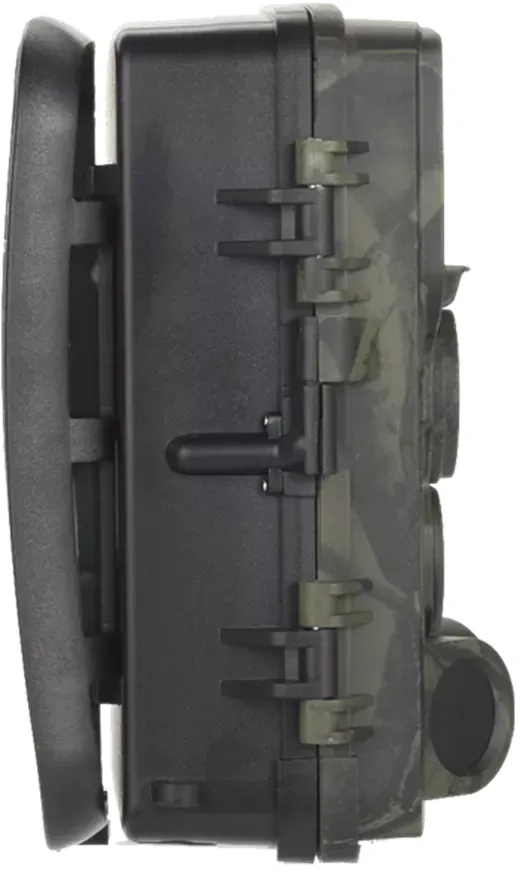
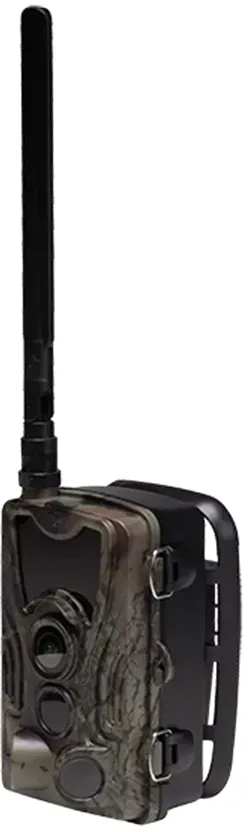
The Denver Wildkamera WCL-8040 is a rugged 4G trail camera designed for wildlife monitoring, property surveillance, and outdoor time-lapse recording. Featuring high-resolution stills up to 30MP and 2K video at 30fps (H.265), this model balances image quality and efficient storage. Its IP65 rating and operating temperature range from -20°C to 40°C make it suitable for many outdoor conditions, while a compact 138 x 90 x 86 mm form factor and 0.38 kg weight keep it easy to mount and transport.
Key features and usage
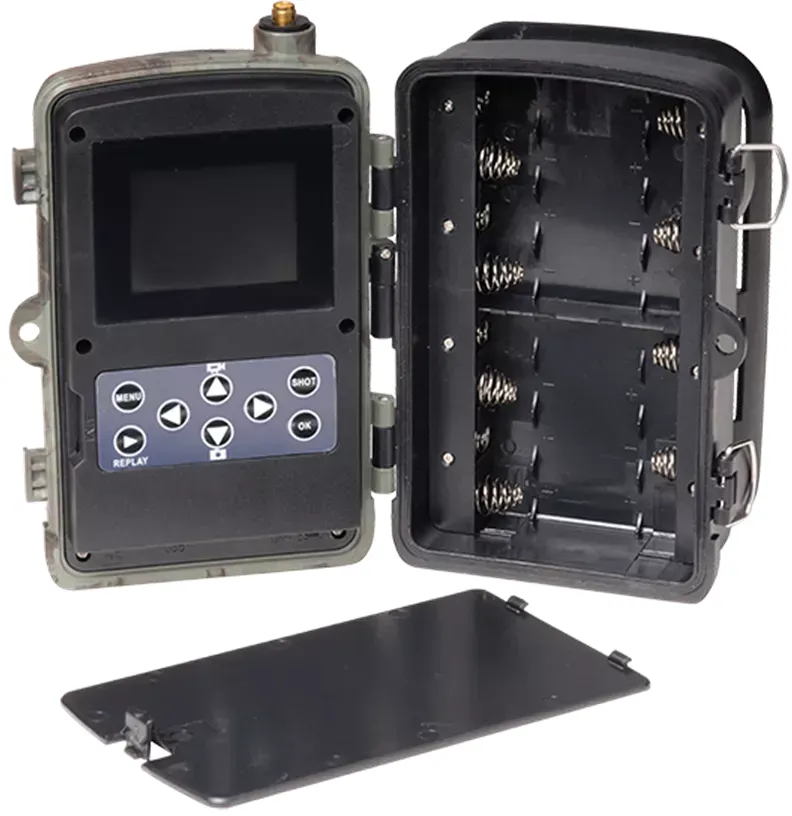
Equipped with high-power 940nm infrared LEDs and a sensitive PIR sensor array, the WCL-8040 delivers discrete night-time images and fast 0.3s trigger response for wildlife or intruder capture. Power is flexible: it accepts eight AA batteries for extended field periods (standby up to three months) or an external 9–12V adapter. Storage supports microSD cards up to 256GB (FAT32). A 2.0-inch color display, built-in antenna, and USB port simplify setup and local review.
Connectivity is a standout: insert a standard 4G SIM (no PIN) and use the Tuya Smart app to add the camera by scanning its Device ID QR code. The app provides live preview, playback, and configurable settings including mode, video length and resolution, audio recording, image size, interval, multi-shot, and transfer frequency. Motion detection alerts, adjustable sensitivity, and cloud storage options enable remote monitoring and timely notifications when the camera captures a photo or video.
Practical setup tips
When installing, follow polarity markers when inserting AA batteries and close the battery cover to preserve water and dust resistance. Use test mode during app pairing, and switch to on-mode after successful addition. Ensure the SIM card is standard size, has no PIN, and the SD card is formatted to FAT32 for reliable operation. Avoid non-original accessories and do not open the unit—repairs should be done by qualified personnel.
Final thoughts
The Denver WCL-8040 is a versatile, app-integrated trail camera suited for users who need remote alerts, quality imaging, and flexible power options. Its combination of high-resolution capture, rapid trigger, and 4G connectivity makes it a practical choice for outdoor monitoring projects, provided users adhere to battery and environmental guidelines.
Notes
- Use only recommended battery types and remove batteries for long storage.
- Keep firmware and app credentials secure; consider cloud service options for backups.
- Dispose of electronic waste according to local regulations.
Search for 67,706 Manuals online


Type-in Brand or Model