
Denver TIQ-10494 Manual
PDF manual · 14 Pages
English



Quick check
Incorrect answer, please try again.
Chat with your Denver TIQ-10494 manual using AI
Get instant AI answers from your Denver TIQ-10494 manual
Ask anything about the Denver TIQ-10494. Answers come from this manual, with the pages they are based on.
Ask a Question
Do you recommend TIQ-10494?
Yes NoFrequently Asked Questions
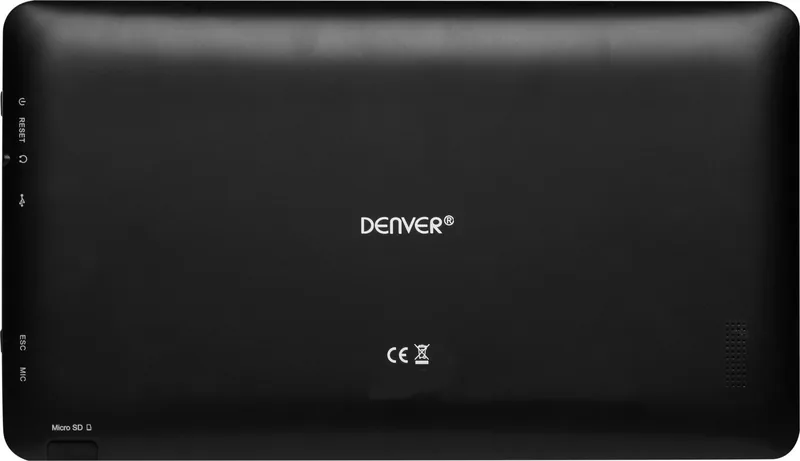
Use a paperclip or needle to press the reset pin located on the side or back of the device. Check if it restarts correctly after pressing.
Is this answer helpful?
The tablet contains a rechargeable Li-poly battery with a capacity of 4400mAh. Only use the original adapter for charging.
Is this answer helpful?
No. Do not attempt to replace the battery yourself. It requires a skilled engineer to replace and dispose of safely.
Is this answer helpful?
Tap the settings menu, activate Wi-Fi, and select the available network. The display will show Connected under the network name.
Is this answer helpful?
Product operating and storage temperature is from -10 degrees Celsius to 40 degrees Celsius. Temperatures outside this range might affect function.
Is this answer helpful?
No. Do not expose this apparatus to rain or moisture. Keep objects filled with liquids away from the device.
Is this answer helpful?
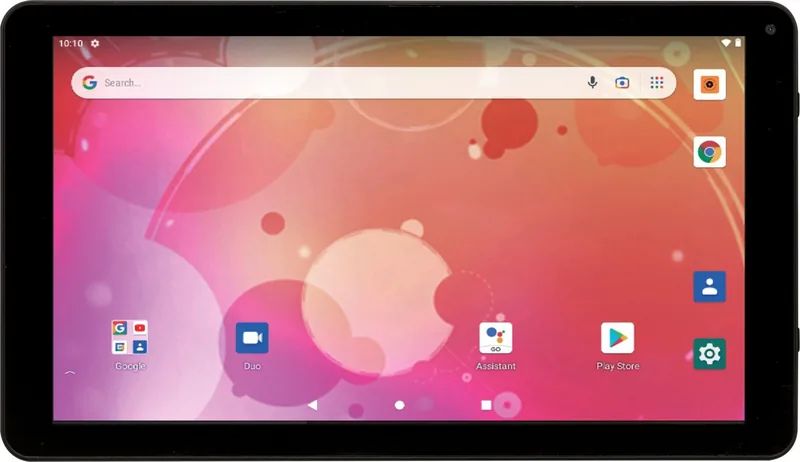
Google services like Gmail, Chrome, and Google Play are pre-configured for convenience right out of the box.
Is this answer helpful?
Advantages and Disadvantages
Advantages

- Quad Core processor ensures efficient performance for daily tasks.
- 4400mAh rechargeable Li-poly battery offers long usage time.
- 2GB RAM allows seamless navigation through Android applications.
- 32GB internal storage provides ample space for media files.
- Integrated Wi-Fi and Bluetooth support connectivity well.
Disadvantages

- Lithium battery is not user-replaceable and requires service.
- Camera resolution is low with 0.3MP front and 2.0MP rear.
- Device must be kept away from water and moisture.
- Cannot be opened by unqualified personnel for repairs.
- Requires specific operating temperature between -10 and 40 degrees.
Product Specification
CPU
N/A
RAM
2GB DDR3
Storage
32GB Flash
Graphics
N/A
Display
10.1", 1280x800, 149ppi, Multi-Touch, IPS
Ports
1x USB-C 2.0 (480Mb/s), 1x 3.5mm Headphone Jack
Wireless
Wi-Fi 4 (WLAN 802.11b/g/n), Bluetooth 4.0
Navigation
N/A
SIM
N/A
Cellular
N/A
Network
N/A
Card Reader
microSD
Camera
0.3 MP (Front), 2 MP (Back)
Operating System
Android 11 (Android Go Edition)
Battery
4400mAh
Dimensions
9.61 x 6.42 x 0.43 in
Weight
1.65 lbs (Tablet)
Color
black
Note
Different country versions possible.
Product Description
Exploring the Denver TIQ-10494 Tablet Experience
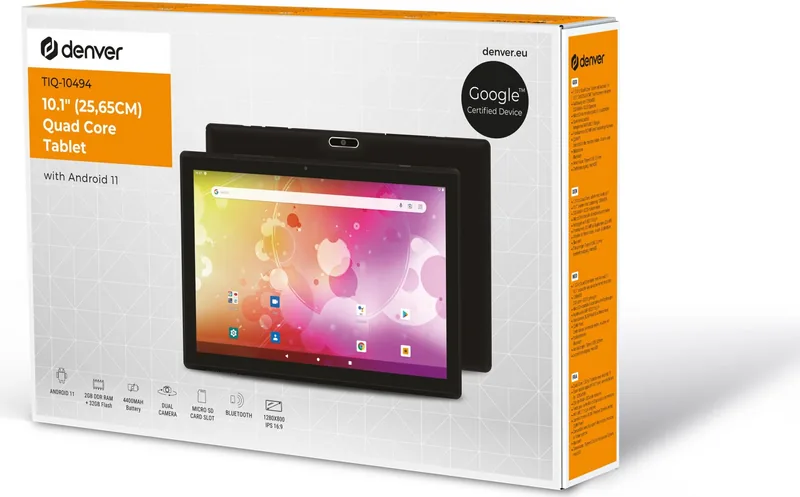
If you are looking for a reliable handheld device, the Denver TIQ-10494 offers a robust solution for personal or professional use today. This tablet features a compact 10.1-inch display that is perfect for browsing the web, streaming media, or reading documents easily. The Black Manual finish adds a touch of elegance to the device, making it suitable for office environments or home entertainment centers alike for daily tasks.
Performance and Storage Capabilities
Under the hood, the device boasts a Quad Core processor that handles tasks very efficiently for users. With 2GB RAM dedicated to active processes, users experience seamless navigation through Android applications without lag issues. The internal storage capacity is listed as 32GB in the official specifications found in manuals. This means you have generous space for photos, music, and video files without constant cloud dependency or external drives. The 32GB capacity ensures that your digital library stays close at hand whenever you need it during travel.
Battery and Connectivity Options
Powering this system is a rechargeable Li-poly battery with a capacity of 4400mAh included in the pack. This provides substantial usage time between charges for full day activities. Connectivity is handled through integrated Wi-Fi modules and standard Bluetooth capabilities for peripherals. You can easily transfer files between the tablet and a computer using the provided USB port easily. The Wi-Fi settings allow for quick network detection and secure connection to your home router or public hotspots for internet access.
Safety and Maintenance Procedures
Important safety instructions accompany the Denver TIQ-10494, 32GB, 2GB RAM, Black Manual package for users. Users must always keep the device away from water and moisture to prevent electrical damage or short circuits. The lithium battery inside requires careful handling and should not be incinerated or opened by unqualified personnel ever. If repairs are needed, qualified service personnel must be consulted immediately to avoid harm. Keep this product out of reach of children during extended use to prevent accidents or swallowing hazards related to small parts.
Usage Tips and Support
To reset the device if it freezes unexpectedly, use a paperclip on the reset pin located on the side or back panel. The screen can be locked using the power button to conserve energy when not in use for periods of time. Google services like Gmail and Chrome are pre-configured for convenience right out of the box for users. Always keep the original adapter nearby for reliable charging of the battery unit. Ensuring proper ventilation around the power outlet extends the lifespan of the equipment and prevents overheating issues.
Search for 67,706 Manuals online


Type-in Brand or Model