
Denver TAQ-10465 Manual
PDF manual · 14 Pages
English



Quick check
Incorrect answer, please try again.
Chat with your Denver TAQ-10465 manual using AI
Get instant AI answers from your Denver TAQ-10465 manual
Ask anything about the Denver TAQ-10465. Answers come from this manual, with the pages they are based on.
Ask a Question
Do you recommend TAQ-10465?
Yes NoFrequently Asked Questions
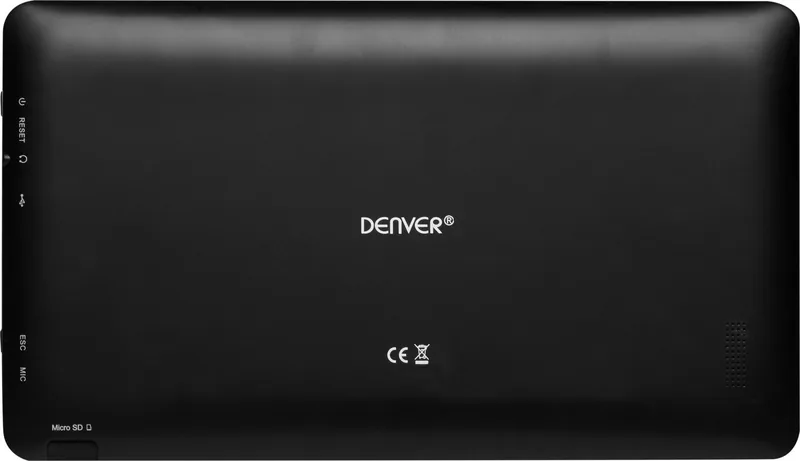
Use a needle or paperclip to press the small reset hole located on the side of the tablet. Hold it down briefly until the screen turns off and restarts. Verify the device boots up normally after the process completes.
Is this answer helpful?
The tablet features a built-in Lithium-ion battery with a capacity of 4400mAh. This provides sufficient power for daily tasks without needing frequent recharging during normal use.
Is this answer helpful?
No, you should not attempt to replace the battery yourself. It contains dangerous materials and can cause injury or overheating if opened improperly. Only authorized customer service should handle battery replacements.
Is this answer helpful?
No, the device is not splash-proof or drip-proof. Do not expose it to rain or moisture. Keep liquid containers away from the unit to prevent electrical shorts or damage.
Is this answer helpful?
You can download the manual from the official Denver Electronics website. Search for the model number TAQ-10465 to locate the correct documentation for setup and troubleshooting.
Is this answer helpful?
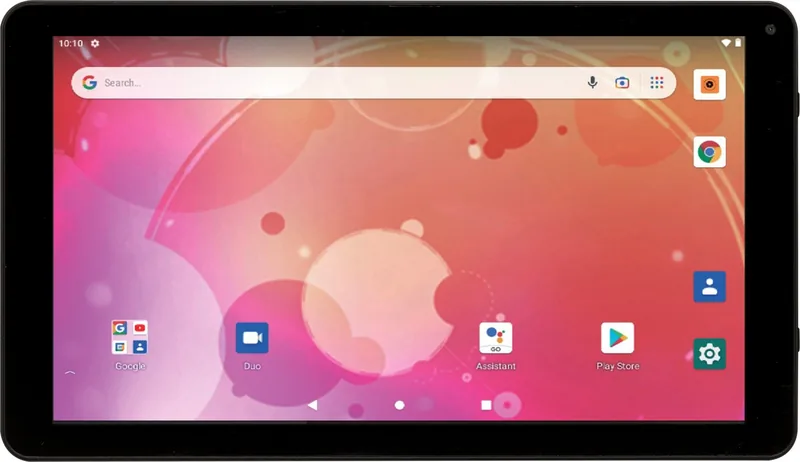
Yes, the tablet operates on Android and includes full access to Google Play, Chrome browser, and Gmail. These apps allow for email, music, and web browsing features.
Is this answer helpful?
Do not throw it in regular trash. You must recycle it at an electronic waste collection point to comply with EU regulations. This helps recover natural resources safely.
Is this answer helpful?
Advantages and Disadvantages
Advantages

- 64GB internal storage offers ample space for apps and media
- Quad Core processor ensures smooth multitasking performance
- 4400mAh battery provides long-lasting unplugged usage
- Access to Google Play Store for millions of applications
- Built-in Wi-Fi and Bluetooth for easy connectivity
Disadvantages

- Rear camera is only 2MP interpolated quality
- Device is not waterproof or resistant to liquids
- Battery replacement requires authorized service personnel
- Reset function needs a specific pin or paperclip tool
- No explicit warranty duration stated in documentation
Product Specification
CPU
N/A
RAM
2GB DDR3
Storage
64GB Flash
Graphics
N/A
Display
10.1", 1024x600, 118ppi, Multi-Touch, IPS
Ports
1x USB 2.0 Micro-B (480Mbps), 1x 3.5mm Jack
Wireless
Wi-Fi 4 (WLAN 802.11b/g/n), Bluetooth 4.0
Navigation
N/A
SIM
N/A
Cellular
N/A
Networks
N/A
Card Reader
microSD
Camera
0.3 Megapixel (Front)
Operating System
Android 10 (Android Go Edition)
Battery
4400mAh
Dimensions
10.24 x 6.50 x 1.77 inches
Weight
1.71 lbs (Tablet)
Color
Black
Note
Different regional versions may apply.
Product Description
Unlocking Portable Performance with Modern Technology
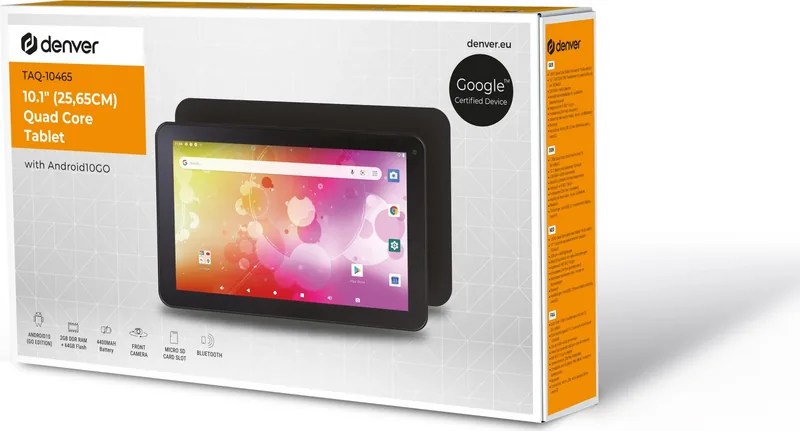
In the fast-paced world of digital mobility, finding a tablet that balances power and convenience is crucial for professionals and students alike. The Denver TAQ-10465 offers a compelling solution for those needing versatile computing power within a compact form factor suitable for daily commutes. Its durable chassis houses advanced components designed specifically for longevity and consistent user satisfaction over time. The exterior finish in classic black complements modern desk setups or rugged travel bags effortlessly without showing fingerprints easily.
Technical Excellence Under the Hood
Internally, this machine runs efficiently thanks to a Quad Core processor architecture which handles multitasking demands effectively. Memory management is streamlined with 2GB of RAM, enabling fluid application switching without significant lag during gaming or office work. Storage capacity reaches 64GB, sufficient for storing photos, documents, and entertainment files locally without constant cloud reliance. Visuals are presented on a 10.1-inch screen, delivering clarity for multimedia consumption and reading long texts comfortably. A rear camera supports basic photography needs for scanning or quick captures when necessary.
Software Ecosystem Integration
Operating on a popular mobile OS, the device connects seamlessly with the broader digital ecosystem of online services. Access to the Google Play Store unlocks millions of compatible applications for various lifestyles including fitness tracking and education. The Chrome browser facilitates fast internet navigation with voice search capabilities and data saving modes. Email management is handled through integrated Gmail services, keeping correspondence secure and organized across multiple devices securely. Push notifications ensure critical messages arrive promptly so you never miss important updates.
Connectivity and Charging Standards
Wireless communication relies on stable Wi-Fi connections supported by active antenna systems meeting EU frequency standards. Bluetooth functionality allows pairing with external audio peripherals or input devices easily for enhanced sound experiences. Powering the unit requires the original network adapter supplied with the package to avoid damage risks. The built-in Lithium-ion battery holds 4400mAh capacity for extended unplugged usage sessions throughout the day. Safety protocols prohibit opening the casing or attempting self-repair on the battery pack to prevent overheating hazards. Disposal must follow local electronic recycling laws strictly to prevent environmental harm from toxic materials leaking into landfills.
Troubleshooting and Maintenance
Should the interface freeze unexpectedly, a reset function exists using a simple needle tool on the side panel for immediate restoration. Consult the Denver TAQ-10465 64GB 2GB RAM black Manual for detailed recovery steps before visiting authorized service centers. Regular updates maintain security patches for the operating system against emerging threats. Keeping the device dry prevents electrical damage since it lacks waterproof certification against rain. Manufacturers advise charging only with approved voltage sources.
Proper care involves returning old units to collection points rather than household trash bins. The symbol indicates separate processing requirements for electric waste globally. Authorized personnel handle repairs inside the unit due to high voltage dangers hidden behind panels. Following these instructions ensures maximum utility life for your investment.
Search for 67,706 Manuals online


Type-in Brand or Model