
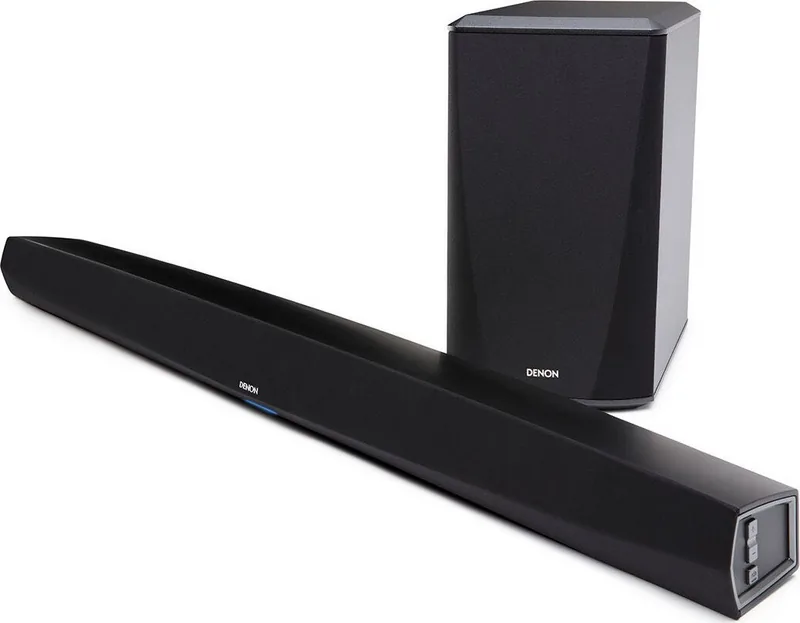


Denon DHT-S516H Manual
PDF manual · 92 Pages
English



Quick check
Incorrect answer, please try again.
Chat with your Denon DHT-S516H manual using AI
Get instant AI answers from your Denon DHT-S516H manual
Ask anything about the Denon DHT-S516H. Answers come from this manual, with the pages they are based on.
Ask a Question
Do you recommend DHT-S516H?
Yes NoVideo Manual
So beheben Sie das Ein-/Ausschalten des Denon DHT-S216 Sounds
Frequently Asked Questions
Use the HDMI OUT (ARC) connection to your TV’s ARC-enabled HDMI input when available. This provides the best audio quality, simplifies control via HDMI CEC, and supports TV audio return through the soundbar.
Is this answer helpful?
Install the HEOS app on an iOS or Android device, follow ‘Setup Now’ in the app, and use the provided audio/setup cable or WAC/WPS options to transfer Wi‑Fi credentials. Ethernet is supported by connecting directly to your router.
Is this answer helpful?
Yes. The unit supports Bluetooth streaming and AirPlay 2 for Apple devices. Use Bluetooth pairing or the AirPlay controls on iOS to stream to the DHT-S516H, and you can sync multiple AirPlay 2 devices for multiroom playback.
Is this answer helpful?
Press the PAIR button on the subwoofer until its LED flashes blue, then press the PAIR button on the soundbar. The subwoofer LED will become solid blue when pairing is successful.
Is this answer helpful?
Check your network stability and Wi‑Fi signal strength, reduce network congestion, relocate speakers closer to the router, or use Ethernet. Also ensure firmware is updated and avoid interference from other electronics.
Is this answer helpful?
Enable the Dialog Enhancer in the HEOS app or on the soundbar to emphasize center-channel speech, and consider using the Night Mode for low-volume listening where softer sounds are lifted.
Is this answer helpful?
The DHT-S516H supports common file types (WAV, FLAC, ALAC, MP3, AAC, WMA) and accepts HDMI, optical, coaxial digital and analog AUX inputs. Coaxial/optical accept 2-channel PCM and bitstream Dolby Digital/DTS for supported content.
Is this answer helpful?
Advantages and Disadvantages
Advantages

- Seamless HEOS multiroom integration with app control for streaming, grouping, and playlists.
- HDMI ARC support plus optical, coaxial and AUX inputs for versatile TV and device connections.
- Wireless subwoofer provides strong low-end impact with flexible placement and easy pairing.
- AirPlay 2 and Bluetooth support enable direct streaming from Apple and mobile devices.
- Useful audio features: dialog enhancer, Night Mode, Movie/Music sound modes, and EQ adjustments.
Disadvantages

- Some TV setups may require disabling TV speakers or adjusting HDMI/ARC/CEC settings manually.
- Network-dependent features and multiroom streaming may suffer dropouts on weak Wi‑Fi or congested networks.
- Deep Standby can cause a ~40-second wake-up delay; full power-off requires unplugging.
- Certain advanced setup tasks (firmware, network configs) require HEOS app familiarity.
- DTS passthrough may require specific HDMI connections; optical can limit some formats.
Product Specification
Type
Soundbar with Subwoofer
Channels
2.1
Audio Decoder
Dolby Digital, DTS
Streaming Clients
Apple AirPlay 2
Voice Assistants
Amazon Alexa, Google Assistant
HDR
no
Video Connections
1x HDMI In, 1x HDMI Out
Audio Connections
2x Digital Audio In (optical), 1x AUX In (0.14in jack)
Other Connections
1x USB-A
Wireless
Bluetooth
Color
black
Dimensions
39.76x2.87x4.09in (WxHxD)
Subwoofer Dimensions
6.77x12.24x6.77in (WxHxD)
Consisting of
Soundbar, 1x Wireless Subwoofer
Product Description
Denon DHT-S516H — Powerful HEOS Soundbar System
The Denon DHT-S516H is a compact, feature-rich soundbar and wireless subwoofer system that brings Denon’s signature audio quality and modern smart features into your living room. Designed as part of the HEOS multi-room ecosystem, this package combines a sleek soundbar with a wireless subwoofer to deliver fuller, more cinematic TV sound plus versatile music streaming capabilities.
Equipped with HDMI ARC support, optical and coaxial digital inputs, and an analog AUX, the DHT-S516H easily integrates with TVs, Blu-ray players, and game consoles. HDMI ARC offers the best connection path for TV audio, while alternate digital inputs and AUX provide flexibility for a wide range of source devices. The system also supports Bluetooth playback and AirPlay 2 for direct streaming from mobile devices and Apple products.
The HEOS ecosystem is central to the DHT-S516H experience. Using the HEOS app on iOS or Android, users can set up the system on their home network, stream content from many popular music services, play locally stored music (from USB, NAS or phones), and group up to 16 HEOS devices for perfectly synchronized multiroom playback. The app handles queue management, playlists, favorites, and device-specific settings like EQ, subwoofer level, and status light brightness.
Audio features include Denon’s audio tuning, dialog enhancer for clearer center-channel speech, a Night Mode for low-volume listening, and selectable sound modes (Movie or Music) to tailor the soundstage. The wireless subwoofer pairs with the soundbar for deep low-end impact and can be placed flexibly around the room. Microsecond-level synchronization ensures smooth multiroom playback without drift.
Installation is straightforward: wall-mountable keyhole fittings or riser feet for shelf placement, and clear setup steps in the HEOS app. Network setup supports Wi‑Fi, Ethernet, WPS, and Apple’s WAC for easy provisioning. Firmware updates, power management (Quick Start and Deep Standby), and advanced network settings are accessible through the app. LED indicators on both units communicate status, pairing, and errors.
For troubleshooting, the manual addresses common issues like no sound, subwoofer pairing, network connectivity, and HDMI/ARC specifics, plus detailed LED status tables and supported audio codecs. The system supports common file formats (WAV, FLAC, ALAC, MP3, AAC, WMA) and digital bitstream decoding for Dolby Digital and DTS from coaxial/optical inputs.
Notes:
- Best TV audio: use HDMI ARC when available to retain full audio features and simplify control.
- HEOS app control is required for full multiroom and streaming service setup.
- Position the subwoofer near a wall or corner and within the stated wireless range for optimal bass performance.
Search for 67,706 Manuals online


Type-in Brand or Model