

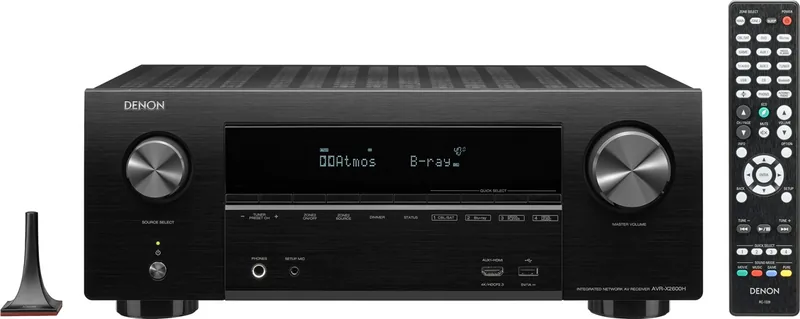
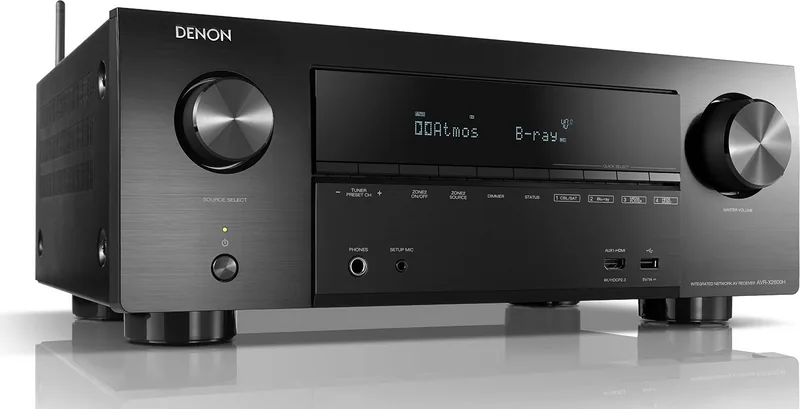
Denon AVR-X2600H Manual
PDF manual · 291 Pages
English



Quick check
Incorrect answer, please try again.
Chat with your Denon AVR-X2600H manual using AI
Get instant AI answers from your Denon AVR-X2600H manual
Ask anything about the Denon AVR-X2600H. Answers come from this manual, with the pages they are based on.
Ask a Question
Do you recommend AVR-X2600H?
Yes No
Hans Müller
10 months ago
When I connect the AVR to a Telekom MR 400/401 and a non-4K TV, I get an error about missing HDCP 2.2 and no image. What can I do?

Manual.ly
10 months ago
This is usually a HDCP 2.2 compatibility issue between the HDMI source (e.g., Telekom MR 400/401) and your TV. Try these steps: (1) power-cycle the AVR and the set-top box (turn both off and on, then re-select the HDMI input). (2) Check for AVR firmware updates. (3) Use an HDMI HDCP 2.2 converter/splitter that matches your TV capability, or replace the HDMI connection path so at least one component in the chain supports HDCP 2.2. If possible, test with a different HDMI source or a 4K/HDCP 2.2 capable TV to confirm. After that, the AVR should display video normally.
Frequently Asked Questions
It is a strong fit for mid-sized home theater systems, especially 5.1 and 7.1 layouts. It also works well for users who want to add Dolby Atmos, Zone2 audio, and streaming without needing a more complex flagship receiver.
Is this answer helpful?
Yes. The receiver supports both Dolby Atmos and DTS:X, which are designed for immersive surround playback. It can also use virtualization features to create a more spacious sound field when full height-speaker setups are not possible.
Is this answer helpful?
It includes 8 HDMI inputs and 2 HDMI outputs. That makes it suitable for connecting multiple devices such as game consoles, Blu-ray players, streaming boxes, and a TV or projector at the same time.
Is this answer helpful?
Yes. It supports Bluetooth, AirPlay 2, HEOS, Spotify Connect, internet radio, and network music playback. This gives you several ways to stream music from phones, tablets, PCs, and online services.
Is this answer helpful?
Yes. The receiver supports Zone2 playback, so you can send audio to another room. It also supports All Zone Stereo, which lets you play the same music throughout the home for parties or background listening.
Is this answer helpful?
Yes. It can handle older sources and includes video upscaling, so lower-resolution content can be converted for HDMI output. That helps bridge older devices with newer TVs in a modern setup.
Is this answer helpful?
The receiver includes a Setup Assistant and graphical menu system to guide installation. Even so, advanced speaker configurations and network features may take some time to fine-tune for the best results.
Is this answer helpful?
Advantages and Disadvantages
Advantages

- Powerful 7-channel amplification with 125W per channel supports a wide range of speaker setups.
- Dolby Atmos, DTS:X, and virtualization options deliver immersive surround sound.
- 8 HDMI inputs, 2 outputs, 4K/60, HDR, and eARC make it well prepared for modern home theater gear.
- HEOS, AirPlay 2, Bluetooth, Spotify Connect, and USB playback add strong streaming flexibility.
Disadvantages

- Full setup can feel technical, especially when configuring Amp Assign and advanced speaker layouts.
- Some advanced features depend on compatible TVs, speakers, or firmware support.
- Pure Direct and certain mode combinations reduce access to tone and processing adjustments.
Product Specification
Channels
7.2
Power per channel
95W (8Ω), 150W (6Ω)
Tuner
FM, AM, Internet radio
Audio decoder
Dolby Atmos, Dolby Atmos Height Virtualizer, Dolby TrueHD, Dolby Surround, Dolby Pro Logic II, DTS-HD Master Audio, DTS:X, DTS Neural:X, DTS Virtual:X
Streaming clients
Amazon Music, Apple AirPlay 2, Deezer, Pandora, Spotify, Tidal
Voice assistants
Amazon Alexa, Apple Siri, Google Assistant
HDR
Dolby Vision, HDR, HDR10, HLG
Video connections
8x HDMI 2.0 In, 2x HDMI 2.0 Out, HDCP 2.3, 2x Component Video In, 1x Component Video Out, 2x Composite Video In, 2x Composite Video Out
Audio connections
eARC, 2x Digital Audio In (optical), 4x Stereo Line In (RCA), Phono In (RCA), 1x Pre Out (RCA), 2x Sub Out (RCA), Headphones (0.25in jack)
Other connections
USB-A 2.0, RJ-45
Wireless
Bluetooth, Wi-Fi (WLAN)
Calibration system
Audyssey MultEQ XT
Special features
3D ready, HDMI Pass-Through, 4K-Pass-Through, 4K-Upscaling, BT.2020, DSD128, Gapless Playback, LipSync, Multi-Zone
Power consumption
500W max, 35W mute, 0.5W Standby
Color
black
Dimensions
17.09x6.57x13.35in (WxHxD)
Weight
20.72lb
Product Description
Denon AVR-X2600H: A Practical 7.2-Channel Home Theater Receiver
If you are comparing modern AV receivers, the Denon AVR-X2600H Manual quickly points to a unit built for flexible living-room entertainment. This receiver blends solid amplification, wide format support, and easy network streaming into one platform, making it appealing for movie fans, gamers, and music listeners who want a single control center for the whole system.
At its core, the AVR-X2600H delivers 7 channels of discrete amplification at 125 watts per channel, giving it enough power to drive a wide range of speakers with confidence. It supports immersive formats such as Dolby Atmos and DTS:X, plus virtualization features that help create a more spacious surround effect even in rooms where ceiling speakers are not practical. That makes it a strong option for users who want cinematic sound without building an overly complex setup from the start.
Video performance is another highlight. With 8 HDMI inputs, 2 HDMI outputs, 4K/60 support, HDR compatibility, and eARC, the receiver is ready for modern TVs and source devices. It can also upscale lower-resolution content, which is useful if you still watch older media sources. For households with several devices, the HDMI layout and flexible input assignment make switching between sources feel straightforward.
Beyond home theater, the AVR-X2600H is designed for everyday convenience. Built-in Bluetooth, AirPlay 2, HEOS, internet radio, Spotify Connect, and network playback give it a broad streaming toolkit. It can also handle music from USB drives, PCs, and NAS libraries, while Zone2 support lets you send audio to another room. The Setup Assistant and graphical interface help reduce the stress of installation, and the ECO mode adds a sensible power-saving touch.
What makes this model especially appealing is its balance. It is not just about specs; it is about making surround sound, streaming, and multi-room playback feel accessible. For readers looking for a receiver that can grow with their setup, the Denon AVR-X2600H remains a compelling choice.
Notes
- Best suited for users who want a feature-rich receiver without moving into premium-tier complexity.
- Speaker placement and Amp Assign settings matter if you want to get the most from Dolby Atmos or Zone2.
- Network and streaming features work best when the receiver is connected to a stable home network.
Search for 67,706 Manuals online


Type-in Brand or Model
Lukas Weber
10 months ago
My AVR shows an error with a Telekom MR 400/401 connected to an HD TV that is not 4K. The picture wont display. How can I fix the HDCP 2.2 issue?
Manual.ly
10 months ago
This is usually caused by the HDMI HDCP 2.2 compatibility between the TV and the set-top box. Try turning the Telekom receiver (MR 400/401) off and back on, then recheck the HDMI input on the AVR. If the AVR still cannot output a signal, use an HDMI HDCP 2.2 converter/switch that supports the required HDCP version for your setup. Also confirm you are using a proper HDMI connection from the receiver into the AVR and that the AVR HDMI settings are set to pass-through/output format supported by your TV.