
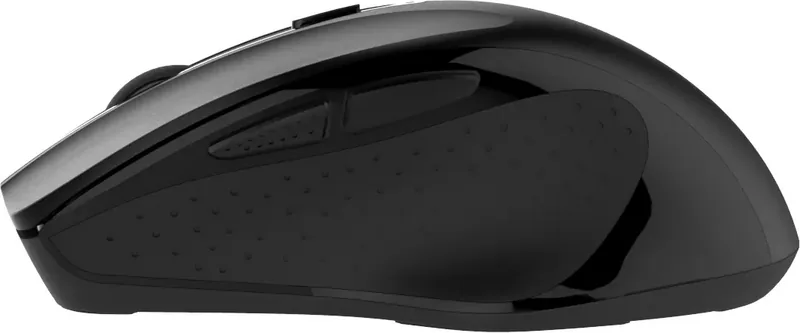
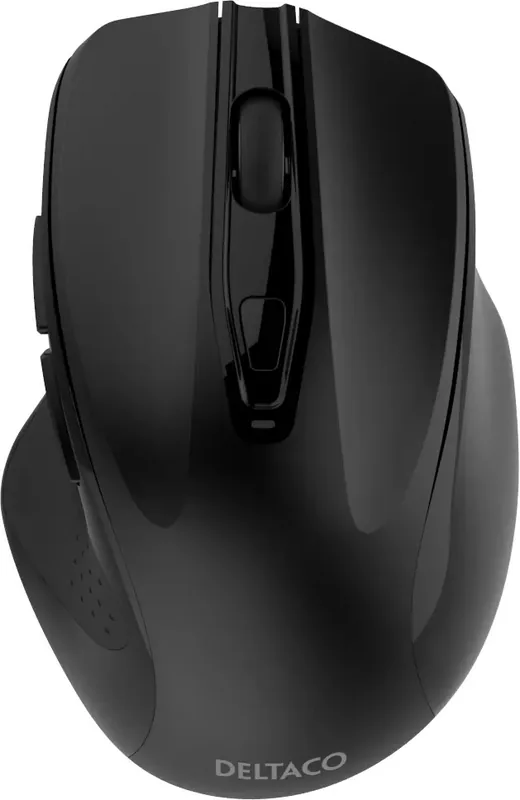
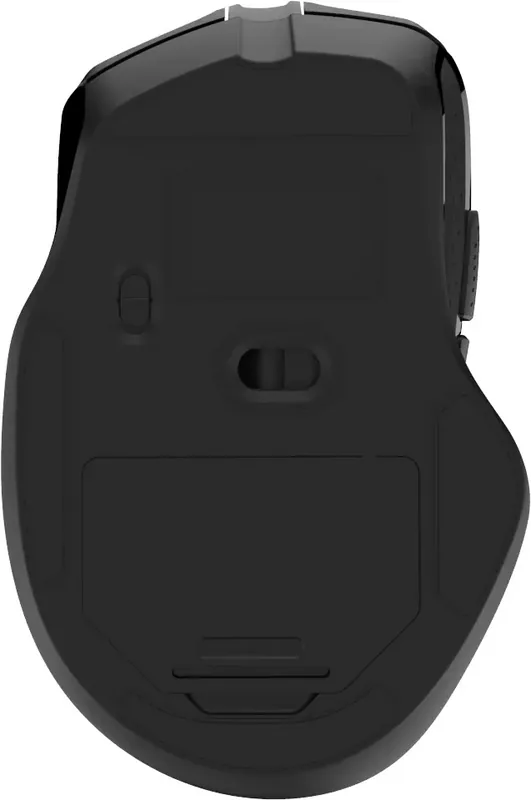
Deltaco Office Silent MS-802 Manual
PDF manual · 15 Pages
English



Quick check
Incorrect answer, please try again.
Chat with your Deltaco Office Silent MS-802 manual using AI
Get instant AI answers from your Deltaco Office Silent MS-802 manual
Ask anything about the Deltaco Office Silent MS-802. Answers come from this manual, with the pages they are based on.
Office Silent MS-802 Maintenance Schedule
Wipe the mouse with a dry cloth. For difficult stains, use a mild detergent.
Open the compartment, remove the old battery, and insert a new one when the low-battery LED starts flashing yellow.
Ask a Question
Do you recommend Office Silent MS-802?
Yes NoDo you recommend Office Silent MS-802?
Yes NoFrequently Asked Questions
No. Simply connect the USB receiver to a USB port and the connection occurs automatically without needing additional software installations.
Is this answer helpful?
There are five distinct sensitivity levels selectable via a dedicated button. They include 800, 1200, 1600, 2000, and 2400 dots per inch.
Is this answer helpful?
The device operates using one standard AA battery. Replace the old one if the LED begins to flash yellow indicating low power.
Is this answer helpful?
The USB receiver keeps its place in a compartment underneath the mouse body so it is always secure and easy to access later.
Is this answer helpful?
Clean with a dry cloth regularly. For difficult stains use a mild detergent but avoid soaking the electronics during the cleaning process.
Is this answer helpful?
Support information can be found on the official website www.deltaco.eu. Email [email protected] for specific regional coverage and terms.
Is this answer helpful?
Do not treat as regular household waste. Return it to a collection point for recycling electric and electronic devices per EU directives.
Is this answer helpful?
Advantages and Disadvantages
Advantages

- No drivers required for setup
- Adjustable DPI up to 2400
- Built in storage for USB receiver
- Low battery LED warning indicator
- Forward and Backward navigation buttons
Disadvantages

- Requires AA battery replacement occasionally
- Limited cleaning options for plastics
- Fixed DPI speeds cannot go higher
- No rechargeable battery option included
- Disposal requires special e-waste handling
Product Specification
Handedness
Right Hand
Buttons
6 (total), 2 (main), 1 (top), 2 (side), 1 (scroll wheel click)
Scroll Wheel
1 x 2-way
Sensor
LED-red/IR
Polling Rate
500 Hz
Lighting
N/A
Weight
0.26 lbs
Color
Solid color, black, logo
Product Description
Elevate Your Workspace With the Deltaco Office Silent Mouse
In the modern professional landscape having reliable technology is essential for maintaining high productivity standards throughout the day. You need accessories that enhance your workflow rather than hinder it. The Deltaco Office Silent Mouse provides exactly the solution you require for efficient computing sessions. It is engineered to reduce noise and maximize performance simultaneously. This wireless companion fits comfortably in your hand ensuring ergonomic support during extended periods of usage. Every click registers instantly while staying quiet enough not to disturb colleagues nearby.
Connectivity remains a priority for modern users who value simplicity. There are no complicated driver installations needed to get started. Just plug the USB receiver into your machine and the connection happens automatically without delay. Managing cables becomes unnecessary since this device operates wirelessly over a stable frequency range. Storage for the receiver is conveniently built into the bottom of the unit so you do not misplace small parts. Power management is equally thoughtful. It utilizes one standard AA battery which allows for long lasting operation without frequent changes. An indicator light warns you visually when charge levels decline allowing for timely replacements according to local regulations.
Precision control is achievable through the DPI adjustment capability. Users can select from five different sensitivity levels ranging from eight hundred to two thousand four hundred dots per inch. This flexibility adapts to various tasks whether editing documents or designing layouts. Navigation buttons offer added convenience for web browsing workflows. Forward and backward keys streamline movement across pages efficiently. A scroll wheel button aids in vertical document pacing. Maintenance is easy with basic cleaning protocols using dry cloths or mild agents for tough spots. When the device reaches end of life remember to recycle electronic waste responsibly via designated collection points rather than household bins. The on off switch conserves power when not in use.
Overall this mouse represents a solid investment for home offices or corporate environments. Its design balances functionality with user comfort effectively. Support resources are available online if further assistance becomes necessary regarding specifications or troubleshooting steps needed for optimal performance. Contact help desk for queries. We encourage reading the full documentation for complete operational details covering all regions supported by the manufacturer. The Deltaco Office Silent Mouse Manual provides further reference. Enjoy seamless integration and superior tracking accuracy now for better results everywhere.
Search for 67,732 Manuals online


Type-in Brand or Model