
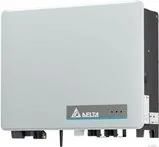
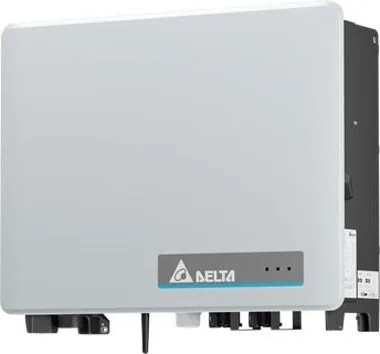
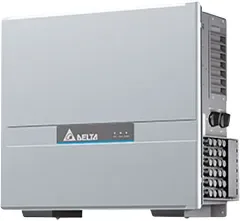
Delta Electronics M50A_260 Manual
PDF manual · 162 Pages
English



Quick check
Incorrect answer, please try again.
Chat with your Delta Electronics M50A_260 manual using AI
Get instant AI answers from your Delta Electronics M50A_260 manual
Ask anything about the Delta Electronics M50A_260. Answers come from this manual, with the pages they are based on.
M50A_260 Maintenance Schedule
Clean air filters with compressed air or a strong brush if performance drops due to blockage from pollen or plant parts.
Clean internal fans with compressed air or a strong brush when warnings indicate blockage or failure. Do not use liquids.
Replace internal fans if they are blocked, defective, or disconnected from power supply.
Remove and clean the fan module with compressed air or a strong brush.
Replace DC surge arrester cards if triggered by lightning strikes or found defective.
Replace AC surge arrester cards if triggered by lightning strikes or found defective.
Ask a Question
Do you recommend M50A_260?
Yes NoFrequently Asked Questions
The M50A_260 is designed for stationary, grid-connected commercial solar installations. It converts DC electricity generated by PV modules into three-phase AC electricity for export to the public grid. It is not intended for off-grid or mobile solar systems.
Is this answer helpful?
The inverter has six independent MPPT inputs. Each MPPT supports two string connections, allowing up to 12 PV strings in total. This helps accommodate arrays with varying orientations or operating conditions.
Is this answer helpful?
It supports three-phase 220/380 V and 230/400 V AC networks at 50 or 60 Hz. The inverter can be connected to three-phase systems with a neutral conductor or without one, depending on local installation requirements.
Is this answer helpful?
Yes. Replaceable Type 2 surge protection is provided on both the AC and DC sides. Optional Type 1+2 combined surge protection devices can be selected when the project requires additional lightning protection.
Is this answer helpful?
Configuration and monitoring are available through RS485 using SunSpec Modbus RTU, the Delta Service Software, or the MyDeltaSolar app. A DC1 data collector can connect through RS485, Sub-1G, or optional Wi-Fi.
Is this answer helpful?
No. The Wi-Fi module is an optional accessory that must be ordered separately. The Sub-1G antenna is included and can be used with a compatible Delta DC1 data collector.
Is this answer helpful?
Turn both DC switches off, isolate AC and DC sources, prevent accidental reconnection, and wait at least 60 seconds for internal capacitors to discharge. Qualified personnel should perform all electrical work.
Is this answer helpful?
Advantages and Disadvantages
Advantages

- Six independent MPPTs and up to 12 PV string connections support flexible commercial array layouts.
- Delivers 50 kW nominal output and up to 55 kW maximum active or apparent power.
- Includes replaceable Type 2 AC and DC surge protection; Type 1+2 options are available.
- Offers RS485, Sub-1G, optional Wi-Fi, alarms, digital inputs, and EPO connectivity.
- Supports three-phase grids with or without neutral conductors and multiple grounding systems.
Disadvantages

- Wi-Fi capability requires a separately purchased Wi-Fi module.
- Floor installation requires optional mounting feet rather than standard hardware.
- The inverter is heavy and must be lifted and carried by at least two people.
- Outdoor installation needs protection from direct sun, rain, snow, and restricted airflow.
- Installation, commissioning, and repairs require qualified authorized electrical personnel.
Product Specification
Note
Prices partially include 0% VAT rates for Austria and Germany
Input voltage
200-1,100 V direct current (DC)
Output phases
3-phase
Protection rating
IP66
Ambient temperature
-4°F to +140°F
Product Description
Delta Electronics Flex Manual: M50A_260 Solar Inverter Overview
The Delta Electronics Flex Manual highlights the M50A_260, a three-phase solar inverter engineered for commercial grid-connected photovoltaic installations. With 50 kW nominal active power and up to 55 kW maximum active or apparent power, this model is designed to convert solar DC energy into dependable AC electricity for public-grid export. It supports 220/380 V and 230/400 V networks in both three-phase, three-wire and three-phase, four-wire configurations.
Flexible DC Design for Complex PV Arrays
A key strength of the M50A_260 is its six independent MPP trackers. Each tracker supports up to two string connections, allowing up to 12 PV strings in total. This configuration helps installers accommodate arrays with different orientations, shading patterns, or module layouts. The DC operating range spans 200 to 1000 V, while the full-power MPPT range is 390 to 900 V under symmetrical loading. Each MPPT can handle up to 11.7 kW, supporting flexible system planning.
Two integrated DC isolators divide the PV input side into tracker groups one through three and four through six. This arrangement provides a practical way to disconnect solar inputs during service. Integrated string monitoring uses current sensors to help identify performance irregularities across connected strings.
Protection, Connectivity, and Monitoring
The inverter includes replaceable Type 2 AC and DC surge protection devices. Optional Type 1+2 combined surge protection is available for projects requiring enhanced lightning protection. The unit also includes an all-current-sensitive residual current monitoring unit and supports commonly used TN-S, TN-C, TN-C-S, TT, and IT grounding systems.
For plant communication, the inverter provides RS485 connections using the SunSpec Modbus RTU protocol. It can connect to data loggers, PCs, external alarms, ripple-control receivers, and emergency power-off systems. The included Sub-1G antenna supports wireless integration with a Delta DC1 data collector. A separately available Wi-Fi module enables direct commissioning and configuration through the MyDeltaSolar app.
Installation and Service Considerations
The M50A_260 can be installed vertically on a wall using its supplied mounting plate or placed on the floor with optional feet. Its cooling system combines an external fan module, internal fans, and heat sinks. Adequate mounting clearances and protection from direct sunlight, rain, snow, and blocked airflow are essential to preserve output and reliability.
Note: Installation, commissioning, electrical connections, and repairs should be performed only by qualified personnel. Disconnect AC and DC sources, secure them against reconnection, and wait at least 60 seconds before internal work.
Note: The Wi-Fi module and floor-mounting feet are optional accessories, while the Sub-1G antenna is included.
Search for 67,706 Manuals online


Type-in Brand or Model