
De'Longhi ECAM 450 Eletta Explore Manual
PDF manual · 32 Pages
English


Quick check
Incorrect answer, please try again.
Chat with your De'Longhi ECAM 450 Eletta Explore manual using AI
Get instant AI answers from your De'Longhi ECAM 450 Eletta Explore manual
Ask anything about the De'Longhi ECAM 450 Eletta Explore. Answers come from this manual, with the pages they are based on.
ECAM 450 Eletta Explore Maintenance Schedule
Rinse, soak and wash the mug and lid after use. Wash the lid in a dishwasher once a week; the metal container is not dishwasher safe.
Check the interior after removing the drip tray. Remove deposits with the supplied brush and a sponge, then vacuum residues.
Remove the filter if fitted, rinse the tank, clean it with a damp cloth and mild washing-up liquid, then rinse thoroughly.
Turn off the machine, open the flap, and clean the funnel with the supplied brush.
Remove the switched-off brewing unit, soak it in water for about 5 minutes, rinse under the tap, and use no detergent.
Replace the filter after about 2 months of normal use. Replace it after 3 weeks if the machine has been unused with the filter installed.
Switch on the machine and run the Rinse function 2-3 times before use.
Empty and clean the grounds container when prompted, even if it is not full.
Empty and wash the drip tray, grille, condensate tray, and grounds container before overflow occurs.
Run the CLEAN function after milk drinks, then clean all carafe components after use. If making drinks in succession, clean after the last one.
Wash with hot water and mild washing-up liquid, then rinse thoroughly to remove detergent residues.
Free maintenance reminders
Timed to your purchase date. Always free, unsubscribe anytime.
Ask a Question
Do you recommend ECAM 450 Eletta Explore?
Yes NoFrequently Asked Questions
Access the settings menu on the display, select Connectivity, enable Wi-Fi, and follow the on-screen instructions to enter your network PIN. You can also use the Coffee Link App to pair the device by scanning the QR code or entering the displayed PIN.
Is this answer helpful?
Whole cow's milk with a fat content greater than 3.5% produces the creamiest froth. Skimmed milk creates more foam but less body. Plant-based alternatives like oat, soy, and almond also work well if kept refrigerated before use.
Is this answer helpful?
Descaling frequency depends on your local water hardness. The machine will alert you when descaling is needed. Generally, it is recommended every two to three months, or whenever the 'Machine needs descaling' message appears on the screen.
Is this answer helpful?
Yes, the Eletta Explore features a dedicated cold beverage menu. You can select iced options like Iced Espresso or Iced Latte. The machine suggests the appropriate amount of ice cubes to add for the perfect chilled drink.
Is this answer helpful?
Select a beverage from the homepage, press the customization icon to adjust quantity, aroma, and temperature. Once satisfied, press Save to store these settings in your current profile. You can also create entirely new recipes via the app.
Is this answer helpful?
Yes, the brewing unit is fully removable. Turn off the machine, remove the water tank, open the side flap, and pull the unit out gently. Rinse it under warm water only; do not use detergent or place it in a dishwasher.
Is this answer helpful?
Advantages and Disadvantages
Advantages

- Dual milk carafe system supports both hot and cold milk beverages simultaneously
- Bean Adapt Technology automatically optimizes brewing parameters for different beans
- Wi-Fi connectivity allows full remote control and recipe creation via smartphone app
- Personalized user profiles save individual drink settings for multiple users
- Automated cleaning cycles simplify maintenance and ensure hygiene
Disadvantages

- Initial setup requires downloading the app and configuring Wi-Fi connections
- Milk carafes require thorough daily cleaning to prevent bacterial growth
- Machine may produce noise during initial water circuit filling
- Replacement parts like filters and descaler are proprietary to DeLonghi
- Travel mug compartment has height restrictions limiting container sizes
Product Specification
Power
1450W
Pump Pressure
275.5psi
Coffee System
Coffee beans, coffee grounds
Milk System
Removable milk container
Grinder
Adjustable grinder
Coffee Amount
Adjustable
Water Amount
Adjustable
Coffee Temperature
Adjustable
Water Tank Capacity
0.48gal
Bean Hopper Capacity
0.66lb
Display
Touchscreen
Dimensions
10.24x15.16x17.72in (WxDxH)
Weight
24.69lb
Product Description
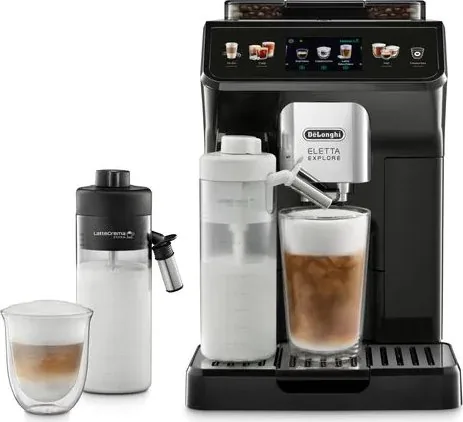
DeLonghi ECAM 450 Eletta Explore: The Ultimate Coffee Experience
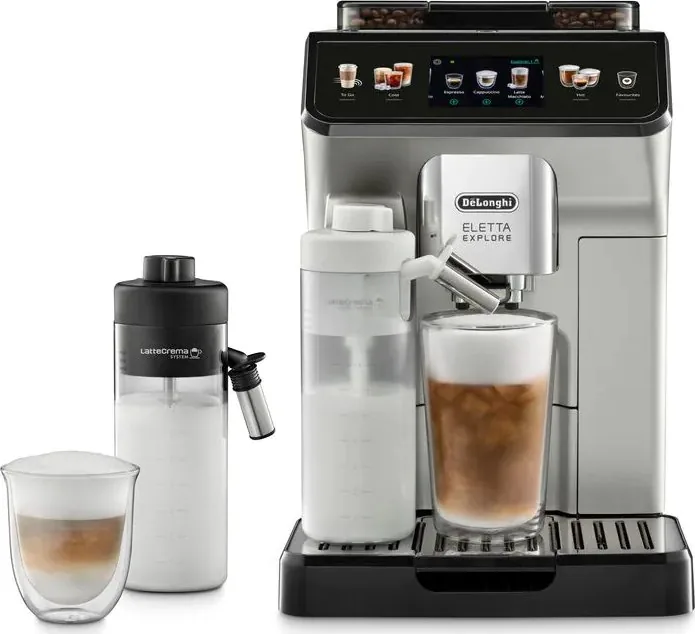
The DeLonghi ECAM 450 Eletta Explore redefines home brewing with its sophisticated design and advanced functionality. This bean-to-cup machine delivers barista-quality espresso, cappuccino, latte macchiato, and a wide array of hot and cold beverages at the touch of a button. Whether you crave a quick morning espresso or a creamy iced coffee on a summer day, this appliance adapts to your preferences seamlessly.
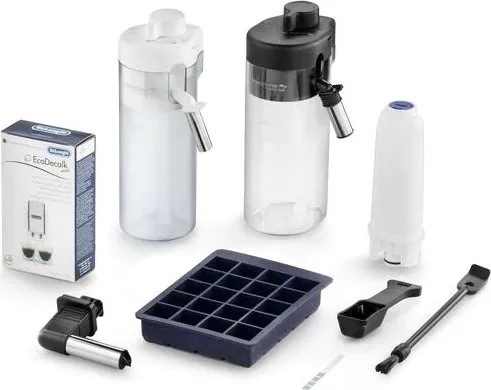
Equipped with Bean Adapt Technology, the machine intelligently adjusts grinding and brewing parameters based on the specific coffee beans used, ensuring optimal flavor extraction every time. The dual milk carafe system allows for simultaneous preparation of hot froth and cold milk, giving you the flexibility to create perfect lattes or refreshing iced drinks without waiting. The intuitive color touchscreen interface provides easy access to all settings, from customizing beverage strength and temperature to managing personal profiles for different family members.
Connectivity is key to the modern coffee lover. With Wi-Fi integration, users can control the machine remotely via the Coffee Link App, creating new recipes, adjusting settings, and receiving maintenance alerts directly on their smartphone. The app also guides users through the Bean Adapt process to fine-tune their coffee experience. Maintenance is straightforward with automated cleaning cycles for the internal circuit and milk systems, along with clear on-screen prompts for descaling and filter replacement.
The Eletta Explore features a robust 19-bar pump pressure system and a ceramic grinder that operates quietly while delivering consistent results. Its sleek stainless steel finish fits elegantly in any kitchen, while the compact footprint maximizes counter space. From the adjustable coffee spouts to the dedicated travel mug compartment for on-the-go beverages, every detail is designed for convenience and performance.
Key Highlights
- Dual milk carafes for hot and cold beverages
- Bean Adapt Technology for optimized taste
- Remote control via Coffee Link App
- Customizable personal profiles
- Automated cleaning and descaling processes
Search for 67,706 Manuals online


Type-in Brand or Model