
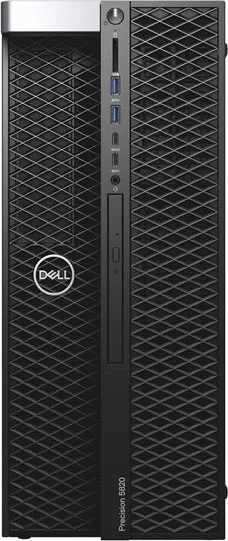
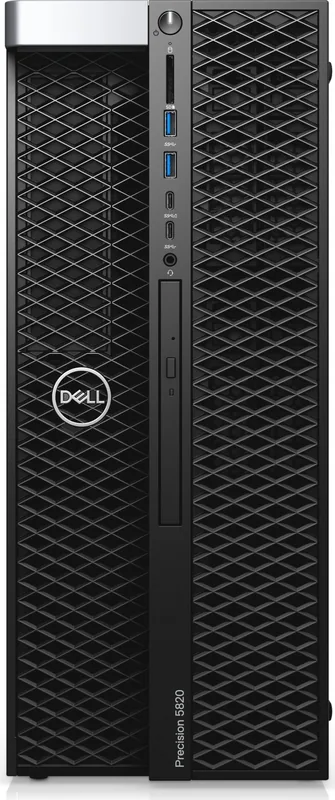
Dell Precision 5820 Tower Manual
PDF manual · 115 Pages
English


Quick check
Incorrect answer, please try again.
Chat with your Dell Precision 5820 Tower manual using AI
Get instant AI answers from your Dell Precision 5820 Tower manual
Ask anything about the Dell Precision 5820 Tower. Answers come from this manual, with the pages they are based on.
Ask a Question
Do you recommend Precision 5820 Tower?
Yes NoFrequently Asked Questions
This tower supports Intel Xeon W Series processors and Intel Core X Series processors, including Cascade Lake variants. It accommodates single CPU configurations with up to 14 cores depending on the specific model chosen.
Is this answer helpful?
The system features eight DIMM slots supporting up to 512 GB of DDR4 ECC memory when using Xeon W Cascade Lake CPUs. It also supports non-ECC UDIMMs with Core X series processors.
Is this answer helpful?
Yes, the 5820 Tower includes multiple PCIe Gen 3 slots, allowing for the installation of several graphics cards simultaneously. This makes it ideal for multi-GPU setups used in rendering and AI training.
Is this answer helpful?
Absolutely. It supports Intel Virtualization Technology and VT-d, making it excellent for running virtual machines. The large memory capacity and multi-core processors further enhance its virtualization capabilities.
Is this answer helpful?
Users can install up to six 2.5-inch SATA drives, five 3.5-inch SATA drives, and multiple M.2 NVMe SSDs via flexbays. Optional SAS drives are also supported with specific controllers.
Is this answer helpful?
You can update the BIOS through Windows using the Dell Support website, by downloading the executable file. Alternatively, you can use a bootable USB flash drive if the system cannot boot into the operating system.
Is this answer helpful?
Yes, it includes TPM 1.2, Secure Boot, and optional Computrace software. You can also set system passwords and configure drive encryption to protect sensitive information from unauthorized access.
Is this answer helpful?
Advantages and Disadvantages
Advantages

- Supports up to 512 GB of DDR4 ECC memory for heavy workloads
- Compatible with high-end NVIDIA Quadro and AMD Radeon Pro graphics cards
- Multiple PCIe expansion slots allow for significant hardware customization
- Advanced thermal management ensures stable performance under load
- Easy access to internal components simplifies maintenance and upgrades
Disadvantages

- Large physical footprint may require dedicated desk space
- High wattage power supply units can increase energy consumption costs
- Premium pricing compared to standard consumer desktop computers
- Complex BIOS configuration may be overwhelming for casual users
- Some advanced features require specific CPU generations to function
Product Specification
Form Factor
Tower
HDD
N/A
Flash
N/A
Optical Drive
DVD+/-RW DL, DVD-RW, DVD-ROM, CD-RW, CD-ROM
Camera
N/A
Dimensions
6.93x16.46x20.39in (WxDxH)
Volume
2.33cu ft (calculated)
Features
Security lock (Kensington Security Slot), includes mouse, includes keyboard
USB Spelling
Link
Product Description
Discover the Power of the Dell Precision 5820 Tower
The Dell Precision 5820 Tower stands as a beacon of performance for professionals who demand absolute reliability and raw computational power. Designed for demanding workloads in fields like engineering, data science, and high-end content creation, this workstation delivers an experience that transforms complex tasks into streamlined workflows. Whether you are rendering 3D models, simulating fluid dynamics, or managing massive datasets, the 5820 Tower provides the robust architecture needed to keep your projects moving forward without interruption.
At the heart of this machine lies support for powerful Intel Xeon W series processors and high-performance Core i9 options. These CPUs offer up to 14 cores and substantial cache memory, ensuring that multitasking is seamless and processing speeds are lightning fast. The system supports up to 512 GB of DDR4 ECC memory, providing the vast workspace required for memory-intensive applications. With advanced graphics capabilities featuring NVIDIA Quadro and AMD Radeon Pro series cards, users can enjoy realistic visualizations and smooth interaction with intricate designs.
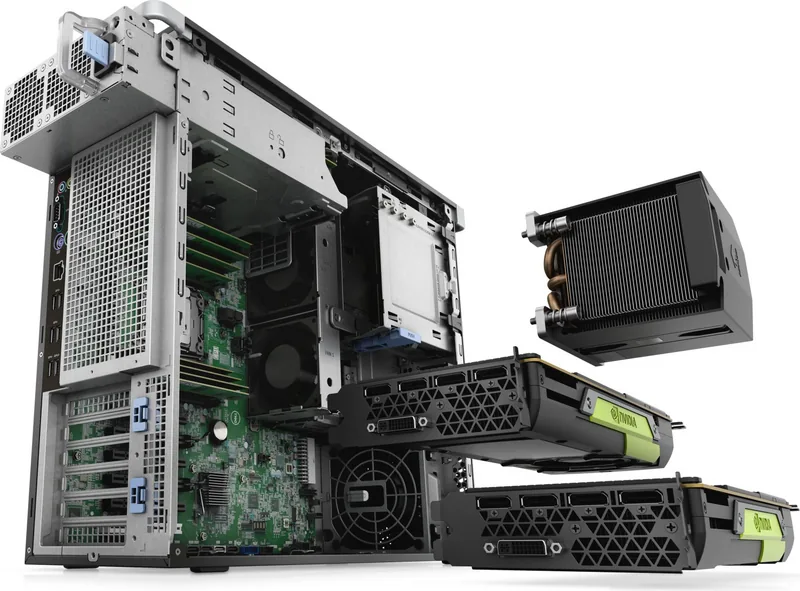
Expansion and connectivity are where the 5820 truly shines. The chassis offers multiple PCIe slots, allowing for extensive customization with additional GPUs, high-speed network cards, or specialized storage controllers. The inclusion of NVMe flexbays and support for numerous SATA drives means storage capacity and speed can be tailored precisely to your needs. Users can easily access internal components thanks to a thoughtful design that prioritizes serviceability. Tools like the MegaRAID controller ensure data integrity and performance for critical storage environments.
Safety and durability are paramount in the 5820 Tower. Built with rigorous testing standards, it includes features like chassis intrusion detection and comprehensive thermal management systems to maintain optimal operating temperatures. The system setup allows for deep customization of security settings, boot sequences, and power management options, giving administrators full control over the environment. From the front panel USB ports to the rear I/O connections, every interface is designed for convenience and speed. This workstation is not just a computer; it is a partner in innovation, ready to tackle the challenges of tomorrow.
Search for 67,706 Manuals online


Type-in Brand or Model