
Dell PowerEdge T360 Manual
PDF manual · 145 Pages
English


Quick check
Incorrect answer, please try again.
Chat with your Dell PowerEdge T360 manual using AI
Get instant AI answers from your Dell PowerEdge T360 manual
Ask anything about the Dell PowerEdge T360. Answers come from this manual, with the pages they are based on.
Ask a Question
Do you recommend PowerEdge T360?
Yes NoFrequently Asked Questions
The T360 supports one Intel Xeon E-2400 series processor with up to eight cores. It also supports Intel Pentium G7400 and G7400T processors for less demanding workloads.
Is this answer helpful?
The server has four DDR5 ECC UDIMM slots and supports up to 128 GB of system memory. Supported module capacities listed are 16 GB and 32 GB, with memory speeds up to 4400 MT/s.
Is this answer helpful?
It supports up to eight 3.5-inch SAS/SATA HDDs or SSDs, up to four 3.5-inch SATA HDDs or SSDs, or up to eight 2.5-inch SAS/SATA drives using 3.5-inch-to-2.5-inch adapters.
Is this answer helpful?
Yes. Integrated Dell Remote Access Controller, or iDRAC, supports remote monitoring, configuration, alerts, and troubleshooting. The server includes a dedicated iDRAC Ethernet port and a front iDRAC Direct Micro-AB USB connection.
Is this answer helpful?
Supported platforms include Canonical Ubuntu Server LTS, Microsoft Windows Server with Hyper-V, Red Hat Enterprise Linux, SUSE Linux Enterprise Server, and VMware ESXi. Confirm the required release and driver compatibility before deployment.
Is this answer helpful?
Yes. Depending on configuration, the server can use a cabled AC power supply or two redundant AC or DC power supplies. Redundant power can improve availability by maintaining operation if one supply fails.
Is this answer helpful?
Advantages and Disadvantages
Advantages

- Single-socket Xeon E-2400 support delivers up to eight CPU cores for core business and edge workloads.
- Flexible storage supports up to eight SAS/SATA drives in multiple 3.5-inch and 2.5-inch configurations.
- iDRAC and Lifecycle Controller enable remote monitoring, deployment, troubleshooting, and firmware management.
- Four PCIe slots, including a Gen5 x16 slot, provide room for networking, storage, and other expansions.
- Optional redundant power supplies and ECC DDR5 memory support dependable business operation.
Disadvantages

- Maximum memory is 128 GB across four UDIMM slots, which may limit larger virtualization deployments.
- The platform supports only one processor socket, so compute scaling is more limited than dual-socket servers.
- Only one 60 W single-width GPU is supported, limiting graphics or AI acceleration options.
- GPU configurations can increase fan noise and are not recommended for acoustically sensitive spaces.
- High-temperature operating modes impose restrictions, including requirements for redundant power supplies.
Product Specification
Form Factor
Tower
RAM
16 GB DDR5-4800 ECC (1 x 16 GB module, 4 slots, max. 128 GB)
Flash
N/A
SSD/HDD Slots
8 x 3.5 in. SATA (hot-swap)
Graphics
Matrox G200 - onboard
Rear Ports
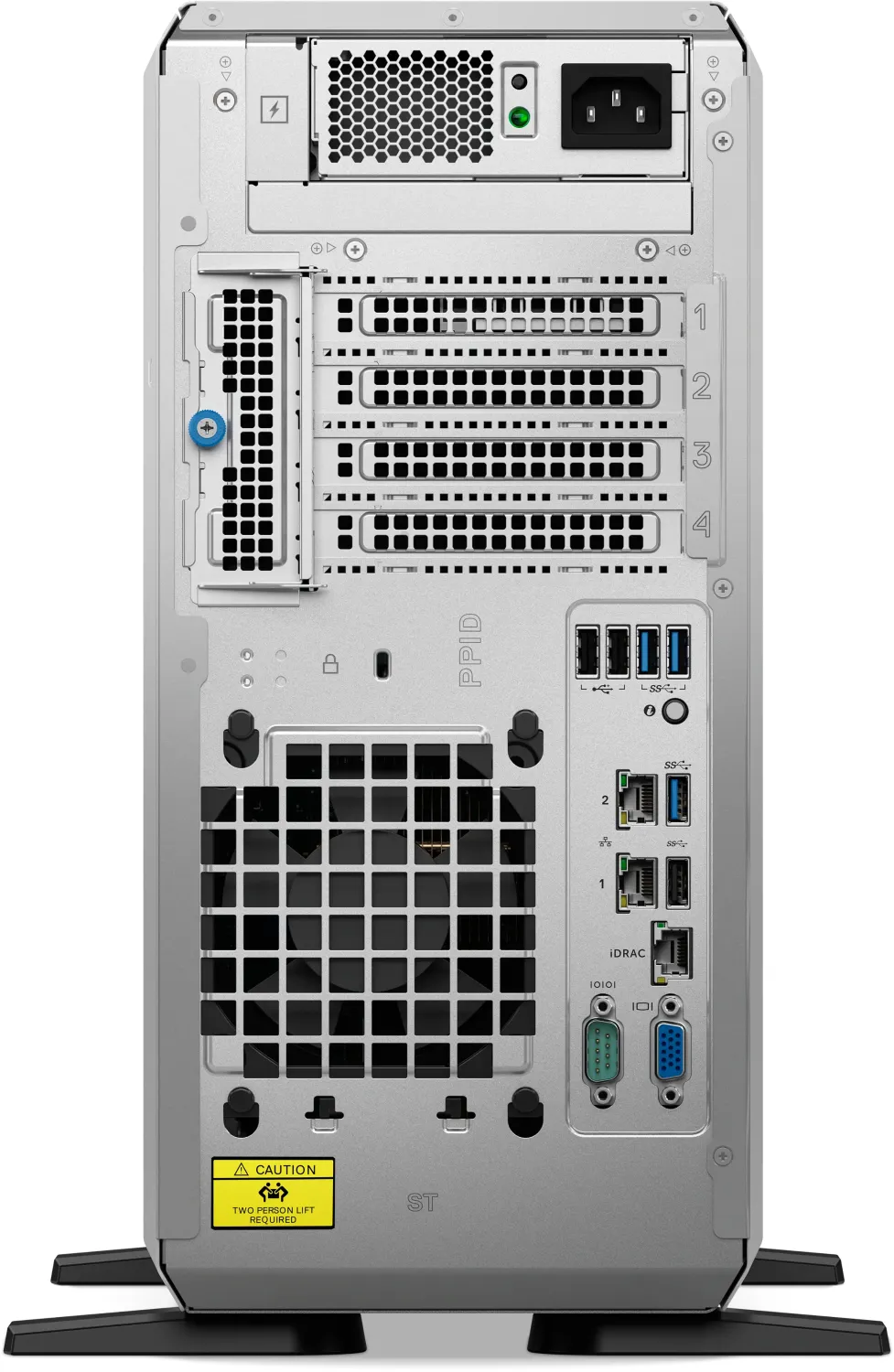
3 x USB-A 3.0 (5 Gb/s), 3 x USB-A 2.0 (480 Mb/s), 1 x VGA (Matrox G200), 2 x RJ-45 1 Gb LAN (Broadcom BCM5720), 1 x serial, 1 x management port (RJ-45), 1 x AC-in C13 (power connection)
Front/Side Ports
1 x USB-A 3.0 (5 Gb/s), 1 x management port (USB Micro-B)
Optical Drive
N/A
Camera
N/A
Operating System
N/A
Dimensions
6.89 x 15.06 x 22.82 in. (W x H x D)
Weight
55.34 lb
Volume
10.25 gal (calculated)
Color
black
Warranty
three years (Basic NBD, on-site)
USB Notation
Link
Product Description
Dell PowerEdge T360 - Read, Download & Print Free
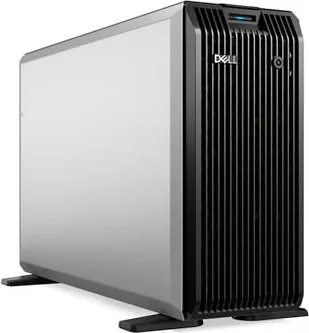
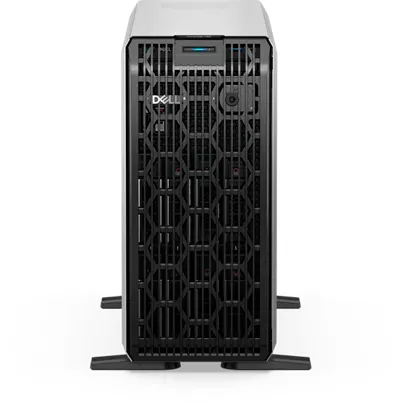
The Dell PowerEdge T360 is a versatile 4.5U tower server designed for small businesses, branch offices, retail locations, and growing IT environments that need dependable on-site computing without a rack-only deployment. Combining practical expansion options with Dell's established management tools, it provides a solid foundation for business applications, file sharing, backup, virtualization, and edge workloads.
Built for adaptable performance
This single-socket server supports an Intel Xeon E-2400 series processor with up to eight cores, or selected Intel Pentium processors for lighter workloads. Four DDR5 ECC UDIMM slots support up to 128 GB of memory, helping organizations configure the platform around current needs while retaining room for growth. ECC memory adds an important layer of data integrity for always-on business services.
Storage flexibility is a central strength. The T360 can be configured with up to eight 3.5-inch SAS or SATA HDDs and SSDs, up to four 3.5-inch SATA drives, or up to eight 2.5-inch SAS or SATA drives through adapters. Supported PERC and HBA controller options help tailor storage for performance, capacity, or RAID protection. An optional BOSS-N1 module can provide dedicated M.2 NVMe boot storage, keeping operating system duties separate from primary data drives.
Management, connectivity, and expansion
Dell iDRAC remote management allows administrators to monitor health, configure settings, deploy updates, and troubleshoot from a distance. A dedicated iDRAC Ethernet port and front iDRAC Direct connection simplify service workflows where quick local access is useful. Lifecycle Controller further supports operating system deployment and firmware maintenance.
The chassis includes four PCIe expansion slots, including one PCIe Gen5 x16 slot, enabling additions such as networking, storage, or specialized expansion cards. Integrated networking includes dual 1 GbE ports, while optional network cards can extend connectivity. Front and rear USB ports, VGA, and a serial connection support everyday administration and peripheral access.
Reliable operation for real-world locations
Power options include a cabled AC supply or redundant AC/DC power supplies, depending on configuration. The server supports several enterprise operating systems, including Windows Server with Hyper-V, Ubuntu Server LTS, Red Hat Enterprise Linux, SUSE Linux Enterprise Server, and VMware ESXi. A single-width 60 W GPU is also supported for suitable accelerated workloads, although GPU-equipped systems may produce more fan noise.
Note: Select Dell-validated PCIe devices and confirm cooling, power, storage controller, and environmental requirements before expanding the system. This helps maintain compatibility, efficient operation, and warranty coverage.
Search for 67,706 Manuals online


Type-in Brand or Model