
Dell PowerEdge R6415 Manual
PDF manual · 143 Pages
English


Quick check
Incorrect answer, please try again.
Chat with your Dell PowerEdge R6415 manual using AI
Get instant AI answers from your Dell PowerEdge R6415 manual
Ask anything about the Dell PowerEdge R6415. Answers come from this manual, with the pages they are based on.
Ask a Question
Do you recommend PowerEdge R6415?
Yes NoFrequently Asked Questions
The Dell PowerEdge R6415 supports one AMD EPYC processor. It is a single-socket system designed to leverage the performance and efficiency of this processor family.
Is this answer helpful?
The system supports 16 DDR4 registered DIMM (RDIMM) slots. It can accommodate up to 1 TB of memory with a single processor, utilizing frequencies of 2666 MT/s, 2400 MT/s, 2133 MT/s, and 1866 MT/s.
Is this answer helpful?
The R6415 supports multiple configurations: up to 4 x 3.5-inch drives, up to 8 x 2.5-inch SAS/Nearline SAS/SATA drives, or up to 10 x 2.5-inch NVMe drives. Hot swap functionality is supported for NVMe drives.
Is this answer helpful?
Yes, the system features an iDRAC9 dedicated network port on the back panel for remote access. Additionally, the front panel includes an iDRAC Direct Micro-AB USB port for local management connections.
Is this answer helpful?
Supported operating systems include Microsoft Windows Server with Hyper-V, Red Hat Enterprise Linux, SUSE Linux Enterprise Server, and VMware ESXi 6.7. Specific version compatibility should be verified on the Dell support site.
Is this answer helpful?
Advantages and Disadvantages
Advantages

- Supports up to 1TB RAM with 16 DDR4 DIMM slots for high-memory applications
- Flexible storage options including up to 10 NVMe drives for fast data access
- Comprehensive iDRAC integration allows for effective remote management and monitoring
- Single-socket design optimizes cost-efficiency while maintaining high core counts
Disadvantages

- Expanded operating temperature range may impact system performance
- NVMe RAID mode has limited OS support, excluding ESXi and WS2012R2 initially
- Requires specific matched PSUs to avoid mismatch errors and unexpected shutdowns
- Front USB port is dedicated to iDRAC Direct, limiting general peripheral use
Product Description
Dell PowerEdge R6415 Reference Guide Manual - Read, Download & Print Free
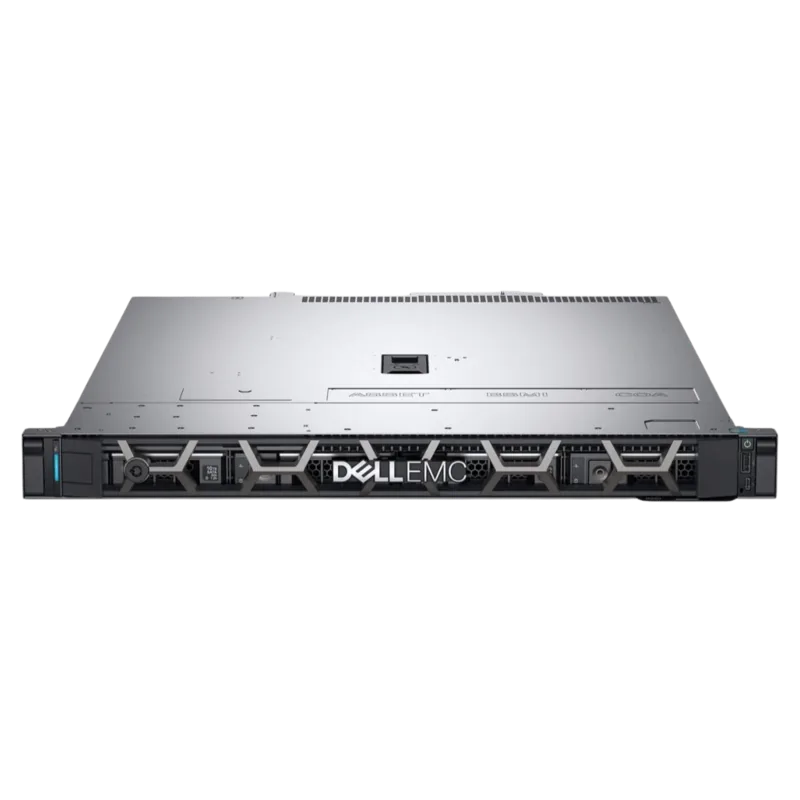
The Dell EMC PowerEdge R6415 is a high-performance, 1U single-socket rack server designed for data centers requiring efficient compute resources. This guide provides comprehensive details on the system's architecture, installation procedures, and technical specifications, ensuring users can maximize uptime and manage their infrastructure effectively.
System Overview and Configuration
The R6415 supports one AMD EPYC processor, offering robust performance for virtualization and cloud workloads. It features 16 DIMM slots for DDR4 memory, allowing for significant capacity scaling. Storage flexibility is a key highlight, with support for up to four 3.5-inch drives, eight 2.5-inch SAS/SATA/NVMe drives, or ten 2.5-inch NVMe drives. The system includes redundant power supply units (PSUs) or a single cabled PSU option, catering to various power requirements.
Management and Connectivity
Integrated Dell Remote Access Controller (iDRAC) technology enables remote management, reducing the need for physical access. The front panel includes an LCD display for status monitoring and configuration of iDRAC IP addresses. Network connectivity is provided by two onboard NIC ports supporting up to 1 Gbps, with optional LAN on Motherboard (LOM) riser cards available for higher speeds such as 10Gb or 25Gb. Expansion capabilities include support for up to two Gen3 PCIe expansion cards via risers.
Installation and Service
This manual details step-by-step instructions for installing and removing system components, including processors, heat sinks, memory modules, drives, and cooling fans. Safety warnings and cautions are prominently featured to prevent hardware damage or personal injury during maintenance. Users are guided through initial setup, firmware updates, and diagnostics using tools like the Dell Embedded System Diagnostics.
Search for 67,706 Manuals online


Type-in Brand or Model