
Dell PN557W Manual
PDF manual · 26 Pages
English


Quick check
Incorrect answer, please try again.
Chat with your Dell PN557W manual using AI
Get instant AI answers from your Dell PN557W manual
Ask anything about the Dell PN557W. Answers come from this manual, with the pages they are based on.
Ask a Question
Do you recommend PN557W?
Yes NoVideo Manual
Dell Active Pen PN557W Unboxing and Setup (Official Dell Tech Support)
Frequently Asked Questions
The PN557W uses one AAAA battery for tip and barrel-button power and two coin-cell batteries to power Bluetooth functions and top-button quick-launch features. Replace coin cells carefully; removing them clears pairing information.
Is this answer helpful?
Press and hold the top button for about 3.5 seconds to enter pairing mode; the pairing LED will blink. On Windows, open Bluetooth settings, enable Bluetooth, find "Dell PN557W Pen" in the device list, and select Pair. Confirm pairing on both devices.
Is this answer helpful?
The Active Pen Control Panel lets you assign single/double/long press actions for the top button, set barrel button functions (erase, right-click, page up/down, copy/paste, undo/redo), and adjust pen pressure sensitivity and presentation behavior.
Is this answer helpful?
Some quick-launch functions, like OneNote opening from a locked screen, work on compatible systems. Availability depends on the installed Active Pen Control Panel and Windows support on your device.
Is this answer helpful?
Removing coin-cell batteries clears stored Bluetooth pairing. If you replaced the coin cells, remove any existing PN557W entry from your device’s Bluetooth list and re-pair the pen following the pairing steps.
Is this answer helpful?
The PN557W is supported only on selected Dell systems. Basic tip input may work on other touch-enabled devices, but Bluetooth features and full customization are limited to supported Dell hardware and compatible Windows versions.
Is this answer helpful?
Confirm batteries are correctly installed and charged. Ensure the pen is paired, the Active Pen Control Panel is installed, and the target application supports pen-button functions. Update Bluetooth drivers and reinstall pairing if needed.
Is this answer helpful?
Advantages and Disadvantages
Advantages

- Precise, pencil-like tip with hover detection for natural writing and drawing.
- Programmable top and barrel buttons enable OneNote, screenshots, erasing, and presentation control.
- Lightweight, balanced design (160.6 mm, 20 g) for comfortable extended use.
- Bluetooth Low Energy 4.0 pairing for quick-launch features and remote wake on supported devices.
- Active Pen Control Panel provides pressure sensitivity and detailed button customization.
Disadvantages

- Requires AAAA and two coin-cell batteries; coin-cell replacement clears pairing.
- Full functionality limited to supported Dell devices and Windows 8.1/10 (including Anniversary).
- Some features (connected-standby wake, presentation controls) depend on host device capability.
- Top-button shortcuts rely on installed software and system updates to work reliably.
- Not universally compatible with non-Dell systems or older Bluetooth stacks.
Product Specification
Suitable for
Dell Latitude 5285, Dell Latitude 5289, Dell Latitude 7285
Type
active stylus
Power supply
Battery
Features
3 buttons (1x pen top, 2x side), 2048 pressure sensitivity levels
Tip
fine
Grip
round
Shaft
round
Size
0.39x6.34 in (DxL)
Weight
0.04 lb
Special features
Clip, replaceable tip, Bluetooth LE
Product Description
Dell Active Pen PN557W — Precision and Productivity
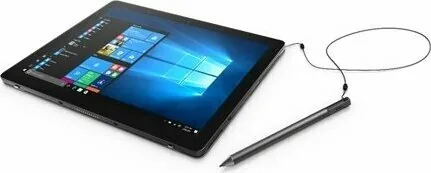
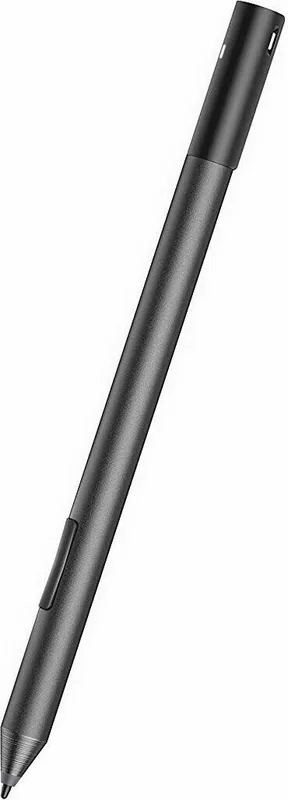
The Dell Active Pen PN557W is a thoughtfully engineered stylus designed for compatible Dell laptops and tablets. It blends responsive pen-tip input, configurable buttons, and Bluetooth smart features to enhance note-taking, drawing, navigation, and quick-launch workflows. Lightweight and slim, the PN557W feels like a traditional pen while offering digital advantages such as pressure sensitivity and programmable actions.
Design and core features
Constructed for everyday use, the PN557W measures about 160.6 mm long and weighs roughly 20 g, giving it a familiar pen-like balance. The tip supports hover detection and active input for writing and drawing, while two barrel buttons and a top button provide context-menu actions, erasing, presentation navigation, and quick app launches. Bluetooth Low Energy 4.0 enables pairing for features like OneNote launch, screen sketch capture, and remote wake from compatible connected-standby devices.
Power and setup
The pen uses a AAAA battery for tip and barrel-button operation, plus two coin-cell batteries to power Bluetooth functions and top-button quick actions. Installing or replacing batteries is straightforward but requires care — removing coin cells clears pairing info, so re-pairing after replacement may be necessary. Pairing is entered by holding the top button for 3.5 seconds; an LED shows pairing status.
Customization and software
Dell’s Active Pen Control Panel provides customization for the top button (single, double, long press), barrel button assignments (right-click, erase, page up/down, copy/paste, undo/redo), and pen sensitivity. The default mappings include single press launching OneNote, double press for Screen Sketch, and long press for Cortana (where supported). On Windows systems, Windows Ink Workspace and system settings can also influence behavior.
Use cases and compatibility
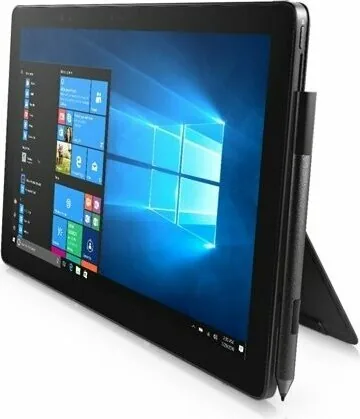
Ideal for students, artists, and professionals, the PN557W excels at handwritten notes, quick annotations, and presentation control. It’s only supported on selected Dell devices and Windows versions (Windows 8.1, Windows 10 and Anniversary), so verifying compatibility before purchase is recommended.
Final thoughts
The Dell Active Pen PN557W offers a reliable, familiar writing experience with smart Bluetooth enhancements and deep customization. Its combination of physical controls, pressure sensitivity adjustments, and quick-launch features make it a versatile accessory for supported Dell systems.
Notes
- Replacing coin-cell batteries removes pairing; re-pair after replacement.
- Some quick-launch and wake features require devices with connected standby support.
- Active Pen Control Panel must be installed to access full customization.
Search for 67,706 Manuals online


Type-in Brand or Model