
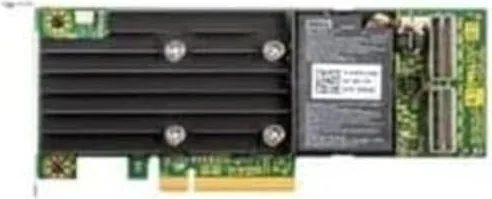
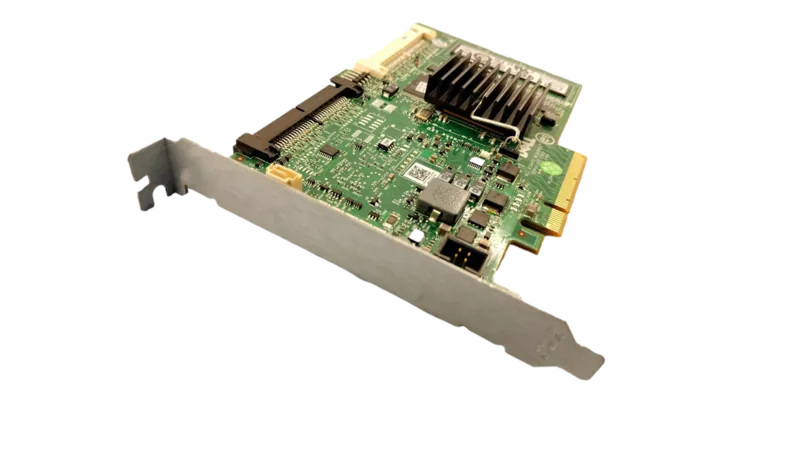
Dell PERC H755 Manual
PDF manual · 101 Pages
English


Quick check
Incorrect answer, please try again.
Chat with your Dell PERC H755 manual using AI
Get instant AI answers from your Dell PERC H755 manual
Ask anything about the Dell PERC H755. Answers come from this manual, with the pages they are based on.
PERC H755 Maintenance Schedule
Patrol Read checks configured physical drives for potential problems and repairs them. It runs automatically every seven days by default on SAS and SATA drives.
The controller automatically calibrates and measures the BBU capacity every 90 days to ensure sufficient energy is available for cache retention.
Ask a Question
Do you recommend PERC H755?
Yes NoFrequently Asked Questions
The PERC H755 supports RAID levels 0, 1, 5, 6, 10, 50, and 60. This wide range allows users to choose between performance-focused configurations like RAID 0 and highly redundant setups like RAID 6 or RAID 60 depending on their specific data protection needs.
Is this answer helpful?
Yes, the PERC H755 supports NVMe drives, but they must meet specific requirements. The NVMe device must have a Namespace ID (NSID) of 1 and be formatted without protection information. Additionally, the controller displays these drives as SCSI devices to the operating system.
Is this answer helpful?
The Battery Backup Unit (BBU) protects data stored in the 8 GB cache during sudden power outages. If power is lost, the BBU supplies enough energy to write the cached data safely to the physical drives, preventing data loss and corruption.
Is this answer helpful?
Yes, the adapter supports Online Capacity Expansion (OCE). You can increase the size of a virtual disk by adding more physical drives to the same drive group without taking the system offline or rebooting the server.
Is this answer helpful?
FastPath is a feature designed to maximize IOPS for SSDs. To enable it, you must set the cache policy to Write-Through and disable Read Ahead. It is best used for virtual disks consisting entirely of SSDs where low latency is critical.
Is this answer helpful?
Advantages and Disadvantages
Advantages

- Supports high-speed PCIe 4.0 x8 connectivity for maximum bandwidth.
- Includes 8 GB DDR4 cache with Battery Backup Unit for data safety.
- Compatible with NVMe, SAS, and SATA drives for versatile storage solutions.
- Offers extensive RAID levels including 5, 6, 50, and 60 for redundancy.
- Features hardware-based security with Root of Trust and Opal encryption.
Disadvantages

- Requires compatible server platforms to fully utilize PCIe Gen 4 speeds.
- Higher cost compared to entry-level RAID controllers.
- Complex configuration may require expert knowledge for optimal setup.
- NVMe support requires specific namespace configurations (NSID=1).
- Does not support Shingled Magnetic Recording (SMR) drives.
Product Specification
Connection
PCIe 4.0 x8
Interfaces
16x SAS/SATA 12Gb/s
External
N/A
RAID-Level
0/1/5/6/10/50/60/JBOD
Chipset
Broadcom SAS3916
Cache
8GB DDR4
Features
Battery
Product Description
Dell PERC H755 Adapter: The Powerhouse for Enterprise Storage
The Dell PERC H755 Adapter, PCIe 4.0 x8 stands as a premier solution for high-performance data center environments requiring robust RAID management. This adapter is engineered to deliver exceptional reliability and speed, supporting the demanding needs of modern enterprise servers. By leveraging PCIe Gen 4 technology, it ensures maximum throughput for critical workloads, making it an ideal choice for organizations that cannot afford downtime or performance bottlenecks.
At its core, the PERC H755 supports a wide array of storage configurations, including SAS 3.0 at speeds up to 12 Gbit/s. It seamlessly integrates with Serial Attached SCSI (SAS), SATA hard drives, and high-speed Solid State Drives (SSDs), including NVMe options. The card features a powerful Broadcom RAID-on-Chip processor paired with 8 GB of DDR4 cache memory, ensuring rapid data access and efficient handling of complex I/O operations. With support for RAID levels 0, 1, 5, 6, 10, 50, and 60, administrators have the flexibility to tailor their storage architecture to specific redundancy and performance requirements.
Security is paramount in today's digital landscape, and this adapter does not disappoint. It includes Opal security management and Hardware Root of Trust capabilities to protect sensitive data from unauthorized access. Features like FastPath enhance SSD performance by optimizing IOPS, while the Battery Backup Unit safeguards cached data during unexpected power failures. Whether you are managing large-scale virtualization projects or running database applications, the Dell PERC H755 Adapter provides the stability and control necessary for success.
Key Highlights
- Supports PCIe Gen 4 for future-proof connectivity.
- Offers 8 GB non-volatile cache for superior performance.
- Compatible with diverse drive types including NVMe and SAS.
- Includes advanced security features like Hardware Root of Trust.
- Enables online capacity expansion and RAID level migration without downtime.
Search for 67,732 Manuals online


Type-in Brand or Model