
Dell Latitude 5420 Manual
PDF manual · 25 Pages
English


Quick check
Incorrect answer, please try again.
Chat with your Dell Latitude 5420 manual using AI
Get instant AI answers from your Dell Latitude 5420 manual
Ask anything about the Dell Latitude 5420. Answers come from this manual, with the pages they are based on.
Ask a Question
Do you recommend Latitude 5420?
Yes NoVideo Manual
DELL LATITUDE 5420 – How to Set Up for First Use
Frequently Asked Questions
The laptop supports Windows 10 Pro, Home, Education, and Enterprise N editions in 64-bit versions. It also supports Ubuntu Linux 20.04 LTS 64-bit.
Is this answer helpful?
The system features two SO-DIMM slots supporting up to 64 GB of DDR4 memory running at 3200 MHz speeds.
Is this answer helpful?
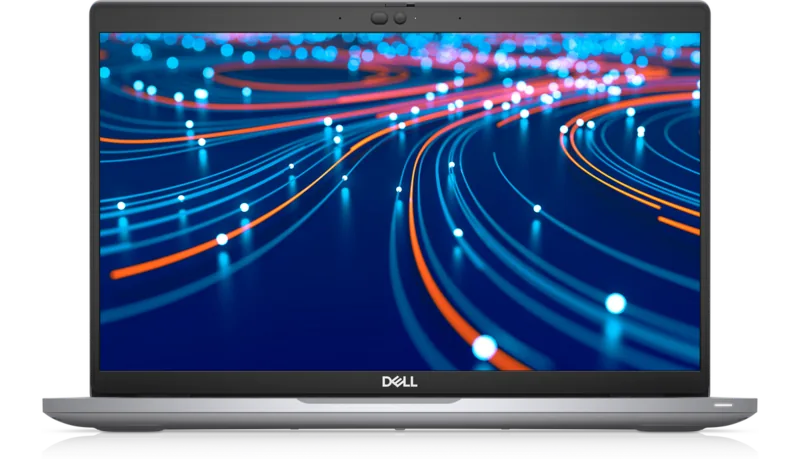
Yes, certain configurations of the Latitude 5420 come with a touch-enabled Full High Definition display panel.
Is this answer helpful?
It includes TPM 2.0, optional fingerprint readers, ControlVault 3, and support for self-encrypting drives to protect data.
Is this answer helpful?
Yes, with ExpressCharge Boost, the battery can charge from zero to thirty-five percent in approximately twenty minutes.
Is this answer helpful?
The left side typically houses two Thunderbolt 4 ports, air vents, and an optional smart card reader slot.
Is this answer helpful?
Backlit keyboards are available as an option, but standard non-backlit models are also offered depending on the configuration.
Is this answer helpful?
Advantages and Disadvantages
Advantages

- Supports up to 64 GB of DDR4 RAM for heavy multitasking
- Thunderbolt 4 ports offer fast data transfer and versatile connectivity
- Optional low blue light display reduces eye strain effectively
- Advanced security features including TPM 2.0 and ControlVault 3
- ExpressCharge Boost allows rapid battery recharging
Disadvantages

- Some configurations lack touch screen capabilities
- Weight varies significantly based on battery and processor choice
- Integrated graphics may not suffice for heavy gaming or 3D rendering
- Maximum brightness differs across display panel options
- Optional security features like fingerprint readers increase cost
Product Specification
Type
Notebook
HDD
N/A
Flash
N/A
Input
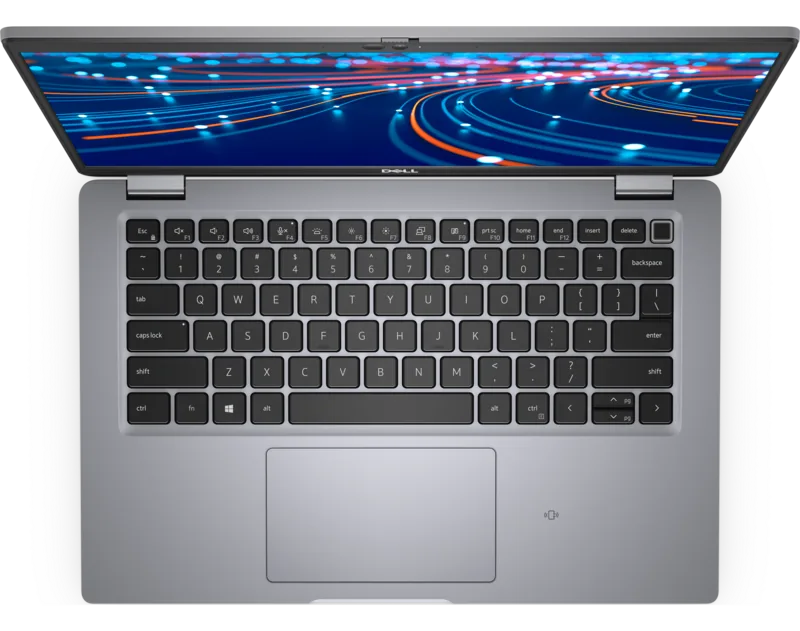
Keyboard with DE layout (backlit, rubber dome), touchpad
Ports
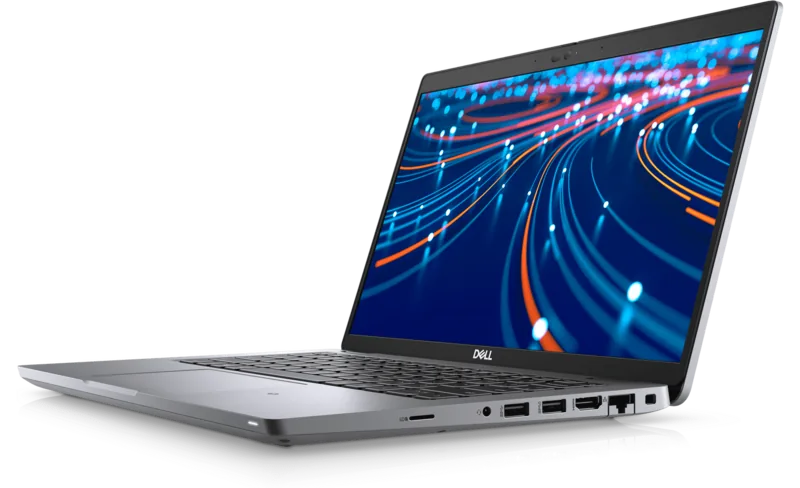
1x USB-A 3.0 (5Gb/s, BC), 1x USB-A 3.0 (5Gb/s), 1x Thunderbolt 4 (40Gb/s, PD), 1x Thunderbolt 4 (40Gb/s, power delivery, PD), 1x HDMI 2.0, 1x 3.5mm jack, 1x RJ-45 1Gb LAN, 1x microSD, 1x smartcard
Wireless
Wi-Fi 6 (WLAN 802.11a/b/g/n/ac/ax, 2x2, Intel AX201), Bluetooth 5.2
Camera
0.9 Megapixel, webcam cover
Optical Drive
N/A
Battery
built-in, Li-Ion, 4 cells, 63Wh
Power Adapter
1x USB-C power plug (65W/20V/3.25A)
Weight
3.09 lbs
Dimensions
12.64x8.35x0.82 in (WxDxH)
Color
gray
Warranty
one year
USB Spelling
Link
Product Description
Discover the Dell Latitude 5420
The Dell Latitude 5420 stands as a robust business laptop designed to meet the demanding needs of modern professionals. This machine combines powerful performance with enhanced security features, ensuring that your work remains uninterrupted and protected. Whether you are managing complex spreadsheets, attending high-definition video conferences, or traveling for extended periods, the Latitude 5420 delivers reliability where it matters most.
Equipped with 10th and 11th Generation Intel Core processors, this device offers a significant boost in speed and efficiency. The system supports up to 64 GB of DDR4 memory, allowing for seamless multitasking across multiple applications. Users can choose from various display options ranging from standard HD to bright Full High Definition panels with low blue light technology, which helps reduce eye strain during long working hours. The inclusion of Thunderbolt 4 ports provides lightning-fast data transfer speeds and versatile connectivity for external monitors and docking stations.
Security is at the core of the Latitude 5420 design. Advanced hardware security features include Trusted Platform Module 2.0, optional fingerprint readers integrated into the power button, and ControlVault 3 for advanced authentication. These tools ensure that sensitive corporate data stays safe from unauthorized access. Additionally, the laptop comes with McAfee Small Business Security pre-installed to protect against evolving digital threats.
The physical build of the Latitude 5420 is both durable and portable. It features a sleek chassis with a comfortable keyboard layout and a responsive clickpad. The battery life is optimized with ExpressCharge Boost technology, enabling users to get hours of use from just minutes of charging. With a variety of ports including USB-C, HDMI, and an RJ-45 Ethernet connection, staying connected is effortless regardless of the environment.
Important Notes
Ensure you connect the power adapter before the first boot to activate the battery properly. Utilize Dell SupportAssist to proactively monitor hardware health and manage updates automatically. Always consider the specific configuration ordered as some features like the fingerprint reader or touch display may vary by model.
Search for 67,706 Manuals online


Type-in Brand or Model