

Dell EMC Networking N2000 Manual
PDF manual · 462 Pages
English



Quick check
Incorrect answer, please try again.
Chat with your Dell EMC Networking N2000 manual using AI
Get instant AI answers from your Dell EMC Networking N2000 manual
Ask anything about the Dell EMC Networking N2000. Answers come from this manual, with the pages they are based on.
Ask a Question
Do you recommend Networking N2000?
Yes NoFrequently Asked Questions
It is best suited for access-layer networking in offices, server rooms, and branch sites. Its mix of copper ports, uplinks, and PoE+ makes it useful for connecting users and powered devices.
Is this answer helpful?
Yes. The switch family supports stacking through rear mini-SAS ports. Multiple units can operate as one managed stack, which simplifies administration and expansion.
Is this answer helpful?
No. The guide indicates that Dell-qualified SFP/SFP+ transceivers are sold separately, so you need to source the optics based on your uplink requirements.
Is this answer helpful?
Initial setup is done through the console port using the Easy Setup Wizard or CLI. You define management access, IP settings, and the first privileged user account during setup.
Is this answer helpful?
Yes. The PoE+ models support powered devices such as IP phones, cameras, and wireless access points. Power is allocated dynamically across ports based on demand and available budget.
Is this answer helpful?
Make sure the rack or surface supports the switch weight, keep ventilation clear, route cables cleanly, and place the unit near a suitable power source. Proper airflow is important for stable operation.
Is this answer helpful?
Advantages and Disadvantages
Advantages

- 48 Gigabit RJ-45 ports support a large number of wired endpoints.
- 2 SFP+ ports add flexible uplink or stacking options.
- PoE+ support can power phones, cameras, and access points.
- Stacking up to 12 units simplifies scaling and management.
- Console, USB, and remote management options improve serviceability.
Disadvantages

- SFP/SFP+ transceivers are not included and must be purchased separately.
- Initial setup requires console access and manual network planning.
- PoE power is shared dynamically, so all ports may not get full output.
- Rack installation and airflow clearance must be handled carefully.
- No default credentials or IP settings means setup is not plug-and-play.
Product Specification
Function
Switch
Type
Standalone, Rackmount (via mounting brackets)
Network ports
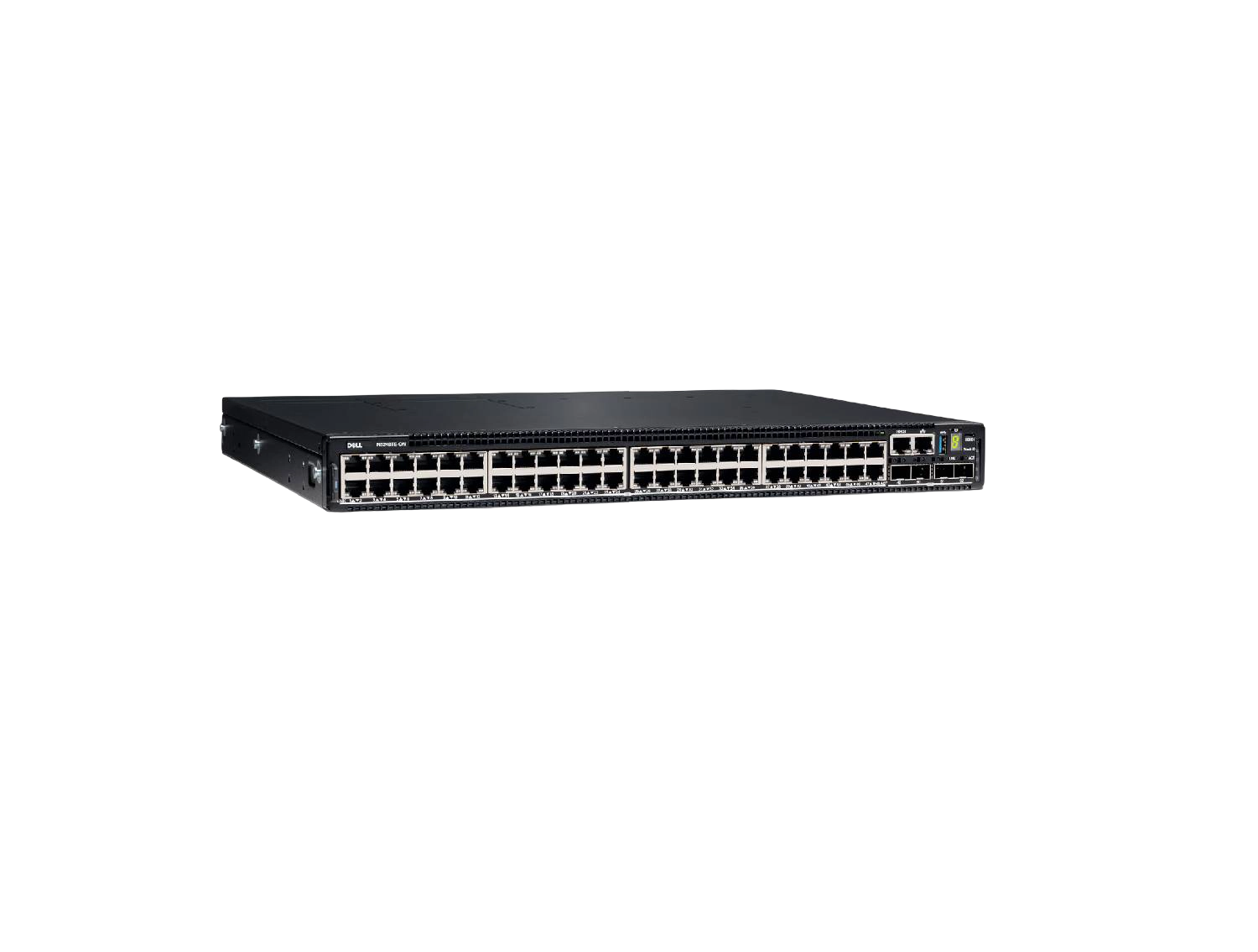
48x RJ-45, 2x SFP+
Speeds
48x RJ-45 (10/100/1000Base-T), 2x SFP+ (1G/10Gb/s)
PoE
48x RJ-45 PoE+ (48x 30.8W), total: 850W
Backplane
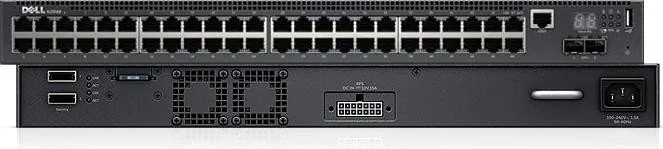
220Gb/s, 164Mp/s, 9KB Jumboframes, 4MB Packet Buffer, 32K MAC Addresses, 2x Stacking (Mini-SAS, 84Gb/s, rear)
Officially supported standards
802.1AX, 802.1AB, 802.1D, 802.1Q, 802.1S, 802.1w, 802.1X, 802.1p, 802.1v, 802.2, 802.3, 802.3ax, 802.3ab, 802.3ac, 802.3ae, 802.3at, 802.3az, 802.3u, 802.3x, 802.3z, IGMPv3
Configuration
Web interface, console, serial (RJ-45, USB-A 2.0), via control unit
Cooling
active, 2x fans (1.57 in)
Dimensions (WxHxD)
17.32x1.73x15.24in, 1U
Weight
14.99 lb
Color
anthracite
Special features
Metal housing, removable mounting brackets, firmware updates possible, optional external redundant power supply (redundant power supply), display
Manufacturer's warranty
lifetime (10 years in AT/DE)
Note
For this device, "link aggregation" was officially specified with the obsolete standard IEEE802.3ad. Since 2008, the function has no longer been managed by IEEE "Working Group 3" (IEEE 802.3, CSMA/CD - Ethernet) but by "Working Group 1" (IEEE 802.1, High Level Interface - Internetworking) and is technically defined unchanged via IEEE 802.1AX.
Product Description
Dell EMC Networking N Series PowerSwitch N2000: Practical Access Switching for Growing Networks
The Dell EMC Networking N Series PowerSwitch N2000 Rackmount Gigabit Managed Stack Switch, 48x RJ-45, 2x SFP+, PoE+ Manual points to a switch family built for straightforward deployment and reliable day-to-day networking. What stands out most is the balance between density and flexibility: 48 Gigabit copper ports for endpoints, two SFP+ uplinks for faster aggregation, and PoE+ support for phones, cameras, and wireless access points.
Built for clean rack integration
This class of switch is designed as a 1U, rack-mountable device, making it a natural fit for server rooms, wiring closets, and branch offices. The installation guidance emphasizes proper airflow, cable routing, and access to power, which is exactly what you want from a network core or access-layer device that may run continuously for years.
Why the feature set matters
The 48 RJ-45 ports make it easy to connect user devices, printers, and edge infrastructure without immediately needing expansion hardware. The two SFP+ ports provide a path to uplinks or stacking links, helping the switch fit into larger switched environments. For organizations using powered devices, PoE+ adds even more value by reducing the need for separate adapters and wall power.
Stacking support is another major advantage. Multiple switches can operate as a single managed unit, simplifying administration while increasing port count. The guide also highlights a standby role in the stack, which adds resilience if the master unit fails. For teams that want a predictable operational model, this is a strong benefit.
Setup and management considerations
The initial configuration process is intentionally methodical. You connect through the console port, let the switch complete POST, and use the Easy Setup Wizard or CLI to define management access, IP settings, and the first privileged account. That approach is not flashy, but it helps reduce misconfiguration during deployment. The presence of a USB port, console access, and remote management options gives administrators multiple ways to maintain the system.
For networks that need a dependable access switch with room to grow, this Dell N Series platform offers a solid mix of port capacity, stacking, and power delivery. It is especially appealing where simplicity, stability, and standard rack deployment matter more than advanced layer-3 complexity.
Notes
- SFP/SFP+ transceivers are sold separately.
- PoE power is allocated dynamically across ports.
- Proper ventilation and rack loading practices are important.
- Initial setup requires careful IP and management planning.
Search for 67,732 Manuals online


Type-in Brand or Model