
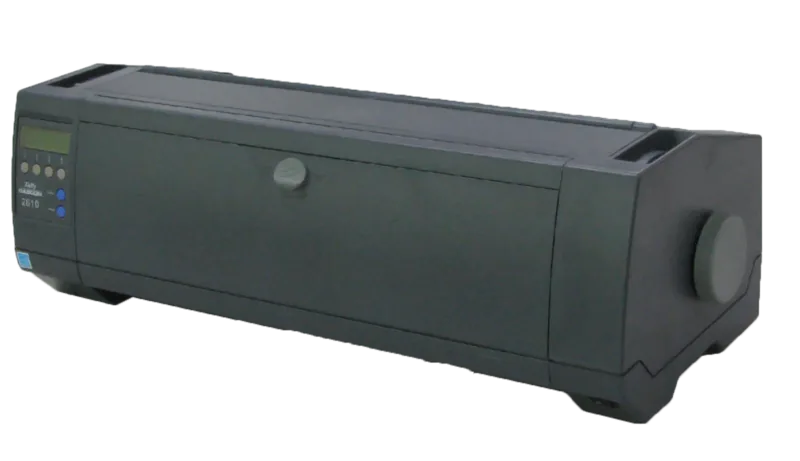
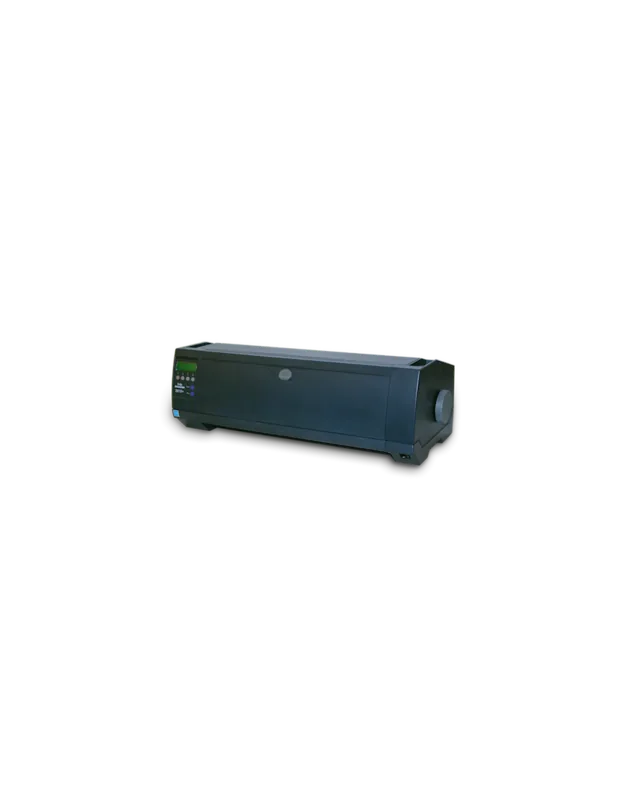
Dascom Tally 2610+ Manual
PDF manual · 121 Pages
English



Quick check
Incorrect answer, please try again.
Chat with your Dascom Tally 2610+ manual using AI
Get instant AI answers from your Dascom Tally 2610+ manual
Ask anything about the Dascom Tally 2610+. Answers come from this manual, with the pages they are based on.
Ask a Question
Do you recommend Tally 2610+?
Yes NoVideo Manual
Tally Dascom 26xx Paper insertion
Frequently Asked Questions
The printer includes parallel (IEEE 1284), USB 2.0 (Full Speed), and built-in Ethernet 10/100. An optional RS-232 serial interface is available. It also has a USB host port for firmware and configuration file transfer.
Is this answer helpful?
The Dascom Tally 2610+ can print the original plus up to five copies (total of six impact layers). Adjust the print-gap lever to the correct position for the number of copies to protect print head life and ensure print quality.
Is this answer helpful?
Use the USB host port with a FAT16/FAT32-formatted USB drive. Place firmware (*.mot) or config (*.cfg) files in the drive root, then initiate firmware download or config upload/download via the printer keys at power-on or via the WebPanel.
Is this answer helpful?
Yes. The built-in WebPanel and TallyCom features let you view printer status, change settings, send/receive configuration files, download firmware and access a virtual control panel. The network interface supports DHCP, BOOTP or static IP addressing and IPv6.
Is this answer helpful?
The printer supports multiple emulations including EPSON LQ series, IBM Pro/XL24 and MTPL. It offers extensive character sets (ISO 8859 variants, Windows code pages, IBM tables, OCR fonts) and national character selection to match host systems.
Is this answer helpful?
Use the control panel Setup and Adjust functions to set Top-Of-Form (TOF) and Tear position, or perform TOF adjustment manually using the hand wheel and transparent ribbon guide for pull tractor configurations, then press Load.
Is this answer helpful?
Keep the printer on a stable surface, avoid liquids, dust and direct sunlight, and ensure correct mains voltage. Do not perform repair work yourself—contact qualified service technicians. Allow the print head to cool before touching and disconnect mains before internal maintenance.
Is this answer helpful?
Advantages and Disadvantages
Advantages

- Robust 24-pin impact print head supports original plus up to five copies for multi-part forms.
- Flexible paper handling: cut sheet, front/rear/top fanfold tractors and adjustable print gap.
- Multiple interfaces (Parallel, USB 2.0, Ethernet) plus optional RS-232 and USB host for firmware/configs.
- Comprehensive remote management via WebPanel, logical printers, and TallyCom features with IPv6 support.
- Multiple emulations and character sets ensure compatibility with legacy software and barcode printing.
Disadvantages

- Dot-matrix output is low-resolution compared with modern laser or inkjet printers.
- Mechanical components require periodic cleaning and trained service for repairs.
- Noise can be higher in standard mode; quieter bidirectional mode reduces speed or quality tradeoffs.
- Advanced configuration and emulation settings can be complex for casual users.
- USB host limited to FAT16/FAT32 and requires files in the root directory for firmware/config transfers.
Product Specification
Technology
Dot Matrix
Print Resolution
24 Pin
Print Width
16.54 in
Print Speed
max. 683 Characters/s
Memory
128kB (Buffer)
Interfaces
USB 2.0, LAN, parallel, USB 2.0 (Host)
Emulation
IBM ProPrinter XL24, Epson LQ-2250, MTPL
Dimensions (WxHxD)
23.62x7.87x10.43 in
Weight
23.37 lb
Special Features
Tear-off Edge
Manufacturer's Warranty
two years
Product Description
Dascom Tally 2610+ Overview
The Dascom Tally 2610+ is a rugged, versatile dot-matrix impact printer designed for heavy-duty business environments that need reliable multi-part and continuous-form printing. Built around a sturdy mechanical design and comprehensive connectivity, it supports front, rear and top paper paths, multiple tractor options and a wide range of emulations for compatibility with legacy systems. The model focuses on durability, ease of use and flexible network management, making it suitable for warehouses, logistics centers, point-of-sale, and industrial offices.
Key product features
The 2610+ delivers robust print performance with a 24-pin print head that balances crisp text and durable output for multi-part forms (up to 6 copies). Paper handling is highly configurable: cut-sheet feeding, fanfold with front/rear/top tractors, adjustable print gap for form thickness, and automatic paper-loading functions. Interface options include parallel (IEEE 1284), USB 2.0, and built-in Ethernet (10/100), plus an optional RS-232 serial port. A USB host port supports firmware and configuration file transfer via FAT16/FAT32 drives.
A clear LCD control panel and an optional web-based WebPanel let administrators configure printer parameters, manage IP settings (DHCP/Static/BOOTP), remotely monitor status, upload/download configuration files or firmware, and use a virtual control panel. The device supports multiple emulations (EPSON, IBM Pro, MTPL, etc.), flexible character sets and barcode printing capabilities, enabling seamless integration with varied legacy and modern systems.
Practical benefits
The 2610+ emphasizes operational uptime: simple ribbon cartridge replacement, accessible maintenance instructions, and a menu-lock feature to prevent accidental changes. Quiet mode reduces noise during bidirectional printing. Advanced menu and panel controls let you store multiple menu configurations for different applications, while Ethernet features (including IPv6 support) and TallyCom functionality facilitate centralized fleet management and logical printer setups.
Who it’s for
This printer suits businesses that require dependable continuous-form or multipart output with networked control and legacy host compatibility. It’s ideal where longevity, low running costs and the ability to print through simple interfaces are more important than high-resolution graphics.
Notes
- Designed for industrial use; avoid exposure to liquids, heat, dust and shocks. Keep mains and device easily accessible.
- Use correct voltage and consult qualified service technicians for repairs. Allow the print head to cool after use.
- USB host operations require FAT16/FAT32 formatted drives and files in the root directory.
Search for 67,732 Manuals online


Type-in Brand or Model