
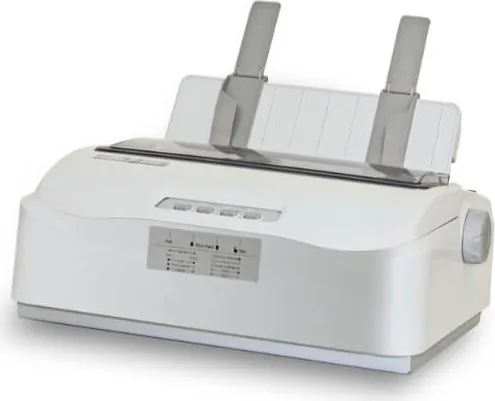

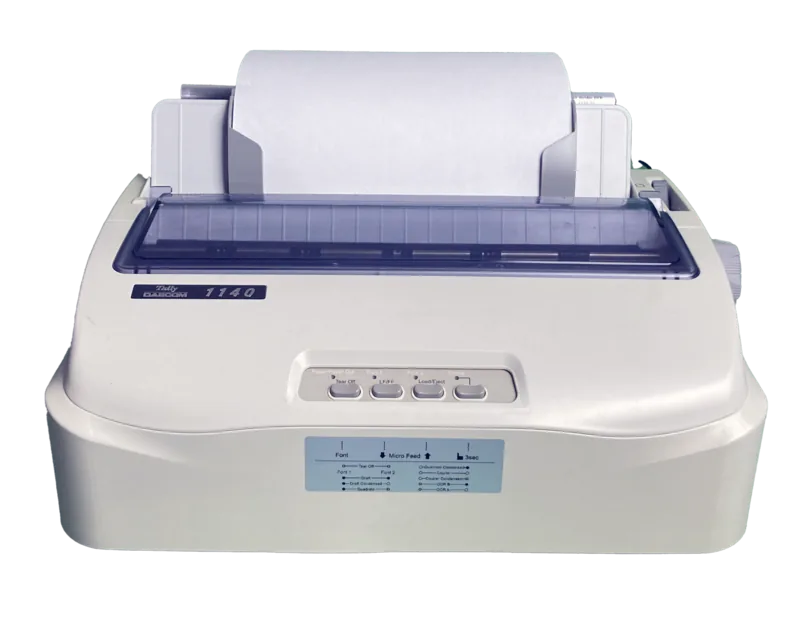
Dascom Tally 1140 Manual
PDF manual · 107 Pages
English



Quick check
Incorrect answer, please try again.
Chat with your Dascom Tally 1140 manual using AI
Get instant AI answers from your Dascom Tally 1140 manual
Ask anything about the Dascom Tally 1140. Answers come from this manual, with the pages they are based on.
Tally 1140 Maintenance Schedule
Vacuum exterior and interior components including platen and print head carriage. Use soft brush and damp cloth with mild detergent.
Perform cleaning every 300 hours of operation if sooner than 6 months. Check for smooth carriage movement.
Clean when stains or smudges appear using water on a soft cloth. Do not use alcohol as it hardens rubber.
Free maintenance reminders
Timed to your purchase date. Always free, unsubscribe anytime.
Ask a Question
Do you recommend Tally 1140?
Yes NoFrequently Asked Questions
The Tally 1140 includes USB 2.0 connectivity by default and can be fitted with optional interfaces such as parallel, serial, Ethernet, Wi‑Fi or Bluetooth depending on the model and configuration.
Is this answer helpful?
Yes. The printer supports single-sheet (cut sheet) feeding and tractor-fed continuous fanfold forms, including up to 1–5 plies of multipart paper, with adjustable print gap and tractor positioning for reliable feeding.
Is this answer helpful?
Use the on‑device Customize Form routine: power on with specific keys held to enter customization, follow prompts to load measurement forms, and save measured values for form length, top margin, bottom margin and left margin for cut-sheet or fanfold paths.
Is this answer helpful?
Firmware can be updated via USB using the vendor tool, but the manual recommends firmware updates be performed by authorized service personnel. Back up current settings by printing the Main Menu before updating.
Is this answer helpful?
Use the Bi‑directional Alignment test from the printer’s setup menu to shift the secondary line position in small increments until vertical grid lines align, then save the correction.
Is this answer helpful?
Routine cleaning is recommended approximately every six months or every 300 hours of operation. Maintenance includes vacuuming paper debris, cleaning platen and rollers, and replacing ribbon cartridges as needed.
Is this answer helpful?
The printer supports ESC/P2 and IBM 2380+ emulations and a wide range of code pages (including CP437, CP850, CP1250/1251/1252, various ISO 8859 pages and others) selectable via the character setup menu.
Is this answer helpful?
Advantages and Disadvantages
Advantages

- Reliable 9-pin impact printing suitable for multipart forms and continuous fanfold media.
- USB 2.0 plug-and-play with optional parallel, serial, Ethernet, Wi‑Fi or Bluetooth interfaces.
- Flexible paper handling and precise customization for form length, margins and tear-off positions.
- Multiple emulations (ESC/P2 and IBM) and wide font/CPI options for legacy compatibility.
- On-device diagnostics, alignment tools and firmware update support for maintainability.
Disadvantages

- Impact printing is inherently noisy compared with modern laser or inkjet printers.
- Some advanced configuration and firmware updates are intended for authorized service only.
- Limited print resolution compared to non-impact technologies; not ideal for high‑quality graphics.
- Physical size and needed workspace for continuous paper may be large for small offices.
- Consumable ribbons require periodic replacement and careful installation to maintain quality.
Product Specification
Technology
Dot Matrix
Print Resolution
9 Pins
Print Width
8.27in
Print Speed
max. 400 characters/s
Memory
256kB
Connections
USB 2.0
Emulation
ESC P/2, IBM 2380+
Dimensions (WxHxD)
14.53x5.12x11.14in
Weight
12.13lb
Special Features
5-ply copy
Manufacturer's Warranty
one year
Product Description
Dascom Tally 1140, USB 2.0 Manual
The Dascom Tally 1140 is a rugged, versatile 9-pin dot matrix printer designed for high-reliability business printing tasks. With USB 2.0 connectivity and support for multiple legacy interfaces, it suits environments that require continuous forms, multipart documents, labels, invoices, and reports. The unit emphasizes dependable impact printing, configurable paper handling (single-sheet friction feed and tractor-fed continuous forms), and broad emulation compatibility for easy integration into existing workflows.
Key features and usage
The Tally 1140 supports both uni-directional and bi-directional printing modes to balance precision and speed. It offers multiple font options, adjustable character pitches (including 10, 12, 15, 17, 20 CPI), and a switchable emulation between ESC/P2 and IBM modes for compatibility with diverse host systems. The printer includes driver support for modern Windows platforms and provides plug-and-play USB connectivity while optionally supporting parallel, serial, Ethernet, Wi‑Fi, or Bluetooth interfaces.
Paper handling is a strong point: the printer accommodates single cut sheets, envelopes and up to 5-ply multipart forms, plus continuous fanfold media via adjustable tractors. Extensive paper setup menus allow precise control of form length, top/bottom/left margins, black-mark sensing, tear-off behavior, and roll-paper handling. Customization tools include on-device routines for measuring and saving custom form lengths, top-of-form positions, and tear positions—useful for preprinted forms and automated workflows.
Controls and diagnostics are accessible from a compact control panel with LED indicators and four keys for online/offline toggling, load/eject, line/form feed, and tear-off. Advanced maintenance and service features include self-test pages, hex-dump mode, bi-directional alignment tuning, firmware update support via USB, and configurable power-saving and impact modes.
Practical strengths
The Tally 1140 is built for heavy-duty, continuous printing scenarios. It offers usable features for production environments: adjustable print gap for multipart forms, an easy-to-install ribbon cartridge, straightforward cleaning and maintenance guidance, and a robust troubleshooting section. Multi-language menus and detailed setup dialogs make it adaptable across international installations.
Notes
- Designed for industrial and business settings where impact printing reliability is essential.
- Supports black-mark sensing for automated positioning on preprinted fanfold forms.
- Firmware updates and certain advanced procedures should be performed by authorized service personnel.
Search for 67,732 Manuals online


Type-in Brand or Model