
DAP Audio Qi-4200 Manual
PDF manual · 16 Pages
English



Quick check
Incorrect answer, please try again.
Chat with your DAP Audio Qi-4200 manual using AI
Get instant AI answers from your DAP Audio Qi-4200 manual
Ask anything about the DAP Audio Qi-4200. Answers come from this manual, with the pages they are based on.
Qi-4200 Maintenance Schedule
Disconnect from mains and wipe with a damp cloth. Do not use alcohol or solvents.
Disconnect from mains and wipe connectors with a damp cloth. Ensure they are fully dry before reconnecting.
Free maintenance reminders
Timed to your purchase date. Always free, unsubscribe anytime.
Ask a Question
Do you recommend Qi-4200?
Yes NoFrequently Asked Questions
It delivers 200 watts per channel at 4 ohms in stereo mode.
Is this answer helpful?
Yes, you can bridge channels but must follow impedance limits strictly.
Is this answer helpful?
Yes, it fits a standard 19-inch rack space at 1 unit height.
Is this answer helpful?
Unplug the unit and wipe with a dry cloth without solvents.
Is this answer helpful?
You get one year of warranty from the purchase date if used correctly.
Is this answer helpful?
Yes, it uses balanced 3-pin XLR inputs to reduce noise interference.
Is this answer helpful?
Yes, variable speed fans cool the unit based on temperature needs.
Is this answer helpful?
Advantages and Disadvantages
Advantages

- High efficiency Class D amplification delivers powerful output with minimal heat generation.
- Versatile connectivity options support stereo, mono, and bridge modes for varied loads.
- Advanced safety features include short circuit, overheat, and DC voltage protection systems.
- Compact 19-inch rack mount design fits standard equipment cases and road gear.
- Clear front panel LEDs indicate signal, limit, and protection status for easy monitoring.
Disadvantages

- Fan noise may be audible during high-load operation depending on room acoustics.
- Units are not user-serviceable requiring qualified technicians for internal repairs.
- Bridge mode has specific impedance restrictions that must be followed to prevent damage.
- Requires specific grounding procedures to avoid electrical shocks and hum issues.
- Input levels must be managed carefully to avoid clipping with no automatic correction.
Product Specification
Channels
4
Power 8 Ohms
4 x 120W, 400W (bridged)
Power 4 Ohms
4 x 200W, 400W (bridged)
Dimensions
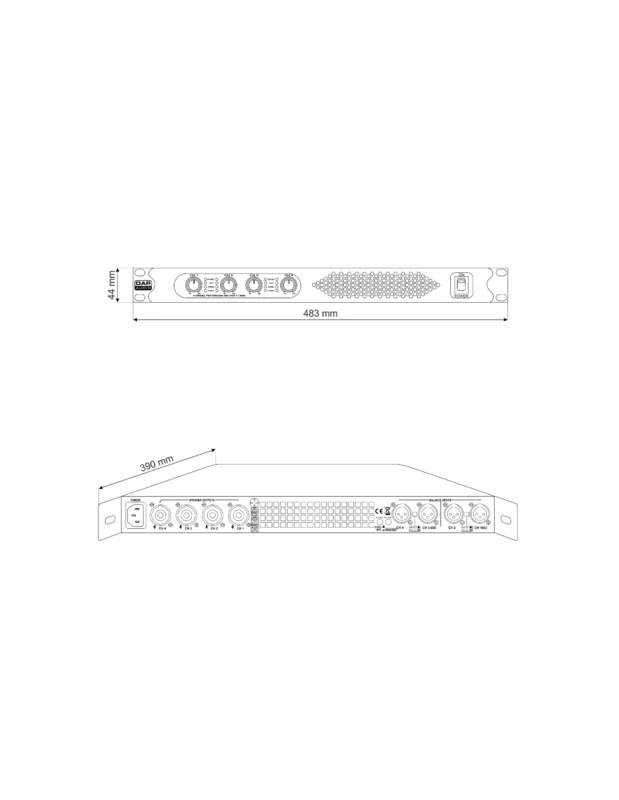
19.02 x 1.73 x 15.35 inches (WxHxD), 19" 1U
Weight
14.11 lbs
Product Description
Discover the Power of the Qi Series
Welcome to the world of high-fidelity audio amplification. The Qi-4200 series represents a leap forward for professionals seeking reliability and punch. Referencing the DAP Audio Qi-4200 Manual confirms the Class D amplifiers are designed for demanding environments. Whether you are setting up a live sound system or a permanent installation, these units deliver consistent performance. Highlite International backs these amplifiers with robust engineering standards.
Advanced Audio Architecture
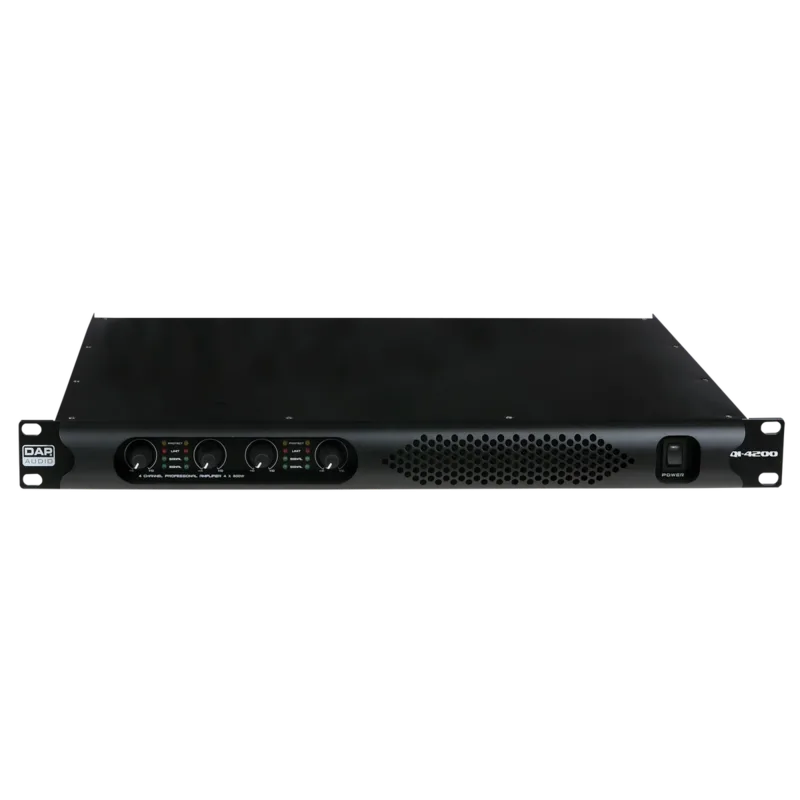
Each unit features four robust channels powered by efficient Class D technology. This design ensures minimal heat generation while maximizing output potential. Engineers have integrated a clip limiter to protect your speakers from distortion peaks. The front panel includes clear LED indicators for protection, limit status, and signal presence. Gain controls allow precise tuning for every channel connection. The build quality utilizes a metal chassis for durability during transport and installation.
Versatile Connection Modes
Flexibility is key in professional audio. The Qi-4200 supports stereo, mono, and bridge configurations via rear switches. This adaptability lets you drive dual 8-ohm loads or single high-power speakers depending on need. However, pay close attention to impedance requirements to avoid damaging the internal amplification circuitry. Proper cabling is essential for signal integrity. The rear panel offers Speakon and XLR inputs for versatile source integration.
Models and Power Ratings
Three variations satisfy different power requirements effectively. The Qi-4200 provides 200 watts per channel, while the 4400 and 4600 models scale higher. Bridge mode allows for significant power doubling on compatible loads. Ensure the voltage matches the region before plugging in to prevent catastrophic failure. The efficiency rating exceeds 93 percent, reducing energy waste during operation.
Safety and Maintenance
Reliability is maintained through rigorous safety protocols. Ensure the unit is grounded correctly using the IEC power inlet. Regular cleaning of ventilation slots prevents overheating during long operations. The variable speed fan adjusts cooling automatically based on internal temperature. If issues arise, always power down before connecting test equipment. A one-year warranty covers defects provided usage remains correct.
Conclusion
This amplifier series combines power with compact design. The 19-inch rack mount form factor fits standard studios and road cases. Reviewing the technical specifications helps ensure compatibility with your existing ecosystem. Prioritize safety guidelines to maintain performance over time. Proper handling ensures longevity for years of service.
Installation Guidelines
Mounting requires a flat 19-inch rack surface. Ensure there is adequate airflow around the unit to prevent thermal shutdown. Connect speakers using professional Speakon cables with locking mechanisms. Always set input levels low before powering on to avoid volume spikes. If the unit malfunctions, contact your dealer promptly instead of attempting repairs yourself.
Search for 67,706 Manuals online


Type-in Brand or Model