
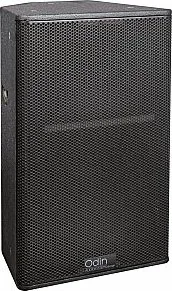
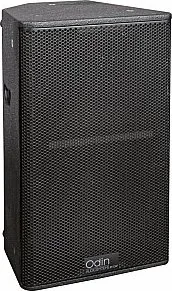
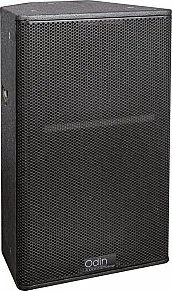
DAP Audio Odin SF-12A Manual
PDF manual · 16 Pages
English


Quick check
Incorrect answer, please try again.
Chat with your DAP Audio Odin SF-12A manual using AI
Get instant AI answers from your DAP Audio Odin SF-12A manual
Ask anything about the DAP Audio Odin SF-12A. Answers come from this manual, with the pages they are based on.
Odin SF-12A Maintenance Schedule
Periodically check your cables to avoid problems like faulty contacts or hum caused by unsuitable or defective cables.
Disconnect mains power and wipe the cover with a damp cloth. Do not use alcohol or solvents.
Disconnect electric power and wipe connections with a damp cloth. Ensure they are thoroughly dry before reconnecting.
Ask a Question
Do you recommend Odin SF-12A?
Yes NoFrequently Asked Questions
The system features ten fixed presets tailored for different environments such as Live, DJ, Presenter, and Vocal Wedge applications. There is also one editable preset that can be configured using external software for specific user needs.
Is this answer helpful?
No, the power cable is not included in the shipment. You must purchase a Neutrik PowerCON compatible cable separately to connect the device to the mains supply safely.
Is this answer helpful?
Yes, the unit supports a 36 mm pole mount. It can be installed in an upright or tilted position using the designated mounts on the enclosure chassis.
Is this answer helpful?
The maximum sound pressure level is 128 dB measured at one meter distance from the speaker driver. This specification indicates the peak output level under normal operating conditions.
Is this answer helpful?
The enclosure requires minimal maintenance. Disconnect power, wipe the cover with a damp cloth, and ensure all connections are clean and dry before reconnection. Do not use alcohol or solvents.
Is this answer helpful?
The warranty period is one year from the date of purchase. Coverage applies provided that the system has been operated according to the safety instructions and manual guidelines.
Is this answer helpful?
Connect all equipment to the same electrical circuit to ensure the same phase. Use a central grounding point like the mixer or utilize ground lift switches to solve hum troubles.
Is this answer helpful?
Advantages and Disadvantages
Advantages

- Strong 128 dB SPL output for large live environments
- Versatile ten fixed preset EQ configurations included
- Durable 15 mm birch plywood enclosure construction
- Easy cascading via Neutrik PowerCON and Data link
- Built-in DSP processor for advanced signal processing
Disadvantages

- Power cable is not included in the standard package
- Heavy transport weight limits portability for some users
- Flying installation requires qualified technician certification
- Only one editable preset available for custom tuning
- No internal battery for wireless operation support
Product Specification
Type
2-Way
Tweeter
1x 1 in
Amplification
Active
Frequency Response
50Hz-19kHz (-3dB)
Power
800W RMS, 3,200W Peak
Dispersion
80 x 60 deg
Product Description
DAP Audio Odin SF black: Precision Stage Monitoring
Achieving high-quality audio on stage requires reliable equipment that delivers clarity and power to performers. Every sound engineer seeks reliability above all else when setting up live events. The Odin SF-12A serves as an exceptional solution for professional sound engineers and musicians alike. Designed with robust materials, this unit ensures that every band member hears their personal mix accurately during live performances. It features Celestion drivers that provide a developed and well-balanced sound across the entire frequency spectrum. This setup allows for larger stage configurations where each instrument can be heard clearly without compromise or feedback issues.
Technically, the system operates as a 2-way full-range active bi-amped speaker for maximum efficiency. It utilizes Class D amplification for low frequencies and Class AB for high frequencies separately. The integrated DSP processor handles 24-bit 48kHz conversion with high-precision 32-bit processing. Users benefit from ten fixed presets tailored for specific environments like live concerts, DJ performances, or convention presentations optimized for the DAP Audio Odin SF black Manual configuration. The maximum sound pressure level reaches 128 dB at one meter. This ensures sufficient headroom for loud events without generating unwanted distortion signals.
Installation offers significant flexibility for various venue types and requirements. A 36 mm pole mount allows for upright vertical positioning easily. Threaded eye bolts enable flying configurations when structural support is needed. Neutrik PowerCON connectors simplify power distribution for multiple units in a chain. The enclosure is made of 15 mm birch plywood with a resistant black paint finish. This construction meets the rigorous demands of road life and constant touring usage. Maintenance is straightforward involving simple cleaning with a damp cloth without chemicals. Ensure connections remain dry before power up to avoid faults. The rotatable horn adjustment allows precise vertical dispersion control for different stages.
Protecting your investment involves following strict safety instructions carefully during operation. Disconnect power from the mains before handling cables or changing connectors. The unit includes multiple electronic protections against thermal overload and digital clipping events. Always use qualified technicians for any complex repairs or internal servicing needs. This gear is designed for durability and longevity in demanding professional audio environments. Proper setup prevents ground loops and ensures optimal signal flow throughout the system. Regular inspection of cables ensures consistent performance over time. This ensures safety and longevity for the audio rig.
Search for 67,706 Manuals online


Type-in Brand or Model