
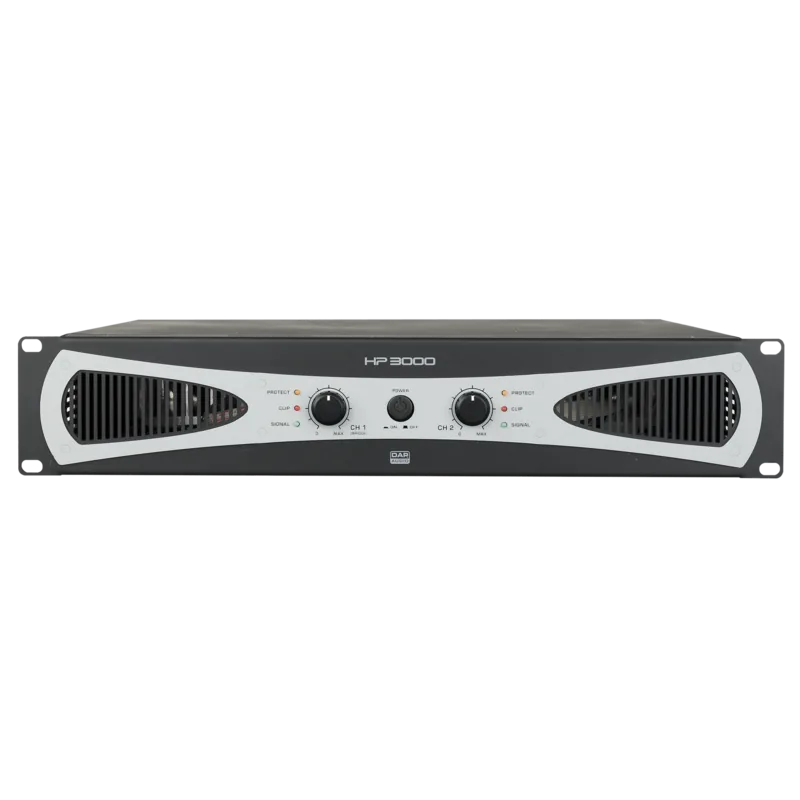
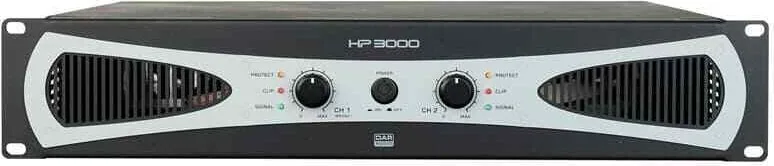
DAP Audio HP-3000 Manual
PDF manual · 20 Pages
English



Quick check
Incorrect answer, please try again.
Chat with your DAP Audio HP-3000 manual using AI
Get instant AI answers from your DAP Audio HP-3000 manual
Ask anything about the DAP Audio HP-3000. Answers come from this manual, with the pages they are based on.
HP-3000 Maintenance Schedule
Disconnect from mains and wipe with a damp cloth. Do not use alcohol or solvents. Ensure unit is cool before cleaning.
Disconnect from mains and wipe audio connections with a damp cloth. Ensure completely dry before reconnecting.
Ask a Question
Do you recommend HP-3000?
Yes NoFrequently Asked Questions
The HP-3000 delivers 1400 watts per channel in stereo mode into 4 ohms. In bridge mode into 8 ohms, it can reach a total power of 2800 watts. This makes it suitable for high-demand professional audio environments.
Is this answer helpful?
Yes. The mode switch allows selection of bridge, parallel, or stereo modes. In bridge mode, the device combines channels into a single mono output usable at 8 ohms impedance.
Is this answer helpful?
Cooling is provided by an internal axial fan that forces air from front to back. Users must ensure air vents are not blocked to prevent overheating and serious damage during operation.
Is this answer helpful?
The unit features 3-pin XLR connectors for input signals. It supports both balanced and unbalanced line level inputs from low impedance equipment like mixers.
Is this answer helpful?
No, the device contains no user-serviceable parts. While it features an auto-resettable fuse, servicing must be carried out by qualified technicians only to maintain warranty coverage.
Is this answer helpful?
The dimensions are 483 x 310 x 88 mm. It fits into a standard 19-inch rack slot and occupies 2 HE of vertical space.
Is this answer helpful?
Yes, the unit comes with a warranty for one year after the date of purchase. Improper installation or usage may void this warranty.
Is this answer helpful?
Advantages and Disadvantages
Advantages

- High power output of 1400W per channel in stereo mode into 4 ohms
- Supports three operating modes including stereo, parallel, and bridge
- Comprehensive safety protection against clipping, shorts, and overheating
- Compact 19-inch rack mountable design for professional studios
- Class H amplifier technology for high efficiency and performance
Disadvantages

- Heavy weight of 17 kg makes transportation difficult without equipment
- Requires specific mains voltage ranging from 210 to 240 volts AC
- Generates significant heat requiring adequate ventilation and cooling
- No user-serviceable parts means professional servicing is mandatory
- High maximum power consumption up to 3800W under heavy load
Product Specification
Channels
2
Power 8 Ohm
2x 1200W, 1x 2800W (bridged)
Power 4 Ohm
2x 1400W
Dimensions
19.02x3.46x15.75in (WxHxD), 19" 2U
Weight
37.48 lbs
Product Description
Discover the Power of DAP Audio HP-3000
The DAP Audio HP-3000 stands as a titan in the realm of professional audio amplification. Designed for demanding live sound and installation scenarios, this unit delivers unmatched power density. With a staggering output of 1400 watts per channel in stereo mode into 4 ohms, it ensures loudspeakers perform at their peak. Whether driving a small club or a large venue, the HP-3000 provides the headroom necessary for clean, dynamic sound. The Class H technology employed in this specific model ensures high efficiency and reliable performance under load.
Versatile Operating Modes
Flexibility is key to any professional rig. This amplifier supports three distinct configuration modes that adapt to your specific audio signal routing needs. Users can select Stereo mode for traditional left-right channel separation. Parallel mode allows for bridging inputs to drive dual loads more easily from a single source. Bridge mode combines channels into a single powerful mono output, reaching up to 2800 watts into 8 ohms. This versatility makes it suitable for diverse setups without needing multiple units. Whether you need to power a large main PA or bi-amp a system, the HP-3000 adapts seamlessly to the task.
Advanced Protection and Cooling
Reliability is paramount on stage. The HP-3000 features a comprehensive safety suite that protects both the equipment and the speakers. It monitors clip levels, short circuits, and temperature continuously. If limits are exceeded, the Protect LED alerts the user via the front panel interface. Cooling is managed by an internal axial fan that moves air from front to back. It is crucial to keep vents clear to prevent overheating during extended operation sessions. The device also includes an automatic fuse to prevent circuit fires.
Installation and Connections
Mounting into a standard 19-inch rack is straightforward for most technicians. The unit weighs 17 kg, so secure mounting is essential to prevent physical stress on the rack rails. Power requirements are specific, accepting 210 to 240 volts AC only. Always ensure the mains voltage matches the rear panel specifications before powering on. Connect balanced signals using XLR inputs to minimize noise and interference. Connect loudspeakers using Speakon connectors for robust linkage during transport and performance. Specifications align with the DAP Audio HP-3000 Manual data points.
Safety and Maintenance Guidelines
Before initial power-up, unpack the carton carefully and check for shipping damage. Consult your dealer immediately if parts are missing. This system contains no user-serviceable parts. Refer all servicing to qualified technicians only. Never attempt to open the device as hazardous radiation exposure could occur. Do not switch the system on and off in short intervals. This practice would reduce the system life significantly. Ensure proper ventilation around the chassis at all times.
Search for 67,706 Manuals online


Type-in Brand or Model