
DAP Audio HP-2100 Manual
PDF manual · 20 Pages
English



Quick check
Incorrect answer, please try again.
Chat with your DAP Audio HP-2100 manual using AI
Get instant AI answers from your DAP Audio HP-2100 manual
Ask anything about the DAP Audio HP-2100. Answers come from this manual, with the pages they are based on.
HP-2100 Maintenance Schedule
Disconnect mains power and wipe the cover with a damp cloth. Do not immerse in liquid or use alcohol.
Disconnect electric power and wipe audio connections with a damp cloth. Ensure they are thoroughly dry before use.
Ask a Question
Do you recommend HP-2100?
Yes NoFrequently Asked Questions
It yields 2000 watts RMS into an 8 Ohm load in bridge mode, providing massive headroom for large venues.
Is this answer helpful?
Maintain forced-air cooling by ensuring the front-to-back airflow is not blocked and improve ventilation in the room.
Is this answer helpful?
It features a 3-step protection system covering Clip Limiter, Short Circuit, Overheat, Overload, and DC Voltage.
Is this answer helpful?
No, the input voltage specification is 210-240V AC, 50/60Hz only. Using incorrect voltage may damage the unit.
Is this answer helpful?
Yes, it fits standard 19-inch racks with dimensions of 483 x 310 x 88 mm.
Is this answer helpful?
The warranty lasts for one year from the date of purchase for manufacturing defects.
Is this answer helpful?
Switch off the device and check for overheating or overload. Decrease signal level and improve air circulation.
Is this answer helpful?
Advantages and Disadvantages
Advantages

- High power output up to 2000W in bridge mode
- Multiple operating modes for flexibility
- Robust protection system against damage
- Compact 19 rack mount design
- Low distortion and high signal-to-noise ratio
Disadvantages

- Requires careful grounding to avoid loops
- Significant power consumption
- Not suitable for continuous permanent operation
- Needs qualified technician for servicing
- Heavier weight compared to smaller units
Product Specification
Channels
2
Power 8Ω
2x 700W, 1x 2000W (bridged)
Power 4Ω
2x 1000W
Dimensions
19.02 x 3.46 x 14.17 in (WxHxD), 19" 2U
Weight
30.86 lbs
Product Description
DAP Audio HP-2100 Professional Amplifier Overview
The DAP Audio HP-2100 stands out as a premier choice for professional audio professionals who demand high output and reliability. This amplifier is engineered for demanding environments, ensuring consistent performance during concerts, events, and installations. When you review the DAP Audio HP-2100 Manual, you uncover a suite of features designed to maximize longevity and sonic quality.
In terms of power, the HP-2100 is a formidable unit. It provides 1000 watts RMS per channel in stereo mode at 4 Ohms and 700 watts per channel at 8 Ohms. For mono operations, bridging the channels yields 2000 watts RMS. This power capacity is supported by Class H amplification technology which optimizes efficiency while maintaining low distortion levels. The frequency response spans from 10Hz to 20kHz, ensuring full-range audio reproduction suitable for both speech and music. With a signal-to-noise ratio greater than 100dB, background hiss is virtually eliminated.
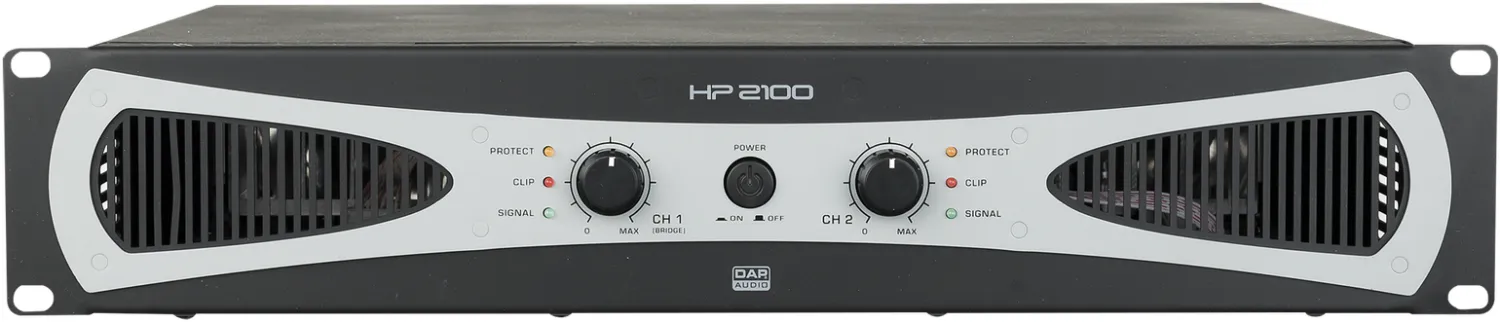
User interaction is simplified through a clear front panel layout. The power button, gain controls, and status LEDs for Clipping, Signal, and Protect modes allow for immediate visual feedback. If the protect light activates, it indicates issues like overheating or overload, prompting users to improve ventilation or lower signal levels. Connectivity options are robust, featuring balanced XLR inputs and Speakon outputs for secure speaker attachment.
Safety protocols are emphasized throughout the operation guidelines. Users must ensure that the amplifier output power is 50% to 100% higher than the loudspeakers rated power to prevent distortion. It is crucial to avoid using dimmer packs and to connect all system components to the same electrical circuit to eliminate ground loops. The warranty lasts for one year from the purchase date.
The unit fits standard 19-inch racks and features compact dimensions weighing only 14 kg for touring mobility. When connecting other parts of the system, careful attention must be paid to signal levels to avoid overdriving inputs. Unbalanced signals should utilize DI boxes to ensure clarity and reduce hum. The manual provides instructions for setup, including stereo, parallel, and bridge connection examples. It is a reliable tool for maintaining audio excellence in any setting.
Search for 67,706 Manuals online


Type-in Brand or Model