
DAP Audio HP-1500 Manual
PDF manual · 20 Pages
English


Quick check
Incorrect answer, please try again.
Chat with your DAP Audio HP-1500 manual using AI
Get instant AI answers from your DAP Audio HP-1500 manual
Ask anything about the DAP Audio HP-1500. Answers come from this manual, with the pages they are based on.
HP-1500 Maintenance Schedule
Periodically check your cables for faults to prevent problems like ground hum or discharges.
Disconnect mains power and wipe the cover with a damp cloth. Do not use alcohol or solvents.
Disconnect electric power and wipe audio connections with a damp cloth. Ensure they are dry before reconnecting.
Ask a Question
Do you recommend HP-1500?
Yes NoFrequently Asked Questions
The amplifier is specified for an input voltage range of 210-240V AC at 50/60Hz. Do not attempt to run a unit designed for one voltage range on the other, and ensure your rear-panel voltage needs match your local mains supply before powering up.
Is this answer helpful?
The HP-1500 supports Stereo, Parallel, and Bridge modes using the rear mode switch. Stereo uses two inputs and two outputs. Parallel uses one input (channel 1) to feed both outputs. Bridge uses one input and one output and is intended only for 8 ohm operation.
Is this answer helpful?
CLIP (red) shows distortion due to excessive level; reduce the source signal so it turns off. SIGNAL (green) means the amplifier is operating within safety limits. PROTECT (orange) indicates protection mode such as overheating or overload; switch off and resolve the cause, then reduce the source level and improve airflow if needed.
Is this answer helpful?
Use Speakon speaker connectors for the outputs. Connect to loudspeakers with the correct impedance for your chosen mode. For bridge mode, ensure you only bridge at 8 ohm as specified. Always confirm wiring is secure and avoid grounding mistakes that can create noise.
Is this answer helpful?
Maintenance is minimal. Disconnect mains power before cleaning. Wipe the cover with a damp cloth only, and do not immerse the unit in liquid. Do not use alcohol or solvents. Keep audio connections clean and dry before reconnecting and powering up.
Is this answer helpful?
Unplug the unit and verify wall power, all cables, and all connections. If everything looks OK, plug it in again. If nothing happens after about 30 seconds, unplug and contact your DAP Audio dealer for service rather than continuing to troubleshoot.
Is this answer helpful?
Advantages and Disadvantages
Advantages

- Strong output options: stereo up to 2 x 750 W RMS (4 ohm) and bridge up to 1 x 1500 W RMS (8 ohm).
- High-fidelity specs: 10 Hz to 20 kHz (+0/-1 dB) and THD below 0.5 percent for cleaner reproduction.
- Useful monitoring: CLIP, SIGNAL, and PROTECT LEDs to guide level setting and quick troubleshooting.
- Built-in protection set: clip limiter, short-circuit, overheat, overload, and DC voltage safeguards.
- Flexible routing: stereo, parallel, and bridge modes with a simple mode switch for common system layouts.
Disadvantages

- Bridge operation is limited to 8 ohm loads, so you must match speaker impedance for intended power.
- Requires solid ventilation: forced-air cooling with front-to-back airflow means blocked exhaust can cause overheating.
- No user-serviceable parts: repairs and internal work must be performed by qualified technicians only.
- Not meant for permanent operation; long continuous use is discouraged and may reduce life if breaks are ignored.
- Safe operation depends on correct installation details like grounding and using suitable, reliable cables.
Product Specification
Channels
2
Power 8Ω
2x 500W, 1x1500W (bridged)
Power 4Ω
2x 750W
Dimensions
19.02x3.50x13.58in (WxHxD), 19" 2U
Weight
28.66lb
Product Description
DAP Audio HP-1500: High-Power Amplification for Clean, Confident Sound
Overview
The DAP Audio HP-1500 is a compact 19-inch power amplifier designed for demanding live and installed audio setups. Part of the HP series, it is built to deliver strong output with a clear, controlled character, making it a practical choice for system builders and professionals who want reliable performance day after day. If you are looking for the DAP Audio HP-1500 Manual keyword, this overview highlights the essentials you will typically reference when planning connections, selecting operating modes, and setting up a safe gain structure.
Performance and operating modes
With a frequency response of 10 Hz to 20 kHz (+0/-1 dB) and a THD below 0.5 percent, the HP-1500 is tuned for fidelity. It offers a signal-to-noise ratio above 100 dB (A-weighted) and a high damping factor above 100, helping maintain tight control over your loudspeakers.
A key strength is flexible mode selection using the rear mode switch:
- Stereo mode for two independent channels
- Parallel mode for using a single input to drive both outputs
- Bridge mode for higher power delivery (only used at 8 ohm)
In stereo 4 ohm operation, it is rated at 2 x 750 W RMS. In stereo 8 ohm operation, it delivers 2 x 500 W RMS, while bridge mode at 8 ohm reaches 1 x 1500 W RMS.
Controls, connectivity, and protection
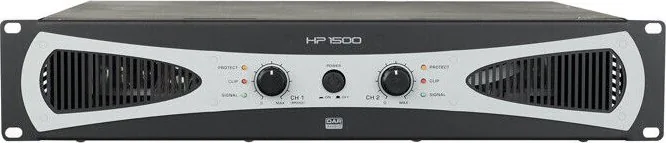
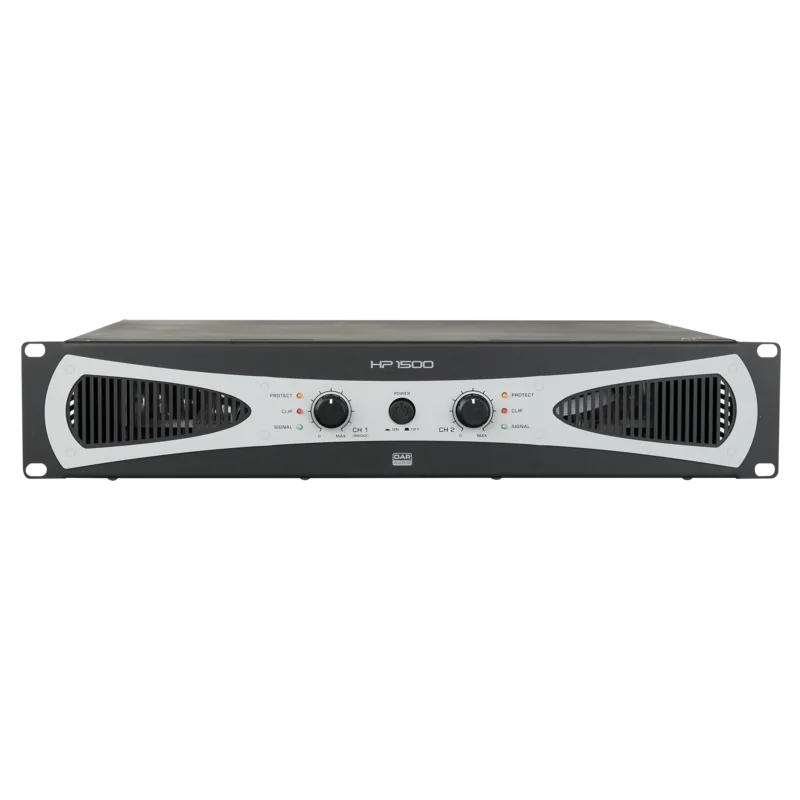
Front panel gain controls (CH A/CH B) and clear status LEDs help you monitor levels quickly: CLIP warns when distortion is happening, SIGNAL indicates normal safe operation, and PROTECT shows when the amplifier is entering protection mode. Protection is designed around a clip limiter (fixed) plus safeguards for short circuit, overheat, overload, and DC voltage, while cooling relies on forced-air ventilation with front-to-back airflow.
Connection is straightforward: balanced 3-pin XLR inputs feed the amplifier, and Speakon outputs connect to speakers. The device uses an IEC power connector and is intended for indoor use, with careful attention to grounding to avoid ground loops and hum.
Notes for best results
- Use speaker and amp ratings correctly; the amplifier output power should be 50-100 percent higher than the loudspeakers rated power.
- Keep airflow unobstructed and do not block exhaust vents.
- Avoid input overdrive and set gains so CLIP LEDs stay off during normal use.
- Plan power and cable choices carefully to reduce noise and ensure stable operation.
Search for 67,706 Manuals online


Type-in Brand or Model