
DAP Audio GIG-62 Manual
PDF manual · 24 Pages
English


Quick check
Incorrect answer, please try again.
Chat with your DAP Audio GIG-62 manual using AI
Get instant AI answers from your DAP Audio GIG-62 manual
Ask anything about the DAP Audio GIG-62. Answers come from this manual, with the pages they are based on.
GIG-62 Maintenance Schedule
Check the condition of cables regularly for damage or defects to avoid problems like poor contacts or hum loops.
Disconnect power and wipe the unit with a damp cloth. Do not use alcohol or solvents.
Ask a Question
Do you recommend GIG-62?
Yes NoFrequently Asked Questions
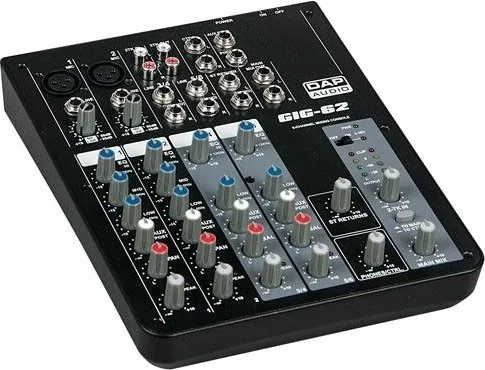
It supports two mono MIC channels with XLR inputs, stereo line channels via TRS and RCA connections, and tape/CD style inputs and outputs. Line inputs can be symmetrical or unsymmetrical depending on the connector type. Always match the source to the correct input type for that channel.
Is this answer helpful?
The package includes the GIG-104C mixing console, an AC power adapter, and a user manual. After unpacking, check that all parts arrived undamaged and notify the dealer immediately if anything appears damaged during shipping.
Is this answer helpful?
Yes. The MIC inputs include an on-board phantom power option of +48V. When phantom power is switched, follow safe switching practices (monitor audio muted during changes) and use appropriate microphone cabling.
Is this answer helpful?
Phantom power (+48V) is used for capacitor microphones. Dynamic microphones can still be used with phantom power if they are wired in a balanced configuration. Avoid plugging/unplugging microphones while phantom power is on and mute monitoring when switching phantom power.
Is this answer helpful?
Each MIC channel includes low-cut plus a 3-band EQ, while stereo channels also include EQ controls. The PEAK LED lights when the channel level approaches clipping, allowing you to reduce gain using the GAIN control so you maintain headroom and avoid distortion.
Is this answer helpful?
Mono MIC channels use a 3-band EQ (HI, MID, LOW) with peak LEDs. Stereo channels use a 2-band EQ with peak LEDs. Each band supports boost or cut up to 15 dB, with flat response at the center position.
Is this answer helpful?
The AUX send provides an additional, flexible output per channel for external effects and monitor use. By adjusting the AUX/POST control, you can create effect returns or a separate monitor mix without affecting the main mix level.
Is this answer helpful?
Advantages and Disadvantages
Advantages

- Low-noise microphone preamps with +48V phantom power and low-cut filtering
- Ultra-low noise discrete MIC preamps with +48V phantom power for capacitor microphones
- Flexible audio routing to main mix and control room/headphones
- Flexible I/O: XLR mic inputs, balanced TRS line, plus stereo TRS and RCA options
- Per-channel EQ (3-band on MIC, 2-band on stereo) plus peak LEDs for clean gain
Disadvantages

- Sensitive to improper gain staging, cable choice, and routing, which can cause noise or distortion
- Not designed for permanent operation; consistent breaks are recommended
- Safety and wiring rules are strict (phantom power, cable types, power order)
- Not designed for continuous duty cycles, so regular breaks are recommended
- Bluetooth operation depends on external devices and correct pairing
Product Specification
Type
Compact Mixer
Equalizer
3-Band
Product Description
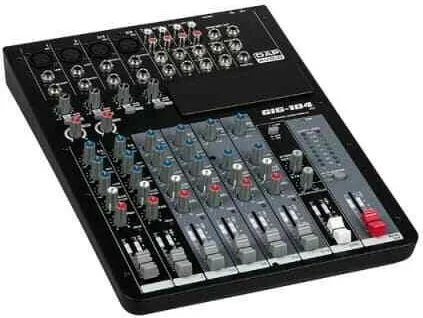
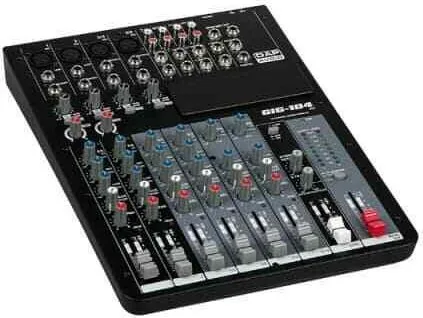
DAP Audio GIG - GIG-104C Compact Mixer
The DAP Audio GIG GIG-104C is a professional compact mixer built for fast gig setups, recording sessions, and dependable fixed PA installs. In the DAP Audio GIG Manual guidance, the emphasis is clear: start safely, route signals correctly, and use level control to keep clean headroom.
Designed around ultra-low noise discrete MIC preamps with +48V phantom power, the mixer offers 2 mono microphone channels plus 4 stereo input channels. Each mono MIC channel includes a 3-band EQ with peak indicators, a low-cut filter, and compressor control. Stereo channels also feature 2-band EQ and peak LEDs, making it easier to tune clarity and manage transients without overwhelming your workflow.
Connectivity is practical and flexible. Mono channels support balanced XLR microphone inputs and balanced 1/4" TRS line inputs, with inserts for adding external processors like compressors, noise gates, or EQ. Stereo sources can be connected via 1/4" TRS jacks or RCA connectors depending on the channel, and you can route the 2-track input to the main mix or to the control room/headphone outputs.
Monitoring and effects are covered with an AUX send per channel, ideal for stage monitoring or external effects. The built-in headphone/control room section lets you cue solo signals and verify levels using the output LED metering for a smooth sound check.
For added playback options, the GIG-104C supports optional internal modules: an SMP-S USB MP3 player, an SMP-R USB MP3 player with repeat and recording preparation features, or a Bluetooth 2.1 stereo module. These modules are designed to expand the mixer for small venues where you want background music or simple playback control without extra gear.
Key takeaways
- Clean signal path with low-noise MIC preamps, phantom power, and gain staging help keep audio tight.
- Versatile input options (XLR, TRS, RCA) plus inserts, EQ, AUX send, and 2-track routing.
- Easy setup flow: power-up order, level targets, and peak LED monitoring support consistent results.
- Optional MP3/Bluetooth modules turn the console into a compact system hub.
Notes
- Use proper indoor conditions and avoid rain, moisture, and unauthorized modifications.
- Do not switch phantom power while plugging microphones. Allow a short adjustment time before setting gains.
- For returns, use the original packing and an RMA number to avoid refusal of shipments.
Search for 67,706 Manuals online


Type-in Brand or Model