
DAP Audio EB-193B Manual
PDF manual · 14 Pages
English



Quick check
Incorrect answer, please try again.
Chat with your DAP Audio EB-193B manual using AI
Get instant AI answers from your DAP Audio EB-193B manual
Ask anything about the DAP Audio EB-193B. Answers come from this manual, with the pages they are based on.
EB-193B Maintenance Schedule
Disconnect power and wipe the cover with a damp cloth. Do not immerse in liquid or use alcohol.
Disconnect power and wipe DMX and audio connections with a damp cloth; ensure they are dry before use.
Ask a Question
Do you recommend EB-193B?
Yes NoFrequently Asked Questions
Two variants are offered: one covering 740-764 MHz and another covering 822-846 MHz. Always confirm the allowed frequency band in your country before operating the beltpack.
Is this answer helpful?
Hold the SET button to enter frequency selection, then use UP and DOWN to choose the desired frequency. Press SET again to store it. The display briefly shows STORE when the setting is saved.
Is this answer helpful?
The EB-193B lock-on mode prevents accidental key presses that could switch the beltpack off or change the frequency while you are performing. It is designed for safer operation once your settings are correct.
Is this answer helpful?
Use the gain adjustment trimpot on the EB-193B. Uncover it, then use the supplied screwdriver to fine-tune the input level for your microphone and performance environment.
Is this answer helpful?
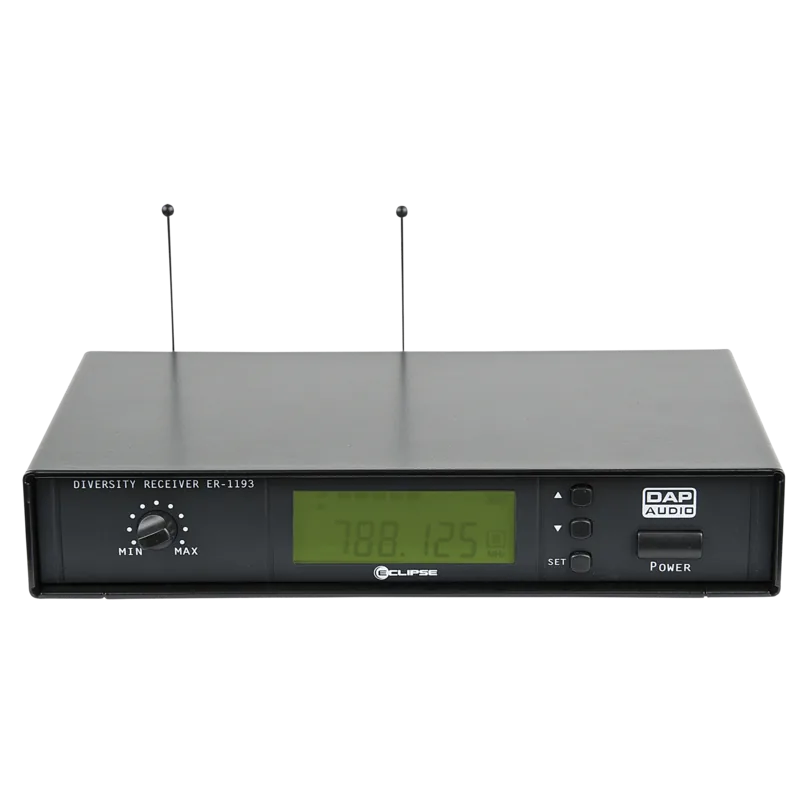
The beltpack can be used with optional DAP accessories such as compatible stage headset and lavalier microphones, plus a guitar cable option when used appropriately. For reception, pair it with a suitable DAP receiver from the ER-1193(B) family.
Is this answer helpful?
First switch the beltpack to OFF and check batteries. If everything seems correct, switch back to ON. If you still cannot find the cause, do not open the unit and instead return it to your dealer for service.
Is this answer helpful?
Advantages and Disadvantages
Advantages

- True diversity design helps minimize dropouts for more consistent wireless audio
- 193 switchable frequencies for flexible system planning and channel selection
- Lock function blocks keys to prevent accidental off or frequency changes
- Compact beltpack with 4P mini XLR connector for common mic accessory setups
- Gain adjustment supports dialing in input level for clearer performance
Disadvantages

- Must operate within the locally approved frequency range for your country
- Requires AA batteries, so runtime depends on battery condition
- Needs manual frequency selection and setup before each session
- No user-serviceable parts, so complex issues require qualified support
Product Specification
Type
Bodypack transmitter
Frequency band
UHF
Carrier frequency range
822-846MHz
Audio transmission range
50Hz-16kHz
Comprises
Bodypack transmitter
Product Description
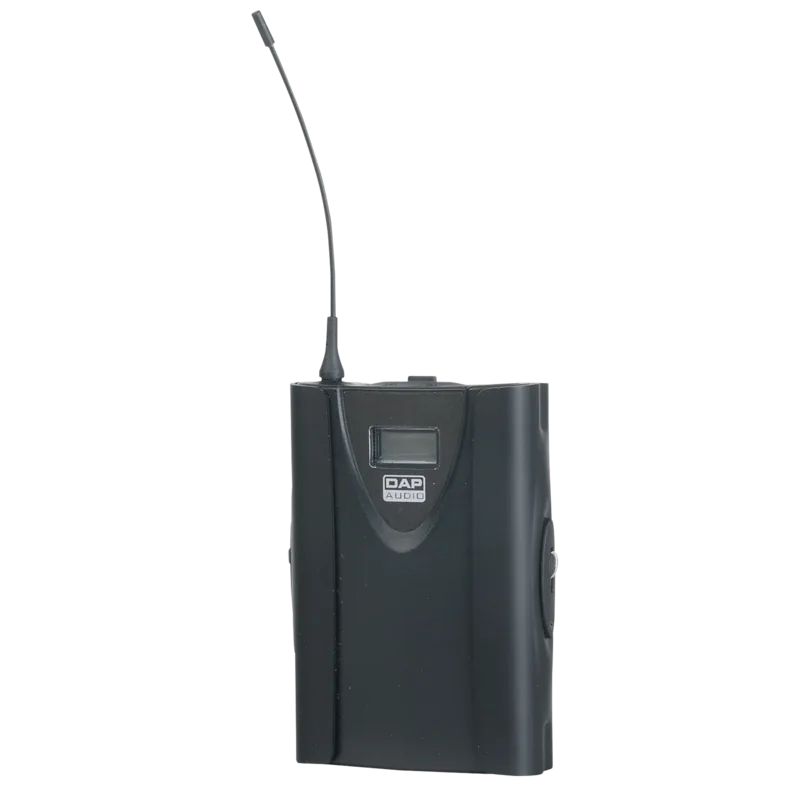
DAP Audio EB-193B Wireless Beltpack Transmitter
Power, control, and clarity for live performances
The DAP Audio EB-193B is a professional wireless microphone beltpack designed to bring reliable voice performance to rehearsals, presentations, and stage shows. Built for flexibility, it supports both quick plug-in operation and more controlled setup, so you can dial in sound and keep the signal steady during demanding performances.
With 193 switchable frequencies, the EB-193B lets you find the right operating channel within its approved band. It uses AA batteries and features a compact, durable design with a 4P mini XLR connector. To help reduce dropouts, the system is built with true diversity, supporting more dependable audio transmission when conditions shift.
Built for fast setup and safer operation
Setup starts with confirming that your selected frequency range is allowed in your country. After that, the EB-193B is straightforward: insert two AA batteries with correct polarity, power on, and use the on-board controls to select and store your frequency. A dedicated lock function helps prevent accidental key presses, which is especially useful once you are on stage.
For fine-tuning, the beltpack includes a gain adjustment (trimpot), letting you match the input level to your microphone and performance conditions. Compatibility is broad as well, supporting popular mic accessories such as the optional stage headset, lavalier options, a head microphone, and even a guitar cable when used in the proper setup with a compatible receiver.
Key takeaways
- 193 switchable frequencies across its band range for flexible system configuration.
- True diversity helps minimize dropouts and supports stable live transmission.
- Lock-on mode protects against accidental power-off or frequency changes during shows.
- Gain adjustment supports consistent levels from mic to receiver.
- Battery powered design with simple battery replacement guidance for continued use.
Notes before you use it (DAP Audio EB-193B Manual)
- Keep the transmitter indoor only and away from rain and moisture.
- Avoid unauthorized modifications, and do not open the unit if troubleshooting does not resolve the issue.
- Use correct cabling and keep receiver antennas positioned to improve reception.
Pros and cons at a glance
Pros
- True diversity for reduced dropouts
- 193 switchable frequencies for flexible matching
- Lock function for show-safe operation
- Simple battery powered design
- Gain adjustment for better level control
Cons
- Frequency selection must match regional approval rules
- Battery life depends on usage and proper replacement timing
- More setup steps than fixed-channel systems
- Troubleshooting may require dealer service if unresolved
Search for 67,706 Manuals online


Type-in Brand or Model