
DAP Audio Core Scratch Manual
PDF manual · 16 Pages
English



Quick check
Incorrect answer, please try again.
Chat with your DAP Audio Core Scratch manual using AI
Get instant AI answers from your DAP Audio Core Scratch manual
Ask anything about the DAP Audio Core Scratch. Answers come from this manual, with the pages they are based on.
Core Scratch Maintenance Schedule
Periodically check your cables for faults, knots, or twists to ensure reliability and prevent issues like ground hum.
Disconnect power and wipe the cover with a damp cloth. Do not use alcohol or solvents.
Disconnect power and wipe connections with a damp cloth. Ensure they are thoroughly dry before reconnecting.
Ask a Question
Do you recommend Core Scratch?
Yes NoFrequently Asked Questions
Power on the mixer, press the Pair/Unpair button, open your device’s Bluetooth settings, select “BT CORE” and enter code 0000 if prompted. The pairing LED will blink during pairing and stay solid when connected.
Is this answer helpful?
Inputs: 1x mic (combo XLR/TRS), multiple RCA line inputs, and Bluetooth. Outputs: master L/R RCA, booth RCA, record RCA, and a 6.3 mm TRS headphone output for cueing.
Is this answer helpful?
Yes. The Core Scratch has a crossfader with an on/off switch and selectable curve (slope) allowing setup for scratching and smooth mixing between channels.
Is this answer helpful?
Keep the unit clean and dry, disconnect mains before wiping with a damp cloth, avoid solvents, check cables regularly, ensure connections are dry before use, and store in appropriate ambient temperatures to prevent condensation damage.
Is this answer helpful?
Avoid moisture and cover vents, use correct and undamaged cables, connect power ground to earth, don’t insert objects into vents, don’t open or modify the device, and have qualified technicians perform repairs. Turn off power when changing cables or input modes.
Is this answer helpful?
High controls center at 10 kHz and low controls at 100 Hz with ranges of -26 dB to +12 dB. Frequency response is approximately 20 Hz–20 kHz for microphone and line sources within specified tolerances.
Is this answer helpful?
Unplug the device, verify wall power and all cable connections, inspect the AC adapter and power switch, plug back in and wait 30 seconds; if still dead, disconnect and contact your dealer for service or return.
Is this answer helpful?
Advantages and Disadvantages
Advantages

- Bluetooth input for easy streaming from phones and tablets.
- Dedicated microphone channel with combo XLR/TRS and EQ for vocals.
- Compact layout with crossfader and adjustable curve for scratching.
- Booth and master RCA outputs plus headphone cue system for monitoring.
- Low power consumption (5W) and simple AC adapter power delivery.
Disadvantages

- No built-in effects or multi-band EQ beyond basic high/low controls.
- Not intended for permanent heavy-duty operation; intermittent use recommended.
- Unbalanced RCA outputs may be prone to noise over long cable runs.
- Limited to two main channels; may be restrictive for larger setups.
- Contains no user-serviceable parts; repairs require qualified technician.
Product Specification
Channels
2
Equalizer
3-Band
Kill Switches
no
Inputs
4x Stereo Line In (RCA)
Outputs
Master Out (RCA), Booth/Monitor Out (RCA), Record Out (RCA), Headphones (0.25in Jack)
Dimensions
7.99x3.31x11.69in (WxHxD)
Weight
6.83lb
Product Description
DAP Audio Core Scratch — Compact DJ Mixer with Bluetooth
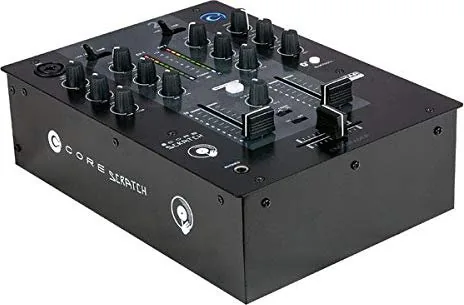
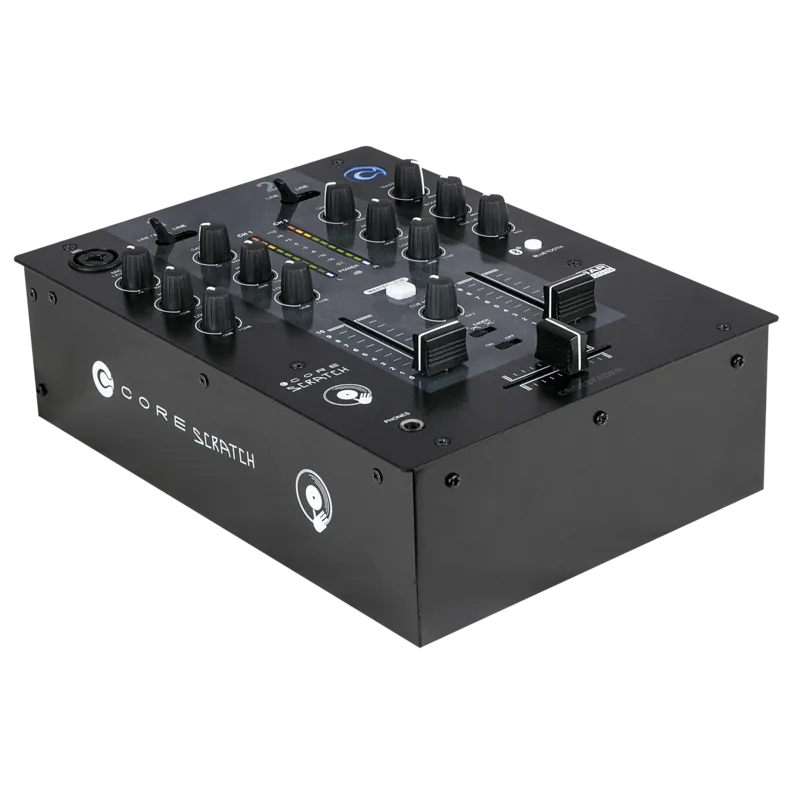
The DAP Audio Core Scratch is a compact, feature-focused 2-channel DJ mixer designed for hobbyists, mobile DJs, and small venues. It combines traditional analog controls with modern conveniences such as Bluetooth input, a dedicated microphone channel with EQ, booth output, and a headphone cue system. The unit’s straightforward layout makes it ideal for quick setups and reliable performance in home studios, parties, and small gigs.
Key features and user experience
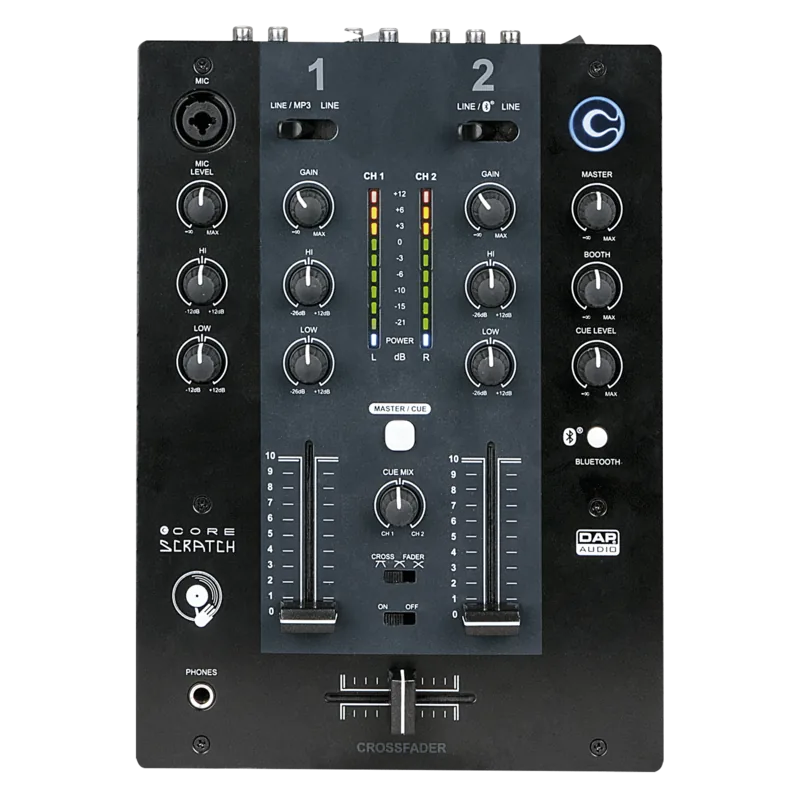
The Core Scratch includes one microphone input (combo XLR/TRS) with dedicated level and two-band EQ to shape vocal presence. Four RCA line inputs allow pairing two stereo sources plus an MP3 player or Bluetooth stream. Each main channel provides gain, high and low EQ, a channel fader, and a selectable input assignment, letting you route multiple sources easily.
A crossfader with adjustable curve and an on/off switch supports DJ-style mixing and scratching. The master section offers left/right RCA outputs for amps, a booth RCA output for monitor wedges, and a VU meter for quick level checks. Headphone monitoring uses a 6.3 mm TRS jack, with cue mix and level controls to preview channels and blends before sending to the master output.
Bluetooth pairing is simple: press Pair/Unpair, select “BT CORE” on your device, and use code 0000 if requested. A status LED indicates pairing and connected states. Power is supplied via the included AC adapter, and the rear panel centralizes inputs, outputs, and source-selection switches for line vs. Bluetooth or MP3.
Build and maintenance emphasize practical use: avoid moisture, keep vents clear, use correct cables, and follow safe wiring practices. Regular cleaning with a damp cloth (power off) and periodic cable inspection are recommended. The device is rated for intermittent operation with an ambient temperature limit of 45°C and humidity guidance to preserve reliability.
Who it’s for
This mixer suits DJs who need a compact, entry-level board with essential DJ controls and Bluetooth convenience. It’s also useful for podcasters and small live performers who require a microphone input, simple EQ, and easy connection to consumer audio sources.
Notes:
- Use DI boxes for unbalanced sources when needed to avoid hum.
- Avoid plugging microphones while Phantom Power is active; mute monitors when switching phantom power.
- Warranty coverage: one year from purchase.
Search for 67,706 Manuals online


Type-in Brand or Model