
DAP Audio Core Beat Manual
PDF manual · 16 Pages
English



Quick check
Incorrect answer, please try again.
Chat with your DAP Audio Core Beat manual using AI
Get instant AI answers from your DAP Audio Core Beat manual
Ask anything about the DAP Audio Core Beat. Answers come from this manual, with the pages they are based on.
Core Beat Maintenance Schedule
Periodically check your cables for faults, knots, or twists to ensure reliability and prevent issues like ground hum.
Disconnect mains power and wipe the cover with a damp cloth. Do not immerse in liquid or use alcohol or solvents.
Disconnect electric power and wipe connections with a damp cloth. Ensure they are thoroughly dry before reconnecting.
Ask a Question
Do you recommend Core Beat?
Yes NoFrequently Asked Questions
It works well for small DJ setups, mobile events, rehearsal rooms, background music systems, and simple live announcements. Its compact design and multiple input options make it practical for everyday mixing tasks.
Is this answer helpful?
Yes. It includes Bluetooth connectivity, so you can pair a phone or tablet and play audio without using a cable. The pairing status is shown by the Bluetooth indicator light.
Is this answer helpful?
Yes. The mixer includes a microphone channel with level control and EQ. It also has a talk-over function, which reduces other channel volume when speech needs to be more prominent.
Is this answer helpful?
It provides master, booth, and record RCA outputs, plus a headphone output for monitoring. This makes it easy to connect speakers, an amplifier, and recording equipment.
Is this answer helpful?
Yes. It includes cue controls, a headphone section, and output meters, so you can check levels and preview channels before sending sound to the main mix.
Is this answer helpful?
Keep the unit clean and dry, disconnect power before wiping it, and avoid using alcohol or solvents. Regular cable checks and careful handling will help maintain reliable performance.
Is this answer helpful?
Advantages and Disadvantages
Advantages

- Compact mixer with microphone, line, and Bluetooth input options for versatile use.
- Clear channel EQ and gain controls help shape sound with simple, hands-on adjustments.
- Cue monitoring and headphone output support accurate mixing and pre-listening.
- Dedicated outputs for master, booth, and recording make setup flexible.
Disadvantages

- RCA-based connections limit compatibility with some modern professional audio gear.
- No advanced digital effects or display features for users seeking deeper control.
- Best used indoors, so it is not suitable for harsh outdoor environments.
- Designed for simple operation, which may feel limited for larger DJ or live systems.
Product Specification
Channels
3
Equalizer
3-Band
Kill Switches
no
Inputs
6x Stereo Line In (RCA)
Outputs
Master Out (RCA), Booth/Monitor Out (RCA), Record Out (RCA), Headphones (1/4 inch Jack)
Special Features
Audio Interface
Dimensions
10.55x14.96x3.46in (WxHxD)
Weight
9.04 lbs
Product Description
DAP Audio Core Beat: Compact Mixing with Bluetooth Convenience
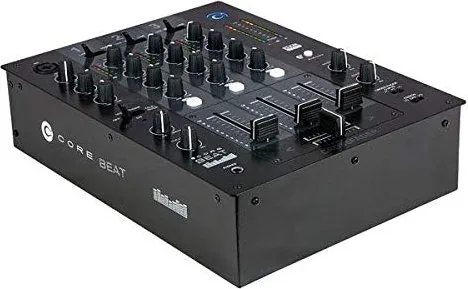
The DAP Audio Core Beat is a practical mixer built for small live setups, DJ booths, and flexible audio playback. For anyone searching for the DAP Audio Core Beat Manual, the product quickly stands out as a straightforward solution that combines classic analog control with modern Bluetooth input. It is designed to help users route microphones, line sources, and wireless audio through a compact desktop format without making the workflow complicated.
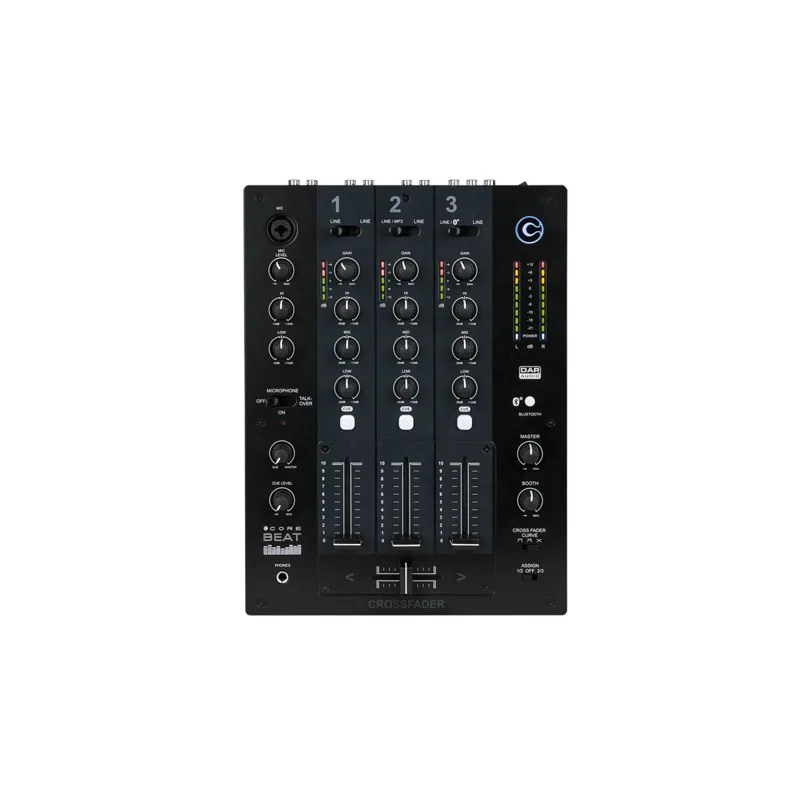
At the heart of the unit is a useful microphone channel with level control and dedicated high and low EQ shaping. That makes it easy to bring a vocal, announcement, or talk-over element into a mix with clear control over tone and volume. The talk-over function is especially handy for events where speech needs to sit above the rest of the music. A bright indicator and simple switching help keep operation intuitive during fast-paced use.
The Core Beat also offers three main channels with input selection, gain, three-band EQ on the channels, and a crossfader section for smoother transitions. This gives the mixer enough flexibility for DJ-style blending while still remaining approachable for beginners. Monitoring is well covered too, with cue functions, headphone output, and dedicated controls for cue mix and cue level, allowing accurate checking before a signal reaches the master output.
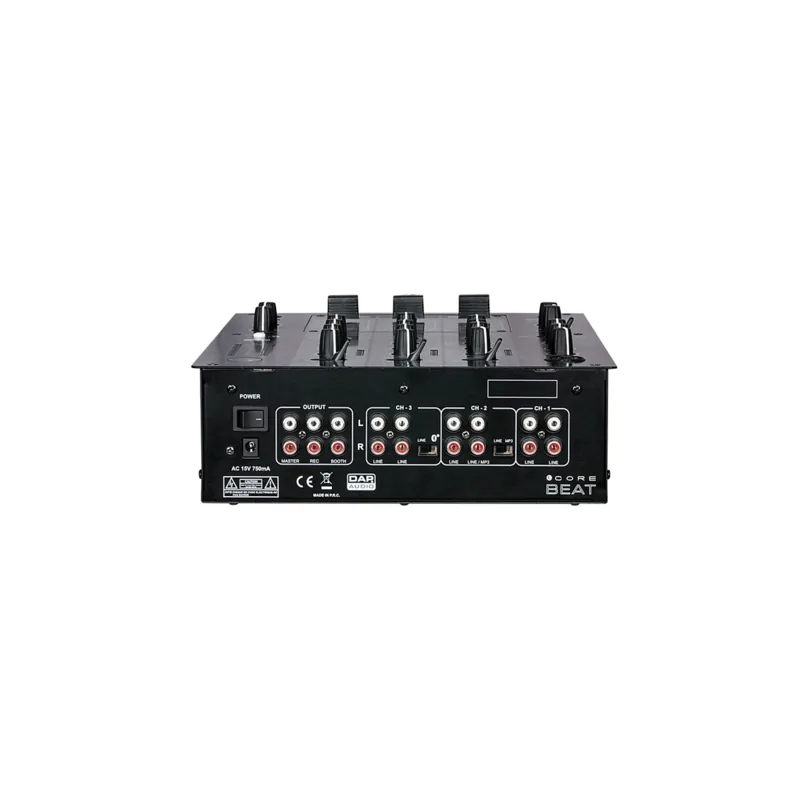
Bluetooth support adds another layer of convenience. Pairing a phone or tablet is easy, and the built-in status LED helps confirm connection at a glance. On the rear panel, the mixer provides RCA inputs and outputs for line sources, master output, booth output, and record output, making it easy to integrate with speakers, amplifiers, and recording gear. In short, it is a compact hub for everyday audio tasks.
This model is best suited to users who want a dependable, no-nonsense mixer with enough features to cover small installations, mobile setups, rehearsal spaces, or simple DJ applications. Its design focuses on usability, straightforward connections, and clean signal control rather than advanced digital extras.
Notes
- Use only indoors and keep the unit dry.
- Handle cables carefully to avoid noise and damage.
- Disconnect power before cleaning or changing connections.
- Keep microphone levels and input gain under control to prevent distortion.
Search for 67,706 Manuals online


Type-in Brand or Model