
DAP Audio COM-42 Manual
PDF manual · 16 Pages
English



Quick check
Incorrect answer, please try again.
Chat with your DAP Audio COM-42 manual using AI
Get instant AI answers from your DAP Audio COM-42 manual
Ask anything about the DAP Audio COM-42. Answers come from this manual, with the pages they are based on.
COM-42 Maintenance Schedule
Always disconnect from electric mains power supply before cleaning or servicing.
Periodically check your cables to ensure they are not faulty, knotted, or twisted.
Replace the batteries as soon as you receive a low battery alarm.
Make sure audio connections are thoroughly dry before linking equipment or supplying electric power.
Ask a Question
Do you recommend COM-42?
Yes NoFrequently Asked Questions
The COM-42 operates in the 606-630 MHz carrier frequency range. It also features strong stability (±0.005%) and frequency deviation of ±225 kHz to support consistent wireless performance during events.
Is this answer helpful?
Use the receiver controls to select the desired channel (00-99) and then send the channel information from the receiver to the microphone. The system also supports IR synchronization, so ensure the IR lens on the microphone is facing the COM-42 during setup.
Is this answer helpful?
The receiver provides balanced XLR audio outputs and a 1/4-inch phone jack output. This lets you connect to mixers using XLR-to-XLR cables or to amplifiers using standard 1/4-inch instrument or audio cables.
Is this answer helpful?
Switch off the microphone first. If the receiver still detects signal, increase the squelch threshold until the unwanted signal stops. If the squelch is set too high, the transmission range can be reduced, so keep it at the lowest effective setting.
Is this answer helpful?
The receiver (COM-42) runs on a 15V DC 300mA adapter (included). The handheld microphone is recommended to use two AA (UM3) batteries at 1.5V each (not included).
Is this answer helpful?
The microphone LED indicator changes color based on status. It flashes red when the battery is low, so you can replace batteries promptly to avoid dropouts during a session.
Is this answer helpful?
Unplug the unit, check wall power, cables, and connections, then plug it back in. If nothing happens after about 30 seconds, unplug again and contact your DAP Audio dealer for service rather than continuing troubleshooting.
Is this answer helpful?
Advantages and Disadvantages
Advantages

- Plug and play operation with IR synchronization for fast pairing
- Clear display shows channel, frequency, and AF/RF activity for easier monitoring
- Balanced XLR and 1/4-inch outputs support flexible mixer and amplifier connections
- Adjustable squelch helps reduce interference while maintaining usable range
- Stable UHF performance with a defined carrier range and tight frequency stability
Disadvantages

- Not designed for permanent operation; consistent breaks are recommended
- Indoor use only; avoid water, liquids, and nearby flammable materials
- Microphone requires 2x AA batteries (not included) and battery life is limited to over 6 hours
- Over-adjusting squelch too high can reduce transmission range
- Repairs and electrical work must be done by qualified technicians
Product Specification
Type
Microphone System (Handheld Transmitter)
Frequency Band
UHF
True Diversity
yes
Channels
2
Audio Transmission Range
50Hz-16kHz
Consisting of
Receiver, Handheld Transmitter
Product Description
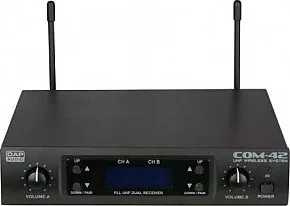
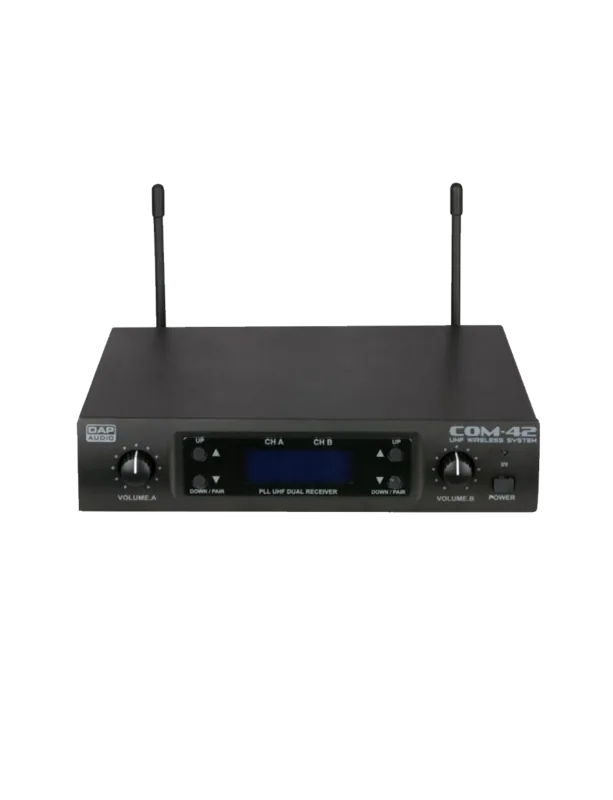
DAP Audio COM-42 Wireless Microphone Set
The DAP Audio COM-42 is a handheld UHF wireless microphone system built for reliable speech and performance in live sound, presentations, and events. Designed around a dual receiver, it delivers a clear, stable signal across the 606-630 MHz carrier range, making it a strong option when you want freedom of movement without sacrificing control at the mixer or amplifier.
Getting started is intentionally simple. The system supports plug and play operation, with IR synchronization to help you pair the microphone quickly. A clear display shows the active channel, frequency, and audio/RF status, while intuitive controls let you set power, volume, and channel selection (00-99). With balanced XLR outputs and a 1/4-inch jack, the COM-42 can integrate into many professional audio setups.
For live use, the COM-42 includes a squelch control on the receiver. This helps reduce interference from other transmission links. If unwanted signal activity is detected, you can raise the squelch threshold until the receiver stops picking up stray audio, and you are reminded to keep it as low as possible to protect range.
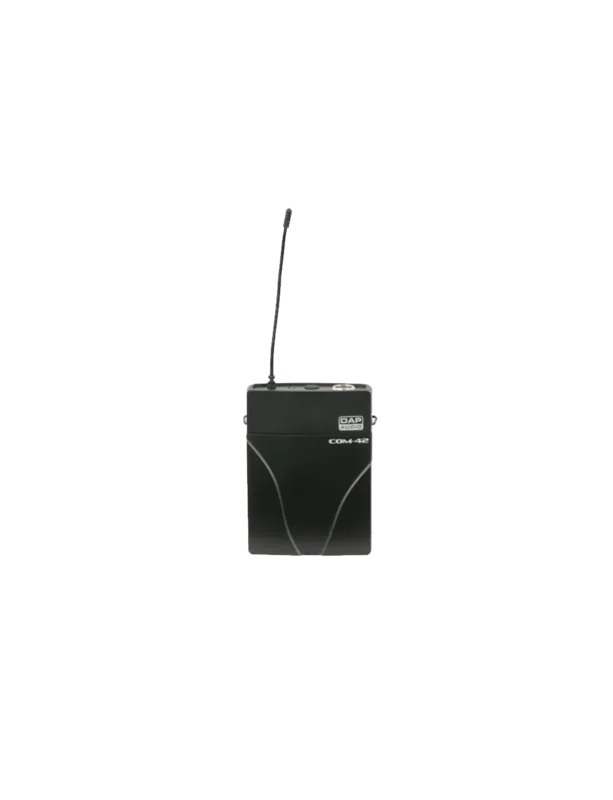
In performance scenarios, positioning matters. The guidance recommends keeping antenna distance short, setting antennas at a 45-degree angle from vertical, avoiding metal surfaces and obstructions, and performing a walk-through to identify dead spots. Batteries can be swapped at the handheld microphone using AA cells, and the LED indicators provide clear feedback: green for normal operation, red for mute, and flashing red when the battery is low.
Key highlights:
- UHF wireless handheld microphone with carrier range 606-630 MHz and stability of +/-0.005%
- IR synchronization and channel matching for fast, dependable setup
- Balanced XLR and 1/4-inch outputs for flexible integration with mixers and amplifiers
- Adjustable squelch to help minimize interference while protecting effective range
When used indoors and within the specified environmental limits, the DAP Audio COM-42 delivers consistent everyday reliability. For safe setup and best results, follow the setup and handling guidance in the DAP Audio COM-42 Manual.
Pros and practical notes
- Max ambient temperature: 40 C, humidity should stay at or below 50% at 40 C
- The receiver uses a 15V DC 300mA power adapter, while the microphone uses 2x AA (UM3)
- Repairs should be handled by qualified technicians; keep the system clean and dry
Search for 67,706 Manuals online


Type-in Brand or Model