
D-Parts Fontastic Full HD Manual
PDF manual · 2 Pages
English



Quick check
Incorrect answer, please try again.
Chat with your D-Parts Fontastic Full HD manual using AI
Get instant AI answers from your D-Parts Fontastic Full HD manual
Ask anything about the D-Parts Fontastic Full HD. Answers come from this manual, with the pages they are based on.
Ask a Question
Do you recommend Fontastic Full HD?
Yes NoFrequently Asked Questions
No. The webcam is plug-and-play via USB-A and works without installing additional drivers on supported systems, making setup quick and straightforward.
Is this answer helpful?
Supported platforms include Windows XP through Windows 10, Linux (kernel 2.6.24 and higher), Ubuntu, macOS 16 and above, and Android 5.1+. Compatibility may vary with specific distributions or device firmware.
Is this answer helpful?
The camera uses a 1/2.7" CMOS sensor and 3.6 mm lens to capture 1920×1080 video at 30 fps using MJPG encoding. Audio is recorded as PCM with an indicated bitrate of 32 Kbps.
Is this answer helpful?
Attach the universal clamp to your monitor or laptop, or use the 1/4" tripod thread to mount on a tripod. Manually tilt the camera and rotate the lens until the image is sharp and properly framed.
Is this answer helpful?
The webcam is powered via USB 5V DC and connects with a 150 cm USB 2.0 cable, so it requires a free USB-A port on your computer or device.
Is this answer helpful?
Avoid exposing the webcam to extreme temperatures, moisture, dust, or impacts. Do not dispose of the device with household waste; follow local electronic waste regulations for recycling and disposal.
Is this answer helpful?
Minimum requirements include a USB interface, at least 200 MB of available disk space and 32 MB of RAM. Performance may improve with more modern hardware and updated OS versions.
Is this answer helpful?
Advantages and Disadvantages
Advantages

- Full HD 1080p resolution at 30 fps for clear video quality.
- Plug-and-play USB-A connection; no driver installation required.
- Universal clamp and tripod thread allow versatile mounting options.
- Automatic brightness adjustment improves low-light visibility.
- Wide platform support: Windows, macOS, Linux, Android.
Disadvantages

- Fixed 30 fps and MJPG encoding may limit bandwidth/quality trade-offs.
- Basic PCM audio and 32 Kbps bitrate are not studio-grade.
- Manual focus adjustment requires user intervention for sharpness.
- No mention of privacy shutter or built-in microphone mute.
- USB 2.0 connection may restrict advanced features or higher bitrates.
Product Specification
Type
Webcam
Image Sensor
1x 1/2.7" CMOS
Resolution
1920x1080 Pixels (30fps)
Lens
0.14 in
Compression/Codecs
MJPEG, PCM
Wireless
N/A
Camera Cover
N/A
Microphone
integrated
Speaker
N/A
Lighting
N/A
Cable Length
59.06 in
Power Supply
via USB
Mounting
Mounting clip, with 1/4" thread
Dimensions
4.92x2.95x2.44in
Weight
0.30 lb
Product Description
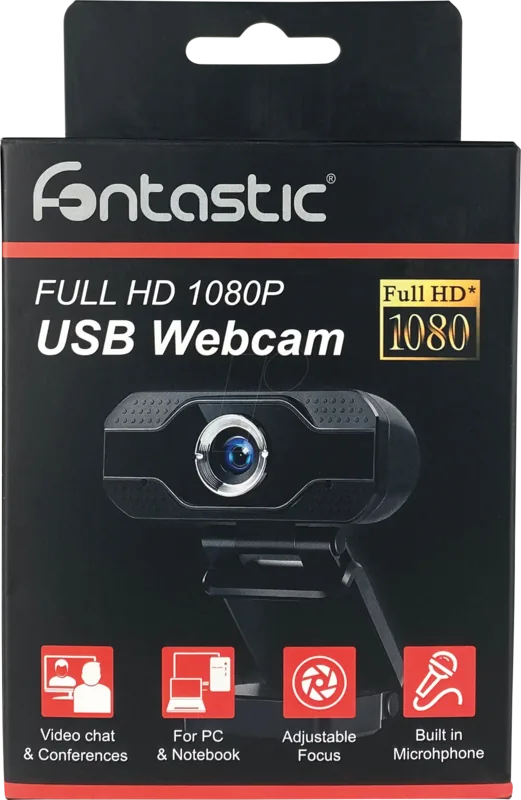
D-Parts Fontastic USB Webcam Full HD 1080P Manual
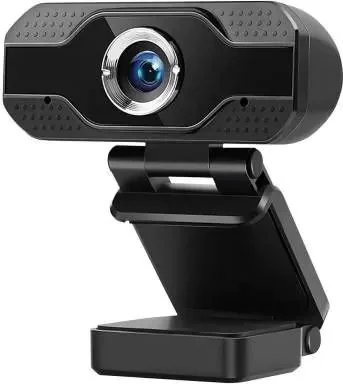
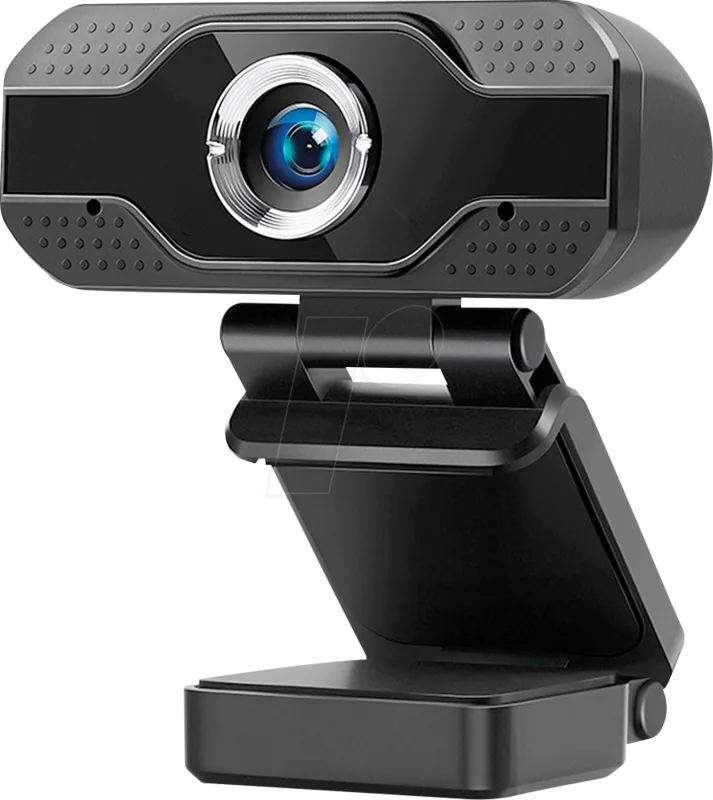
The D-Parts Fontastic USB Webcam Full HD 1080P delivers reliable plug-and-play video for remote meetings, streaming, and everyday video calls. Designed for simplicity, the webcam connects via USB-A and works without driver installation on a wide range of systems including Windows, macOS, Linux, and Android. Its compact body, universal clamp and tripod thread make placement flexible—clip it to a monitor, laptop or mount it on a tripod for stable framing.
Equipped with a 1/2.7" CMOS sensor and a 3.6 mm lens, the webcam captures 1920 x 1080 pixel video at 30 fps using MJPG encoding. Automatic brightness adjustment helps maintain visible image quality in dim environments while PCM audio provides straightforward sound capture for basic calls. The camera supports legacy systems as well as modern platforms, and operates from USB 5V power through a 150 cm cable for convenient positioning.
Installation and setup are intentionally simple: attach the universal clamp to your display or place the camera on a flat surface, plug the USB-A connector into a free port, then adjust the lens and tilt to frame your view. The lens can be rotated manually to focus the image and the clamp is designed to sit flush against the device. For tripod use, the standard 1/4" thread (noted as 1.4" in some materials) allows easy mounting.
Safety and compliance are covered: avoid exposure to extreme temperatures, moisture or dust, and protect the lens from scratches and impacts. The product meets CE requirements and complies with relevant EU directives; disposal should follow local e-waste regulations to support recycling and environmental protection.
Whether you need a budget-friendly camera for video conferencing, online classes or casual streaming, the D-Parts Fontastic webcam balances ease of use, full HD resolution and platform compatibility in a compact package. Its modest system requirements (USB port, 200 MB free disk space, 32 MB RAM) make it a convenient upgrade for older machines or a dependable spare for travel and remote work.
Notes
- Cable length: 150 cm; power via USB 5V DC.
- Compatible platforms: Windows XP and newer, Linux kernel 2.6.24+, macOS 16+, Android 5.1+.
- Video: 1920x1080 @ 30 fps, MJPG; audio: PCM, 32 Kbps.
- Dimensions: 75 x 62 x 125 mm; weight: 136 g.
- Contains a universal clamp and tripod thread for flexible mounting.
Search for 67,706 Manuals online


Type-in Brand or Model