

D-Link GO-SW-8G Manual
PDF manual · 20 Pages
English



Quick check
Incorrect answer, please try again.
Chat with your D-Link GO-SW-8G manual using AI
Get instant AI answers from your D-Link GO-SW-8G manual
Ask anything about the D-Link GO-SW-8G. Answers come from this manual, with the pages they are based on.
Ask a Question
Do you recommend GO-SW-8G?
Yes NoVideo Manual
Home Networking Switches Explained | Home Networking 101
Frequently Asked Questions
Use 4-pair Category 5e or better (Cat5e/Cat6) UTP/STP cable for 1000BASE-T connections to ensure full Gigabit throughput and reliable auto-negotiation.
Is this answer helpful?
No. The GO-SW-8G is an unmanaged plug-and-play switch: connect power and devices and ports will auto-negotiate speed and duplex. Advanced setup is not required or available on this model.
Is this answer helpful?
It implements IEEE 802.3az EEE and proprietary power-saving measures that lower energy consumption by placing idle links into low-power states and reducing power based on cable length without disrupting network connectivity.
Is this answer helpful?
Yes. Any RJ-45 port can be used to uplink to a server or backbone device. For reliable Gigabit uplinks, use Cat5e or better cabling and connect directly to the server or upstream switch port.
Is this answer helpful?
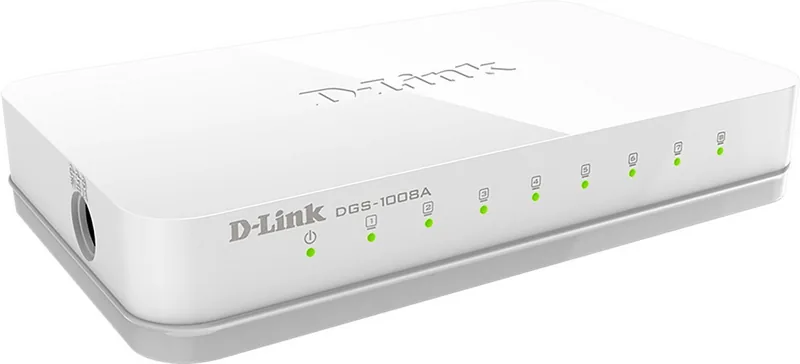
Front-panel LEDs indicate power, link/activity, and port speed. Link/Act LEDs blink for traffic and show green when a port is connected; the power LED indicates unit power status.
Is this answer helpful?
Yes. The switch supports jumbo frames up to 9216 bytes and full-duplex operation at 1000Mbps for improved performance with large transfers and server traffic.
Is this answer helpful?
Place the unit on a stable surface with ventilation; use the supplied approved power adapter; avoid liquids and strong electromagnetic fields; ground equipment properly and follow ESD precautions when handling internal components.
Is this answer helpful?
Advantages and Disadvantages
Advantages

- Gigabit auto-negotiation on all ports (10/100/1000BASE-T) for high-speed connectivity.
- Energy-efficient design with IEEE 802.3az and cable-length/link-status power savings.
- Plug-and-play operation with Auto-MDI/MDIX—no configuration required.
- Jumbo frame support (9216 bytes) and 128KB buffer for better handling of large transfers.
- Compact desktop form factor with clear LEDs for quick status checks.
Disadvantages

- Unmanaged: lacks VLANs, QoS configuration, SNMP or advanced management features.
- Limited MAC address table (2K for 5-port, 8K for 8-port) not ideal for large networks.
- No redundant power options; single external AC–DC adapter only.
- Basic diagnostics only—no port statistics or advanced monitoring tools.
- Desktop-only design may not fit rack environments without adapters or brackets.
Product Specification
Function
Switch
Type
Standalone
Network ports
8x RJ-45 (rear)
Speeds
8x RJ-45 (10/100/1000Base-T)
PoE
N/A
Backplane
16Gb/s, 11.9Mp/s, 9KB Jumboframes, 192KB Packet buffer, 4K Mac addresses
Officially supported standards
802.3, 802.3ab, 802.3az, 802.3u, 802.3x
Configuration
unmanaged
Cooling
passive
Dimensions (WxHxD)
5.12x0.87x3.11in
Weight
0.29 lb
Color
white
Special features
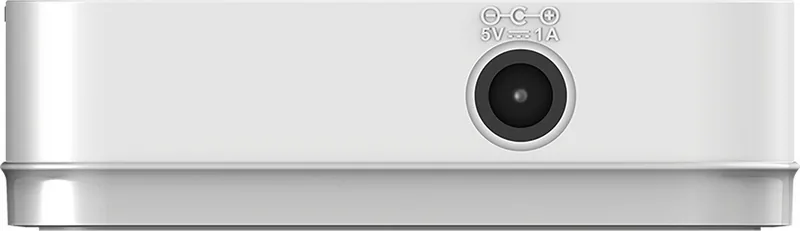
external power supply
Product Description
D-Link GO Easy Desktop Gigabit Switch, 8x RJ-45 Manual
The D-Link GO Easy Desktop Gigabit Switch, 8x RJ-45 Manual describes a compact, no-frills unmanaged switch designed to bring reliable Gigabit connectivity to small offices, home labs, and desktop networks. Built around five- and eight-port models, the GO-SW series supports 10/100/1000BASE-T auto-negotiation, Auto-MDI/MDIX, full wire-speed forwarding, and straightforward plug-and-play operation. The manual emphasizes the hardware layout—power jack, front-panel LEDs, and RJ-45 ports—along with installation guidance, safety precautions, and basic troubleshooting to get units up and running quickly.
The switch leverages D-Link’s Green Technology and the IEEE 802.3az Energy-Efficient Ethernet standard to reduce power consumption by detecting link status and cable length. When ports are idle or connected with short cables, the switch lowers power draw without affecting performance, making it a practical choice where energy efficiency matters. Internally, the device uses store-and-forward switching, supports jumbo frames at Gigabit speed (up to 9216 bytes), and provides buffering (128KB RAM) and MAC address tables sized for small networks (2K for 5-port, 8K for 8-port models).
Installation is intentionally simple: place the unit on a stable surface, connect the supplied AC–DC adapter, and plug devices into any RJ-45 port using appropriate Category cabling (Cat5e or better for gigabit). The manual includes cautions about ventilation, grounding, ESD protection, and rack-mount considerations for related equipment. LED indicators show power, link/activity, and speed states to aid basic diagnostics. The manual also outlines common connection scenarios—linking end nodes, hubs/switches, or uplinking to a backbone or server—and notes expected cable types and reach.
Overall, the GO-SW-8G is aimed at users seeking an affordable, energy-conscious Gigabit switching solution without advanced management features. It’s suited for expanding wired ports, segmenting small networks, and providing dedicated full-duplex bandwidth for demanding desktop applications like file transfers, streaming, or light server access.
Notes:
- Supports 5- and 8-port models; both offer 10/100/1000 Mbps auto-negotiation and Auto-MDI/MDIX.
- Implements IEEE 802.3az EEE and cable-length/link-status power savings.
- Store-and-forward switching with jumbo frame support at gigabit speeds.
- Basic LED diagnostics: Power, Link/Act, and speed indicators.
- Includes safety, ESD, and installation guidance; external power adapter supplied.
Search for 67,706 Manuals online


Type-in Brand or Model
Lukas_77
10 months ago
The product photo looks different. Where exactly are the port LEDs located on this switch?
Manual.ly
10 months ago
The switch has per-port status and link LEDs next to the Ethernet ports on the front panel. There are no separate LEDs on the cable/back side. So the LEDs indicate each connected device's activity and link speed from the front, which may differ from how the images can make the layout look.