
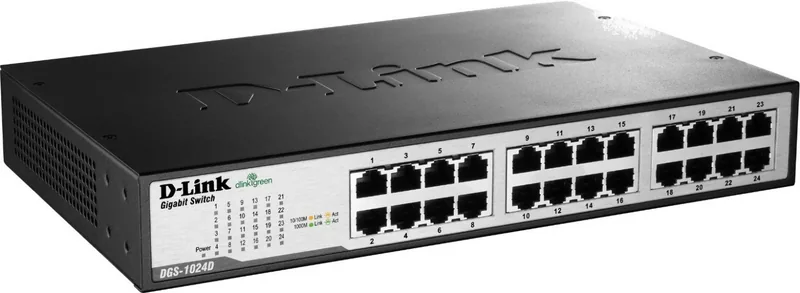
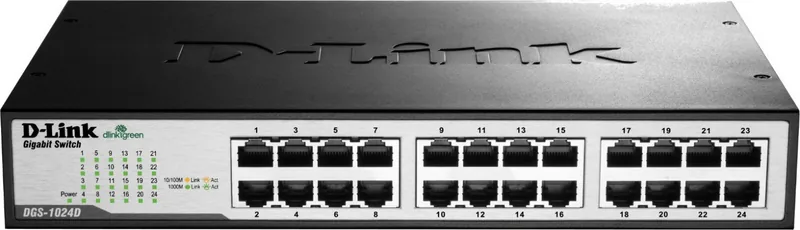
D-Link DGS-1024D Manual
PDF manual · 74 Pages
English



Quick check
Incorrect answer, please try again.
Chat with your D-Link DGS-1024D manual using AI
Get instant AI answers from your D-Link DGS-1024D manual
Ask anything about the D-Link DGS-1024D. Answers come from this manual, with the pages they are based on.
Ask a Question
Do you recommend DGS-1024D?
Yes NoFrequently Asked Questions
It is best for small offices, workgroups, and desktop setups that need reliable wired networking without advanced configuration. It suits users who want simple plug-and-play Gigabit expansion.
Is this answer helpful?
No. It is unmanaged, so basic use does not require setup. Connect the power cord and Ethernet cables, and the switch automatically negotiates speed, duplex, and MDI/MDIX settings.
Is this answer helpful?
Use Cat5e or better Ethernet cable for 1000 Mbps connections. The switch can work with older cabling for slower links, but Cat5e is recommended for full Gigabit performance.
Is this answer helpful?
Yes. The switch supports IEEE 802.1p QoS, which helps prioritize important traffic such as VoIP and video conferencing so it can move more smoothly across the network.
Is this answer helpful?
At startup, the switch checks each port for common cable faults like open circuits or shorts. LED behavior during boot-up helps identify whether a connection is healthy or needs attention.
Is this answer helpful?
Yes. It can be placed on a desk or mounted in a rack using the included mounting ears. The design is flexible for different office layouts and equipment rooms.
Is this answer helpful?
Advantages and Disadvantages
Advantages

- 24 Gigabit RJ-45 ports provide plenty of room for expanding wired devices.
- Unmanaged design keeps setup fast and simple.
- 802.1p QoS helps prioritize traffic like voice and video.
- D-Link Green and EEE+ features reduce power usage.
- Fanless operation supports quieter desktop deployments.
Disadvantages

- No advanced management features for detailed network control.
- Class A design may be less ideal for some home environments.
- Requires proper ventilation and cable planning for best results.
- No built-in PoE for powering access points or phones.
Product Specification
Function
Switch
Type
Standalone, Rackmount (via mounting brackets)
Network ports
24x RJ-45
Speeds
24x RJ-45 (10/100/1000Base-T)
PoE
N/A
Backplane
48Gb/s, 35.45Mp/s, 9.5KB Jumboframes, 512KB Packet buffer, 8k Mac addresses
Officially supported standards
802.1p, 802.3, 802.3ab, 802.3az, 802.3u, 802.3x
Configuration
unmanaged
Cooling
passive
Dimensions (WxHxD)
11.02x1.73x7.09in, 1U
Weight
3.97lb
Color
black
Special features
Metal housing, removable mounting brackets, Anti-theft protection (Kensington Lock)
Manufacturer's warranty
two years (lifetime (10 years in AT/DE) + 5 years after registration)
Product Description
D-Link DGS-1000 Desktop Gigabit Switch, 24x RJ-45 Manual
The D-Link DGS-1000 Desktop Gigabit Switch, 24x RJ-45 is a practical choice for building or expanding a small business network. It focuses on straightforward performance: plug it in, connect your devices, and let the switch handle traffic automatically. With 24 auto-sensing Gigabit Ethernet ports, it is designed for desktops, printers, routers, servers, and other wired equipment that need stable and fast connectivity.
What makes this switch appealing is its balance of speed and simplicity. Each port supports 10/100/1000 Mbps operation, along with auto-negotiation and MDI/MDIX detection, so users do not need to worry about crossover cables or manual tuning. The switch is unmanaged, which means there is no complicated setup process. For many offices, labs, and workgroups, that is a major advantage because it reduces installation time and maintenance effort.
The product also brings several useful networking features that improve day-to-day reliability. IEEE 802.1p QoS helps prioritize important traffic such as voice, video, and file transfers. Cable diagnostics during boot-up can quickly reveal common wiring problems, while clear LED indicators make it easy to monitor power, speed, and link activity at a glance. Support for jumbo frames, flow control, and a large MAC address table adds flexibility for busier environments.
Energy efficiency is another strong point. D-Link Green technology and EEE/EEE+ features help lower power use during periods of low traffic. The switch can also adjust consumption based on cable length and link status, making it a sensible option for organizations that want performance without unnecessary energy waste. Its fanless design supports quieter operation, which is especially useful in desktop or office settings.
Installation is equally flexible. The switch can sit on a desk with rubber feet or be mounted in a rack with the included ears. Rear-panel power input, Kensington security support, and grounding options round out the hardware design. In practice, the D-Link DGS-1000 Desktop Gigabit Switch, 24x RJ-45 Manual reflects a product built for reliability, ease of use, and everyday network growth.
Notes
- Best suited for offices that need dependable wired expansion.
- Use Cat5e or better cabling for Gigabit performance.
- Keep ventilation clear and follow grounding guidance for safe installation.
Search for 67,732 Manuals online


Type-in Brand or Model
trosenbaum83
8 months ago
Is the switch fan loud? I will use it on my desk - will the noise be unbearable, and what can I do to reduce it?
Manual.ly
8 months ago
Some users report the side fan can be very loud when the switch is placed on a desk. If you plan rack installation, the noise is typically less noticeable. You can also reduce noise by lowering the fan speed (if the model supports electronic fan control) or by using the device in a properly ventilated rack where sound is less intrusive. After adjusting fan speed, one reviewer noted the fan became almost inaudible and the switch ran cool with stable performance, including high 1 Gbit throughput during large file transfers. If you want quiet operation, consider rack mounting and enabling any fan regulation options.