
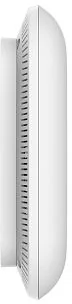
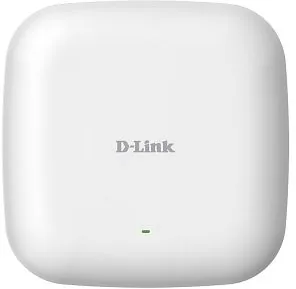
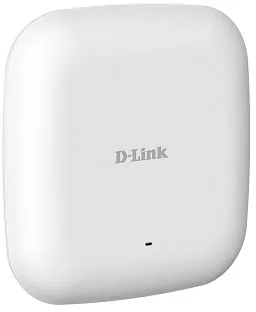
D-Link DAP-2662 Manual
PDF manual · 92 Pages
English



Quick check
Incorrect answer, please try again.
Chat with your D-Link DAP-2662 manual using AI
Get instant AI answers from your D-Link DAP-2662 manual
Ask anything about the D-Link DAP-2662. Answers come from this manual, with the pages they are based on.
Ask a Question
Do you recommend DAP-2662?
Yes NoFrequently Asked Questions
The DAP-2662 supports Access Point, WDS, WDS with AP, and Wireless Client modes, allowing it to create wireless LANs, bridge multiple networks, act as both AP and bridge, or function as a wireless adapter for Ethernet devices.
Is this answer helpful?
The unit supports 802.3af Power over Ethernet (PoE). If a PoE switch is unavailable, use a PoE injector such as D-Link’s DPE-101GI. No separate mains power supply is included in the package by default.
Is this answer helpful?
It supports WEP (legacy), WPA/WPA2 Personal (PSK), WPA/WPA2 Enterprise with RADIUS, MAC address filtering, WLAN segmentation, captive portal authentication (web redirection, username/password, passcode, remote RADIUS, LDAP, POP3) and internal RADIUS server for small deployments.
Is this answer helpful?
Yes. You can use AP Array for grouping APs locally or D-Link Central WiFiManager for broader centralized configuration, monitoring, reporting and firmware management. AP Array and Central WiFiManager are mutually exclusive on a given AP.
Is this answer helpful?
The device supports multiple SSIDs (primary plus up to seven additional multi-SSIDs for up to eight total) that can be mapped to VLANs. VLAN IDs follow IEEE 802.1Q standards and PVID settings can be auto-assigned.
Is this answer helpful?
Features include Auto-RF optimization, band steering (5G preferred), transmit power control, channel width selection, HT20/40 coexistence, ACK timeout tuning, WMM QoS, multicast rate/bandwidth control, and connection/user limits for load balancing.
Is this answer helpful?
Reset the unit to factory defaults by pressing and holding the reset button for 10 seconds. After reboot, the AP returns to its default IP (192.168.0.50) with username admin and no password; all custom settings will be lost.
Is this answer helpful?
Advantages and Disadvantages
Advantages

- Dual-band AC1200 performance with simultaneous 2.4/5 GHz operation and detachable antennas.
- 802.3af PoE support for flexible ceiling or wall installations without nearby power outlets.
- Comprehensive security: WPA/WPA2 Personal & Enterprise, RADIUS, MAC filtering, captive portal options.
- Advanced management: web GUI, CLI, SNMP, Central WiFiManager, AP Array and configuration backup.
- Traffic and client controls: QoS, bandwidth optimization, VLANs, IGMP snooping, band steering and load balance.
Disadvantages

- Some 5 GHz frequency ranges are region-restricted; ensure local regulatory compliance.
- WEP support exists only for legacy compatibility—should be avoided for modern deployments.
- Configuring advanced features (VLAN, RADIUS, captive portal) requires networking knowledge.
- No power supply included; requires PoE switch or separate injector (DPE-101GI) if mains not available.
- Firmware and captive portal customization require careful handling to avoid service disruption.
Product Specification
LAN
1x 1000Base-T (PoE)
Wireless
WLAN 802.11a/b/g/n/ac (Wi-Fi 5), simultaneous
Transfer Rate
300Mbps (2.4GHz), 867Mbps (5GHz)
Security
WEP, WPA, WPA2
Antennas
internal
Power Consumption
11W (consumption, operation), not specified (max. power supply output)
Dimensions
6.69x6.69x1.10 in
Band Capability
Dual Band (simultaneous)
Product Description
D-Link DAP-2662 — EU-ready Manual Overview
The D-Link DAP-2662 is a dual-band AC1200 access point designed for busy public and business environments. Built for flexibility and performance, it supports 2.4 GHz and 5 GHz operation, multiple deployment modes (Access Point, WDS, WDS with AP, and Wireless Client), and integrated 802.3af Power over Ethernet for installations where power outlets are scarce. With detachable antennas, a gigabit Ethernet port, and support for up to eight SSIDs (primary plus multi-SSID), the DAP-2662 targets venues such as campuses, retail locations, cafés, and transit hubs that need reliable wireless coverage and centralized management.
Key capabilities and features
The unit delivers combined throughput suited for mixed client environments and multimedia traffic, leveraging WMM QoS and features like short guard interval, adjustable transmit power, and ACK timeout tuning for long-range links. Security is comprehensive: WEP (legacy), WPA/WPA2 Personal and Enterprise with RADIUS integration, MAC filtering, wireless segmentation (WLAN partition), rogue AP detection, and captive portal support with multiple authentication backends (username/password, passcode, remote RADIUS, LDAP, POP3).
Advanced operational controls include VLAN tagging and PVID handling, multi-SSID mapping to VLANs, traffic management (uplink/downlink limits, QoS), bandwidth optimization per client or SSID, IGMP snooping for multicast efficiency, ARP spoofing prevention, and wireless resource controls such as band steering, client aging (RSSI/data rate threshold), connection/user limits, and 11n preference.
Management and scalability
Administration is available through a rich web GUI, CLI (Telnet/SSH), SNMP, Central WiFiManager or AP Array grouping for centralized configuration and monitoring. Features include firmware/SSL uploads, configuration backup/restore, logging with remote log server support, email notifications, and built-in RADIUS for small deployments. Auto-RF and load balancing help optimize large or dense deployments.
Deployment notes
The DAP-2662 is EU-ready with frequency considerations by region—some 5 GHz bands are restricted and indoor-only operation applies in specific ranges. It supports 802.3az for energy savings and a Network Standby mode for low power when idle. Default LAN IP and web-management credentials are provided for initial setup; reset and troubleshooting flows are supported in the manual.
Notes
- PoE injector (DPE-101GI) can be used if PoE switch is unavailable.
- Up to 32 APs can be grouped in AP Array and up to 8 APs managed per AP Array member list; Central WiFiManager is an alternative centralized system.
- Default LAN IP: 192.168.0.50; default username: admin (no password).
Search for 67,706 Manuals online


Type-in Brand or Model