The display is very dark and I can only read it when I press the light switch. Is this normal, and do I need to connect a 5V power adapter for continuous visibility?
0
Manual.ly
8 months ago
Yes, this model's display illumination depends on its backlight/light settings. On battery power the screen can appear dim, and it is typically readable mainly when the built-in light/backlight is activated. If you want the display consistently easy to read, use the recommended 5V AC adapter instead of relying on batteries only. Also check the brightness/backlight and sensor settings in the menu. If you notice unusual behavior (for example, alarms going off or settings not matching), confirm the batteries are installed correctly and then reset/reconfigure the device using the instruction manual.
M: OA-GPT-5-NAN
M: OA-GPT-5-NAN
Frequently Asked
Questions
A
It measures indoor temperature and air humidity, and it also shows comfort-level and trend information. It is designed for room monitoring rather than full outdoor weather analysis.
Is this answer helpful?
A
It gives an approximate weather trend, not a precise outdoor forecast. For better trend reading, the device should be placed near an open window.
Is this answer helpful?
A
Yes. It runs on 2 AAA batteries, and it can also be powered by an optional DC adapter. Battery use makes it portable, while adapter use keeps the display lit.
Is this answer helpful?
A
It supports two alarms, labeled AL1 and AL2. You can turn each alarm on or off separately and use the snooze function when the alarm rings.
Is this answer helpful?
A
Yes. The temperature display can be changed between °C and °F using the control buttons. This makes it convenient for different user preferences.
Is this answer helpful?
A
A battery symbol appears on the display to remind you that the batteries should be replaced. It is best to change them promptly for reliable performance.
Is this answer helpful?
M: OA-GPT-54-NAN
Advantagesand
Disadvantages
Advantages
Combines clock, dual alarms, temperature, humidity, and comfort data in one compact unit.
Offers 12/24-hour formats and Celsius/Fahrenheit switching for flexible everyday use.
Battery or adapter operation gives you placement freedom and optional always-on backlight.
MAX/MIN memory and snooze support make it more practical than a basic bedside clock.
VS
Disadvantages
It measures indoor conditions, so the weather forecast is only an approximation.
Batteries and power adapter are not included, so initial setup needs extra accessories.
Display lighting works continuously only with adapter power, not on battery mode.
Features are useful but basic compared with advanced smart weather stations.
M: OA-GPT-54-NAN
Product
Specification
Type
digital
Temperature
indoor
Humidity
indoor
Weather forecast
Max and min temperature
Other displays
Time, Date, Day of the week, stored min/max temperature, stored min/max humidity
Alarms
Alarm time
Placement
Tabletop device, wall mounting possible
Power supply
2x AAA-Battery
Color
black
M: OA-GPT-54-NAN
Product
Description
CTC WSU 7024 Wireless Weather Station Digital
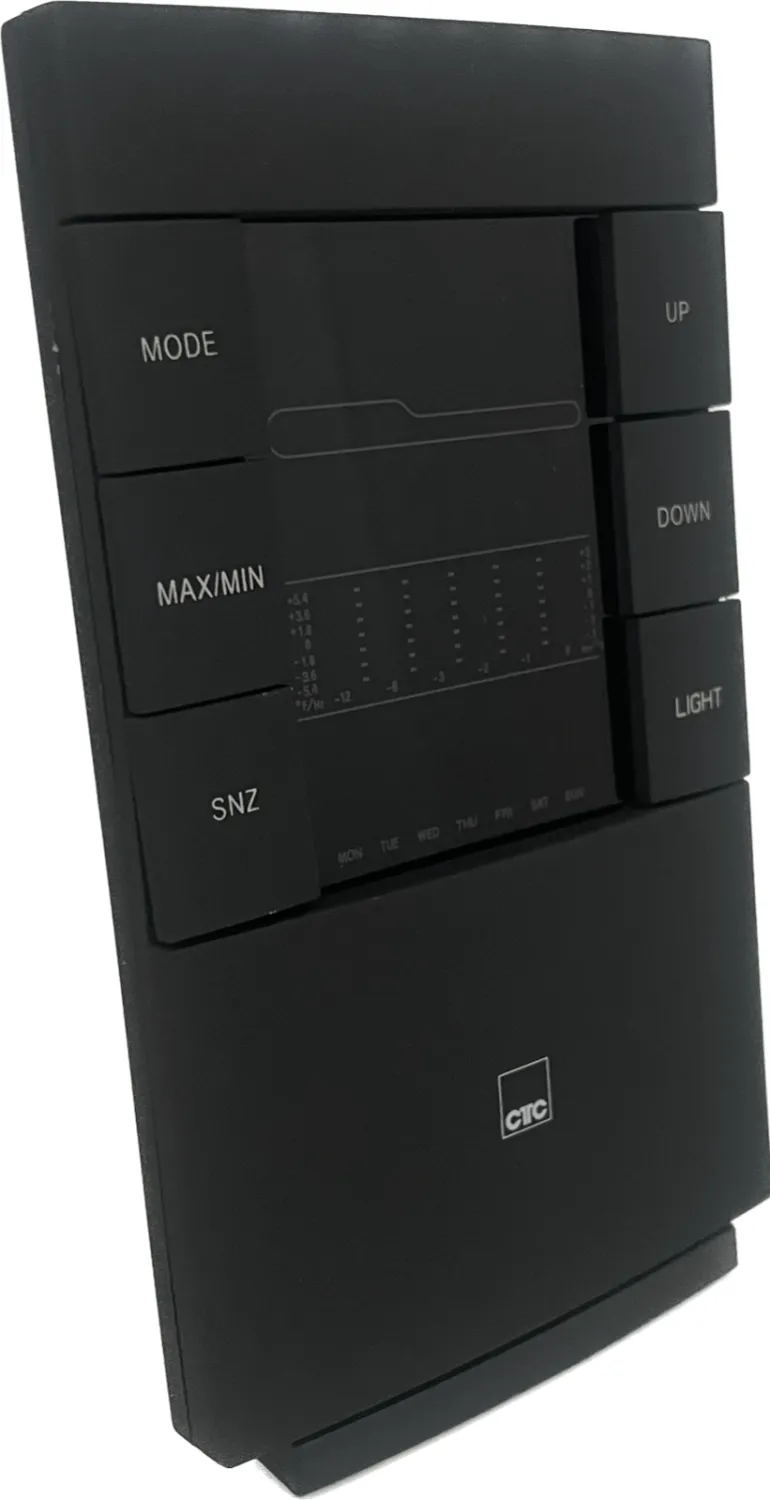
The CTC WSU 7024 Wireless Weather Station Digital brings practical everyday climate awareness into a compact, easy-to-read format. Designed for home use, it combines a clock, dual alarms, indoor temperature, humidity, and comfort-level readings in one simple device. If you enjoy keeping track of your room conditions without complicated setup, the CTC WSU 7024 Wireless Weather Station Digital Manual helps make the experience feel approachable and direct.
What stands out most is how well this station balances convenience and function. The display shows time, date, weekday, alarm status, temperature, humidity, and a short indoor trend view, giving you a quick snapshot of your environment at a glance. It also offers a forecast-style indicator and comfort assessment, which can be especially useful for bedrooms, offices, or living spaces where you want to stay aware of air conditions throughout the day.
The device supports both battery power and an optional power adapter, making it flexible for different room setups. With battery use, it stays portable and easy to place anywhere. With adapter power, the screen remains continuously lit, which is helpful if you want better visibility at night. The added light function, snooze option, and MAX/MIN memory make it more than a basic clock—it becomes a small but useful home companion.
Another advantage is its versatility in display settings. Users can switch between Celsius and Fahrenheit, choose a 12-hour or 24-hour format, and set two separate alarms. That makes it suitable for households with different routines. While it does not measure outdoor weather directly, placing it near an open window can provide a rough sense of temperature trends.
For anyone looking for a compact digital station that focuses on clarity, ease of use, and everyday comfort tracking, this model offers a solid mix of features without overcomplicating the experience.
Notes
Uses 2 AAA batteries, with an optional DC adapter.
Shows indoor temperature, humidity, comfort level, and alarm functions.
Best suited for indoor monitoring rather than true outdoor forecasting.




Nora Keller
8 months ago
The display is very dark and I can only read it when I press the light switch. Is this normal, and do I need to connect a 5V power adapter for continuous visibility?
Manual.ly
8 months ago
Yes, this model's display illumination depends on its backlight/light settings. On battery power the screen can appear dim, and it is typically readable mainly when the built-in light/backlight is activated. If you want the display consistently easy to read, use the recommended 5V AC adapter instead of relying on batteries only. Also check the brightness/backlight and sensor settings in the menu. If you notice unusual behavior (for example, alarms going off or settings not matching), confirm the batteries are installed correctly and then reset/reconfigure the device using the instruction manual.