
CreatBot DX Manual
PDF manual · 44 Pages
English


Quick check
Incorrect answer, please try again.
Chat with your CreatBot DX manual using AI
Get instant AI answers from your CreatBot DX manual
Ask anything about the CreatBot DX. Answers come from this manual, with the pages they are based on.
DX Maintenance Schedule
Frequently clean stains on the rail to ensure smooth operation.
Lubricate the four guide rails. Do not add too much lubricating oil.
Frequently clean the feeder gear to maintain proper filament feeding.
Ask a Question
Do you recommend DX?
Yes NoFrequently Asked Questions
It is built for more demanding use, with a rigid structure, higher temperature capability, and support for multi-material workflows. It is aimed at users who want dependable output rather than only simple hobby prints.
Is this answer helpful?
It supports common materials like PLA and ABS, plus TPU, PETG, HIPS, PVA, PA, PC, and carbon-fiber blends. Material choice depends on the nozzle, temperature, and print settings you use.
Is this answer helpful?
Very important. A stable first layer is key to success, especially with larger models or materials that warp easily. The manual stresses adjusting the leveling nuts and checking the nozzle distance carefully.
Is this answer helpful?
Yes. The machine and software include dual-head features, and CreatWare provides alignment tools for horizontal and vertical nozzle adjustment. This helps reduce mismatch when printing two colors or two materials.
Is this answer helpful?
CreatWare is the recommended slicer and control software. It handles model loading, slicing, support settings, printer profiles, and GCode export, making it the main workflow tool for preparing prints.
Is this answer helpful?
Keep the rails clean, lightly lubricate the moving parts, and check the feeder gear regularly. It also helps to use good filament and avoid letting dust or debris build up around the motion system.
Is this answer helpful?
Advantages and Disadvantages
Advantages

- Wide material support, including PLA, ABS, PETG, TPU, and advanced blends.
- High-temperature hotend and heated bed expand print possibilities.
- Touchscreen controls and CreatWare simplify setup and slicing.
- Power-loss recovery and filament detection improve print reliability.
Disadvantages

- Getting the best results requires careful leveling and tuning.
- Dual-head printing needs extra alignment work.
- Regular maintenance is important to keep motion and feeding smooth.
- Large, high-temperature jobs can be less beginner-friendly.
Product Specification
Method
Fused Filament Fabrication FFF
Arrangement
1x movable print head (forward/backward, left/right), 1x movable print bed (up/down)
Construction
Ready-made model, closed print chamber (with viewing window, side door, top door, front door), full metal frame, control in the device, integrated filament holder
Manufacturer's recommended materials
1.75mm Filament (3mm optional), open system, ABS, PLA, PETG, Carbon
Layer Height
0.00197-0.01181 in
Accuracy X
0.00050 in
Accuracy Y
0.00050 in
Accuracy Z
0.00005 in
Speeds
0.79-7.87 in/s Printing (best print quality at 1.77 in/s)
Print Bed
Rectangular, glass ceramic, heated (max. 212°F)
Interfaces
USB-A 2.0
Screen
4.3" Diagonal, color, Touchscreen
Control
Touchscreen
Power Supply
110-110V, 200-240V, 350W
Operating Environment
59-89.6°F
Color
black
Product Description
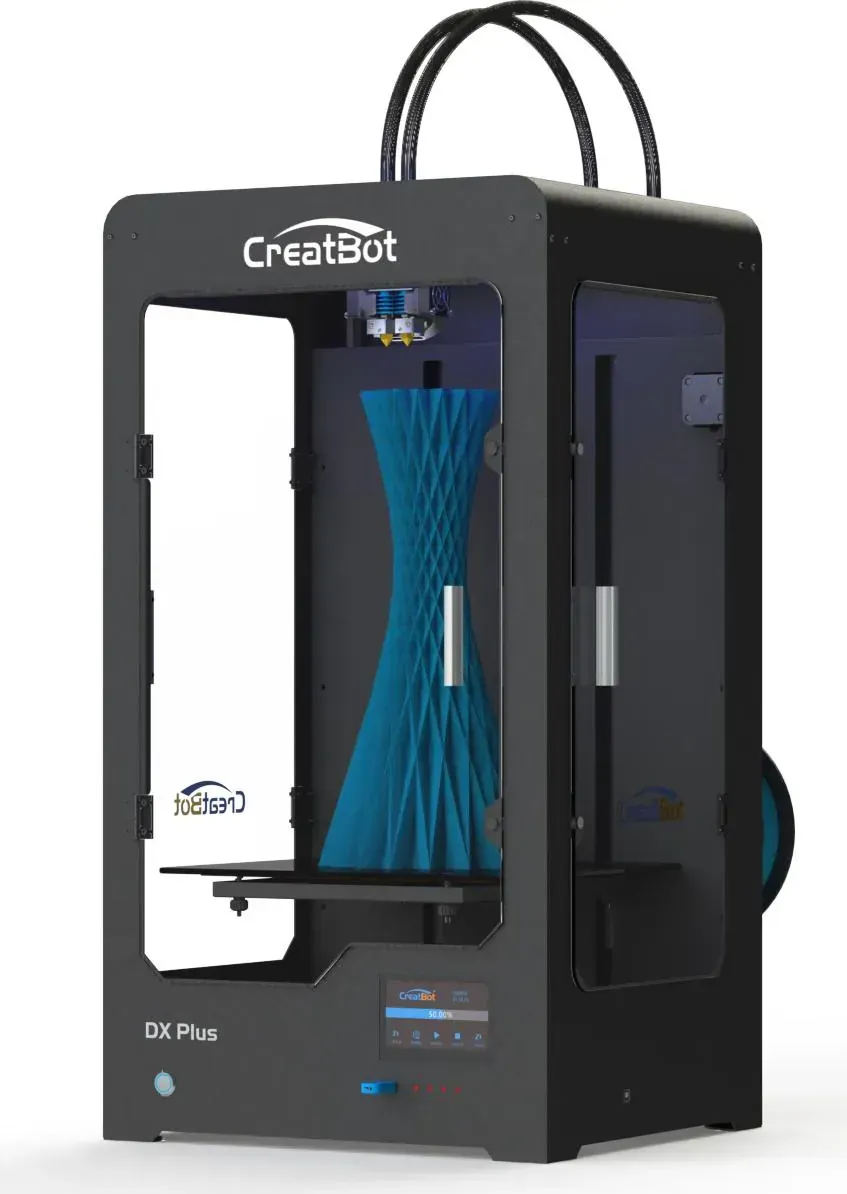
CreatBot DX 3D Printer: A Practical Choice for Serious Desktop Fabrication
The CreatBot DX 3D printer stands out as a dependable machine for makers who want more than a basic hobby unit. It combines a rigid frame, a heated build platform, and a multi-head setup that supports consistent results across common engineering filaments. According to the CreatBot DX 3D printer Manual, the machine is designed to guide users from first setup to advanced slicing, making it easier to move from simple models to more demanding prints.
One of the strongest points of the DX is its focus on stable printing. The printer supports a wide temperature range, including a hotend that can reach 350°C and a bed that can reach 100°C, which opens the door to PLA, ABS, TPU, PETG, HIPS, PVA, PA, PC, and carbon-fiber blends. That flexibility makes it useful for prototypes, functional parts, and larger projects where material choice matters as much as size.
The touchscreen interface adds everyday convenience. Users can home the axes, monitor temperatures, adjust speed and flow, manage filament, and start jobs directly from the printer. For users who prefer software control, CreatWare offers model loading, slicing, support generation, dual-head alignment, and GCode export. That creates a workflow that feels approachable for newcomers while still offering enough control for experienced users.
The printer is also built with practical reliability in mind. Filament detection, auto turnoff, and power-loss recovery help reduce wasted prints, especially during longer jobs. The manual highlights careful leveling, correct filament loading, and solid platform adhesion as important habits, which shows that the DX performs best when the basics are done well. A clean guide rail, properly set feeder tension, and quality filament all contribute to stronger results.
Why it appeals to makers
The CreatBot DX is best seen as a balanced desktop production tool. It is not trying to be a minimalist entry-level printer. Instead, it focuses on repeatable output, broad material compatibility, and a setup that supports both single-material and multi-head printing. For workshops, classrooms, and small businesses, that combination can be especially valuable.
Notes
- Correct leveling has a major impact on first-layer success.
- High-quality filament reduces clogging and feeding issues.
- Regular maintenance helps keep motion smooth and prints consistent.
- ABS and similar materials benefit from stronger adhesion and stable conditions.
Search for 67,706 Manuals online


Type-in Brand or Model