
Cougar Vortex RGB SPB 120 PWM HDB Manual
PDF manual · 1 Pages
English


Quick check
Incorrect answer, please try again.
Chat with your Cougar Vortex RGB SPB 120 PWM HDB manual using AI
Get instant AI answers from your Cougar Vortex RGB SPB 120 PWM HDB manual
Ask anything about the Cougar Vortex RGB SPB 120 PWM HDB. Answers come from this manual, with the pages they are based on.
Ask a Question
Do you recommend Vortex RGB SPB 120 PWM HDB?
Yes NoFrequently Asked Questions
The Core Box V2 must be connected to a 5V Addressable RGB header on a compatible motherboard such as ASUS, MSI, or Gigabyte. Do not connect it to a 12V non-addressable header as this can cause damage. Use the provided adapters to ensure correct connection.
Is this answer helpful?
No, the wireless controller allows you to choose between 100 lighting effects without installing any software. You can adjust speed, brightness, and flow direction directly using the handheld wireless unit included in the package.
Is this answer helpful?
The fans use Hydro-Dynamic Bearings which provide smooth operation and help extend the lifespan of the unit. This design effectively reduces friction and maintains quiet performance even at varying RPM speeds.
Is this answer helpful?
No, this kit supports specific 5V addressable headers. It is compatible with certain models from ASUS, MSI, and Gigabyte. Please verify your motherboard specifications before installation to ensure proper functionality and avoid electrical issues.
Is this answer helpful?
The warranty period for the COUGAR VORTEX RGB SPB 120 Cooling Kit is one year. You must keep the invoice or warranty card proof of purchase. If you lose the evidence, the original shipping date based on the serial number may be used to determine warranty start.
Is this answer helpful?
The controller uses a CR2025 battery. You can access the battery compartment by pushing the release clip. Replace the battery ensuring correct polarity is aligned before securing the cover back to maintain controller functionality.
Is this answer helpful?
When fully installed with eight fans and four LED strips, the Core Box consumes approximately 40 watts at 5V. Ensure your power supply can handle this load alongside the rest of your system components for stable operation.
Is this answer helpful?
Advantages and Disadvantages
Advantages

- Contains 24 RGB LEDs per fan for maximum illumination coverage
- Wireless controller with driver-free setup for 100 lighting effects
- Hydro-Dynamic Bearing ensures smooth operation and longevity
- Low noise profile at 26 dBA for a quiet computing experience
- PWM control range from 600 to 1500 RPM for flexible tuning
Disadvantages

- Requires 5V addressable header and may not work with 12V connectors
- Warranty period is limited to one year only
- Wireless controller requires a CR2025 battery for operation
- Full system load can consume 40W which requires adequate PSU
- Installation requires specific adapters for various motherboard headers
Product Specification
Dimensions
4.72x4.72x0.98 in (WxHxD)
Speed
600-1500 RPM
Airflow
43.51 CFM
Air Pressure
0.05 inH2O
Noise Level
26 dB(A)
Fan Bearing
Hydrodynamic Bearing (HDB)
Voltage Range
12 V
Lighting
RGB (24 LEDs)
Color
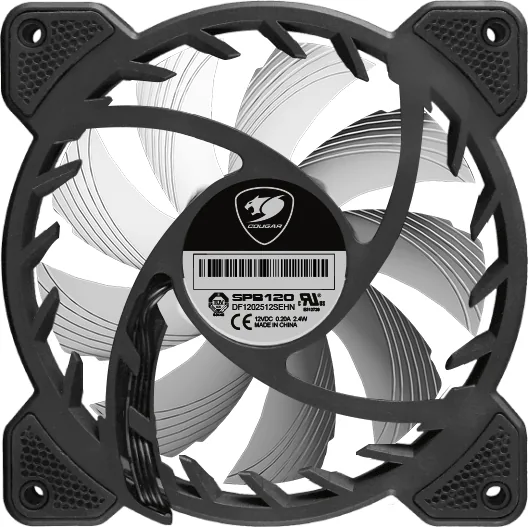
Black (Frame), White (Rotor)
Features
Vibration dampener
Product Description
Experience Ultimate PC Customization with the Cougar Vortex RGB SPB 120 PWM HDB
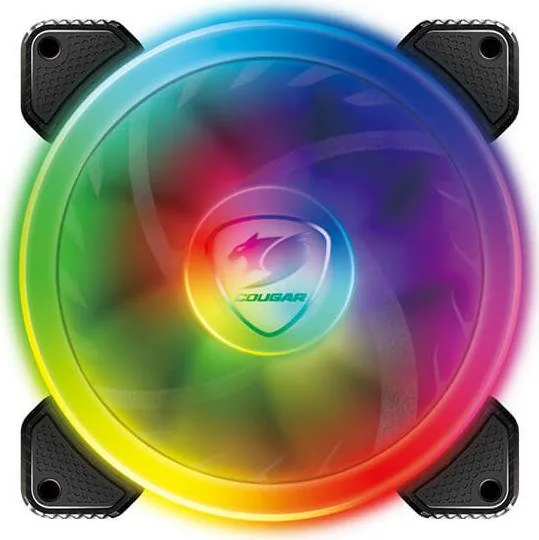
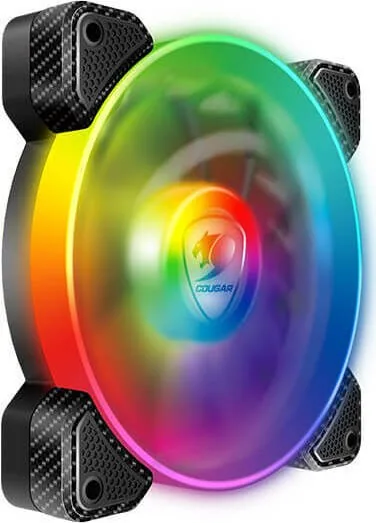
Building a high-performance computer system requires careful attention to both cooling efficiency and visual appeal. The Cougar Vortex RGB SPB 120 PWM HDB Cooling Kit delivers both exceptional thermal management and stunning lighting effects for every enthusiast. This fan trio is designed for gamers who demand real gear. Each fan comes equipped with twenty-four vibrant RGB LEDs that provide intense brightness and color accuracy across the system. The innovative tri-directional lighting design ensures that illumination is visible from multiple angles, creating a mesmerizing display even within densely packed chassis interiors.
Seamless Wireless Control
One of the standout features of this cooling solution is the Core Box V2 integration. This device supports direct connection to 5V RGB headers found on compatible motherboards from major manufacturers like ASUS, MSI, and Gigabyte. Users can synchronize lighting across the entire rig without adding additional software to their operating system. The included wireless controller allows immediate access to over one hundred stunning lighting effects. You can adjust fan speed, brightness, and light flow direction easily using the handheld unit. This driver-free approach simplifies setup and reduces resource usage on your host machine.
Advanced Cooling Performance
Efficient airflow is critical for maintaining stable temperatures under heavy load. The patented Cougar fan design optimizes air pressure while keeping noise levels low for a peaceful environment. These fans utilize Hydro-Dynamic Bearings which ensure smooth operation and longevity over time without degradation. With a PWM speed range between six hundred and fifteen hundred RPM, system tuning becomes simple and responsive. The airflow reaches forty-three point five four CFM while maintaining a whisper-quiet 26 dBA operation. This makes the kit ideal for users who prioritize a silent environment without sacrificing power.
Installation and Power Requirements
Connecting the fans involves standard hardware assembly and secure electrical integration. The bundle includes necessary adapters for various motherboard connections and power requirements. A specific power connector supplies energy to the Core Box for managing up to eight fans and four LED strips in larger builds. Users must ensure they select a power supply unit with sufficient wattage to handle the combined load of the lighting and motors effectively.
Notes
The warranty period for this gaming device is one year from the date of purchase. Always check compatibility before installation to avoid electrical damage from incorrect voltage. Use the wireless controller to bind the Core Box V2 for specific command control and stability.
Search for 67,706 Manuals online


Type-in Brand or Model